7
Memory presets recall
Storing stations in preset memories
There are 5 memory presets for each waveband.
1. Press the Power button to turn on the radio.
2. Tune to the required station using Tuning Control.
3. Press and hold down the required preset until the radio beeps.
The preset number will appear in the display and the station will
be stored under chosen preset button.
4. Repeat this procedure for the remaining presets.
5. Stations stored in preset memories can be overwritten by
following above procedures.
Recalling stations from preset memories
1. Press the Power button to turn on the radio.
2. Select the required waveband.
3. Momentarily press the required Preset button, the preset
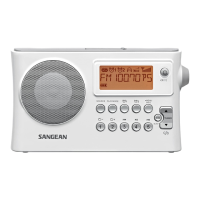
number and station frequency will appear in the display.
Display backlight
When radio is switched on, press any button except Power button
will illuminate the LCD display for approx. 15 seconds.



 To Next Page