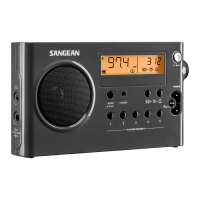
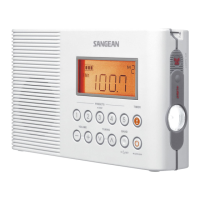
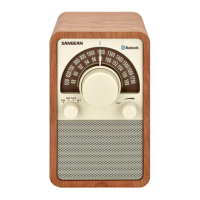
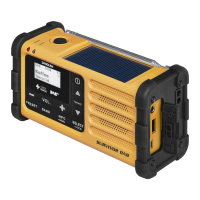
SR-32
GB Operating Instructions
E Instrucciones de manejo
For United States:
Cautions to the user
The changes or modifications not expressly approved by the party
responsible for compliance could void the users authority to operate the
equipment.
The equipment has been tested and found to comply with the limits for
a Class B Digital Device, pursuant to part 15 of the FCC Rules. These
limits are designed to provide reasonable protection against harmful
interference in a residential installation. This equipment generates, uses
and can radiate radio frequency energy and, if not installed and used in
accordance with the instruction, may cause harmful interference to radio
communication. However, there is no guaranty that interference will not
occur in a particular installation. If this equipment does cause harmful
interference to radio or television reception, which can be determined by
turning the equipment off and on, the user is encouraged to try to correct
the interference by one or more of the following measures:
− Reorient or relocate the receiving antenna.
− Increase the separation between the equipment and receiver.
− Connect the equipment into an outlet on a circuit different from that to
which the receiver is connected.
− Consult the dealer or an experienced radio / TV technician for help.
GB
Excessive sound pressure from Earbuds or Headphones can cause
hearing loss.
To prevent possible hearing damage, do not listen at high volume levels
for long periods of time.
IMPORTANT
Do not allow this unit to be exposed to water, steam or sand. Do not
leave the unit where excessive heat could damage such as in a parked
car where the heat from the sun can build up even though the outside
temperature may not seem too high.
CAUTION
1
Headphone socket
2
Strap holder
3
Frequency Band switch
4
Tuning control
5
Tuning scale
6
Tuning LED indicator
7
Power indicator
8
Volume On / Off control
9
Battery compartment
Controls
Battery operation
To insert the batteries, rst open the battery cover by sliding it in the direction
shown by the arrow. Insert two AA size batteries into the compartment.
Ensure all batteries are inserted with correct polarity as shown on the inside
of the battery compartment.
Battery
2 X AA (UM-3 / R6) size
Frequency coverage
FM 87.5–108 MHz
AM 520–1710 kHz
Output Power
1mW 32ohm
Headphone socket
3.5mm dia. (mono)
Operating temperature range
0°C to +35°C
Specications
Sangean reserves the right to amend the specications without notice.
※
The barcode label on the product is dened as below:
Serial number
Production month
Production year
Product code
If at any time in the future you should need to dispose of this
product please note that: Waste electrical products should not
be disposed of with household waste. Please recycle where
facilities exist. Check with your Local Authority or retailer for
recycling advice. (Waste Electrical and Electronic Equipment
Directive)
Headphone Input
Plug your headphones or earbuds into the headphone socket for private
listening.
Volume On / Off control
Turn on the power by switching the Volume On / Off control switch. Adjust it
to the desired level of sound. Rotating the control clockwise will increase the
sound level.
Frequency Band switch
Set the Frequency Band switch to the desired Frequency Band.
Tuning control
Slowly rotate the tuning control to select the required station. The tuning
indicator will light when the station is correctly tuned.
Tuning scale
Rotate the tuning control until the tuning scale corresponds to the frequency
of the required station.
8
9
2
1
3
7
6
4
5

 Need help?

 To Next Page
 General