Need help?
Do you have a question about the Sangoma P325 and is the answer not in the manual?
Overview of Sangoma P-Series IP phones and their compatibility with UC platforms.
Automatic and manual methods for connecting Sangoma P-series phones to the network.
Methods for configuring phones using XML files or the Web User Interface.
Procedures for upgrading phone firmware via UC software or manually.
Phone initialization and network connection using DHCP and LLDP-MED.
Manually configuring network parameters like IP address, subnet mask, and DNS.
Configuring Wi-Fi settings, including SSID, key type, and password.
Methods for configuring the phone using XML files or the Web UI.
Clearing all configuration information to restore factory default settings.
Reconfiguring the phone to obtain a new configuration.
Guide to accessing and using the phone's web user interface.
Overview of fundamental calling features like dialing and receiving calls.
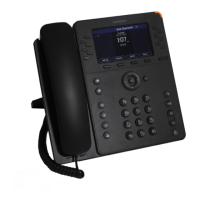
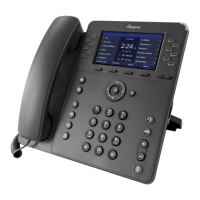
The Sangoma P-Series IP Phones are a range of communication devices designed for seamless integration with Sangoma Unified Communication platforms such as Asterisk, Business Voice, Business Voice Plus, Switchvox, PBXact, and CommUnity phone systems. This user guide provides comprehensive information on setting up, configuring, and utilizing the P-Series models, including the P310, P315, P320, P325, P330, P370 IP phones, and the PM200 Attendant Console, particularly when a Sangoma Configuration Server is not in use. For users integrating with Switchvox or the Digium Phone Module for Asterisk (DPMA), additional resources are available on the Sangoma website.
The Sangoma P-Series IP Phones serve as robust endpoints for voice communication within a unified communication environment. They are designed to provide high-quality audio and a range of features that enhance productivity and collaboration. The phones support multiple SIP accounts, allowing users to manage several lines simultaneously. Depending on the model, they offer various display sizes and types, from backlit color displays to multi-point touch IPS glass displays, ensuring clear visibility and intuitive interaction.
Key functions include making and receiving calls, managing call logs, and accessing contacts. The phones support advanced call features such as call forwarding, hold, transfer (assisted and unassisted/blind), and three-way conferencing. For quick access to frequently dialed numbers or contacts, rapid dial keys are available, with some models supporting virtual BLF (Busy Lamp Field) keys through a page key.
Connectivity is a core aspect of the P-Series. All models feature Ethernet connectivity, with some offering Gigabit Ethernet for high-speed network access. Built-in Bluetooth and Wi-Fi (2.4/5G) connectivity are available on higher-end models, enabling wireless headset support and flexible network deployment. USB ports are included for headset support and expansion modules, further extending the phone's capabilities.
The PM200 Attendant Console, an expansion module, enhances the P-Series phones by providing additional rapid dial keys and a dedicated display, ideal for receptionists or users who manage a high volume of calls and need quick access to multiple extensions.
The P-Series phones are designed for ease of use, with a focus on intuitive navigation and accessible features. Upon powering up, the phone initializes by attempting to obtain an IP address and VLAN membership information via DHCP and LLDP-MED, and then seeks a configuration server. If automatic configuration is not successful, users can manually set network information through the phone's interface or the Web User Interface (WebUI).
The phone's main menu, accessed via the navigation button, provides access to various settings and applications. Users can configure network settings, manage SIP accounts, and access phone applications like Call Log, Forward Calls, Bluetooth, Contacts, Parked Calls, Call Queues, and Status.
The P-Series IP Phones offer several features to ensure optimal performance and facilitate troubleshooting and updates.
 General
| Type | IP Phone |
|---|---|
| Display | Color LCD |
| Resolution | 320 x 240 |
| Lines | 8 |
| Ethernet Ports | 2 |
| PoE | Yes |
| Headset Port | Yes |
| USB Ports | 1 |
| Bluetooth | No |
| Wi-Fi | No |
| Opus Support | Yes |
| Protocols | SIP |
| Voice Codecs | G.711, G.722, G.729, Opus |
| HD Audio | Yes |
| Conference Calling | Yes |
| Wall Mountable | Yes |
| Display Size | 2.8 inches |
| Features | Call Transfer, Call Waiting, Do Not Disturb (DND), Hold, Redial, Voicemail |


 To Next Page