Unoicial Sansui F50 User Manual
Video Play
Power on the unit. Briey press the Video button to activate the LCD screen. Insert a USB
ash drive or Micro SD (TF) card with pre-stored video les into the appropriate slot.
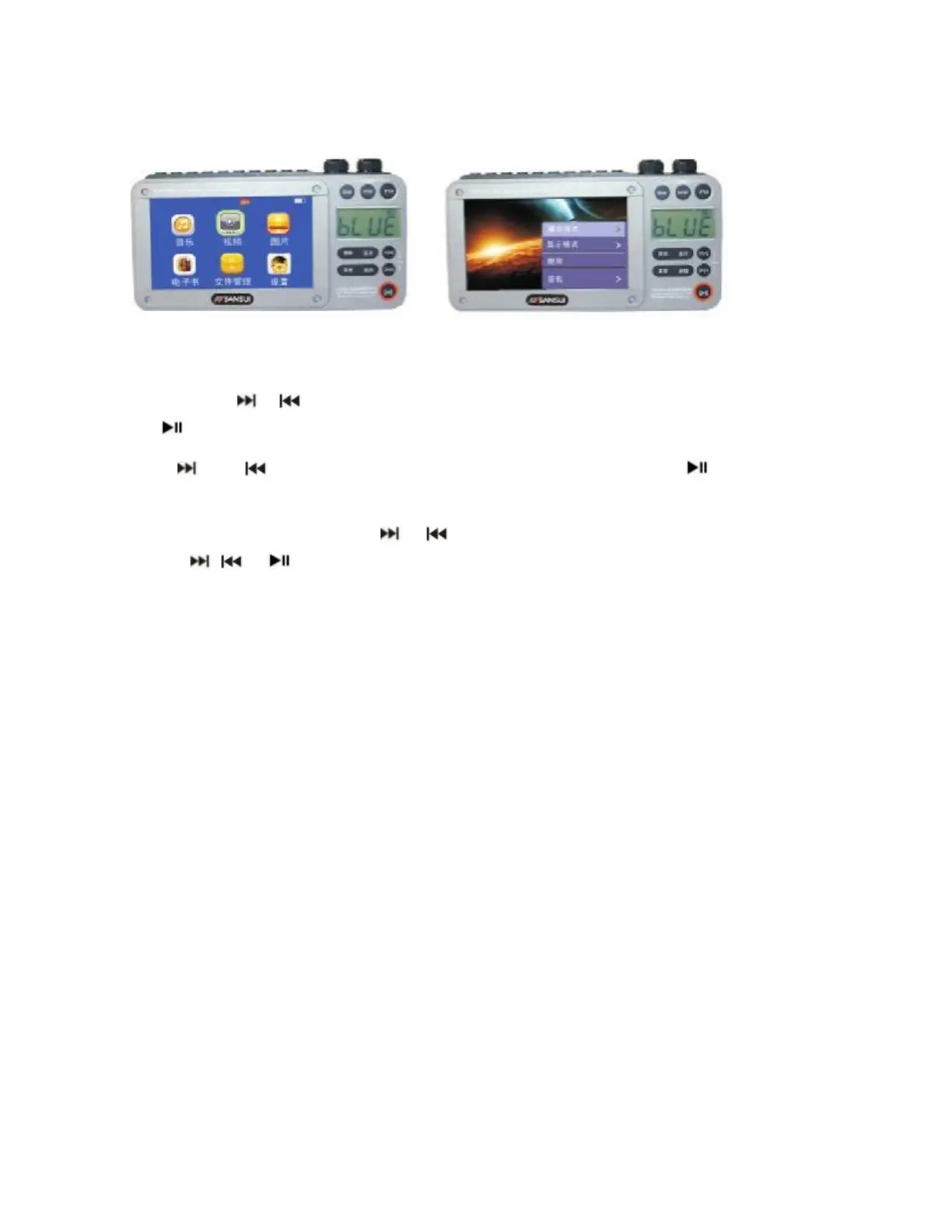
Short press the or Button to select the “VIDEO” icon shown on the screen, and short
press Button to select Video play mode.
Use the and Buttons to scroll through the video les and use the button to select
the le and begin playing the video.
During Video play, long press the or Buttons to fast forward or rewind, then short
press the , or Button again to exit, fast forward or rewind.
Press the MENU button for further options:
- Playback Mode
o Sequence
o Repeat One
o Repeat All
o Shule
o Shule + Repeat
- Screen Size (Full Screen, Original Size, Scale)
- Delete
- Track
- Subtitle
o O
o Plug-in subtitles
- Information: (File Name, Resolution, Frame Rate, Bit Rate, Total Time, File Size
Tips: Supports full-format 720P high-denition video playback, including RM, H.264, Xvid,
and Mpeg2, with a maximum resolution of 1080P. Supports H.264 HP high-bitrate decoding
for formats such as RM, AVI, MKV, VOB, MOV, FLV, ASF, DAT, MP4, 3GP, MPG, MPEG, and
more.



 To Next Page