Unoicial Sansui F50 User Manual
Music Play
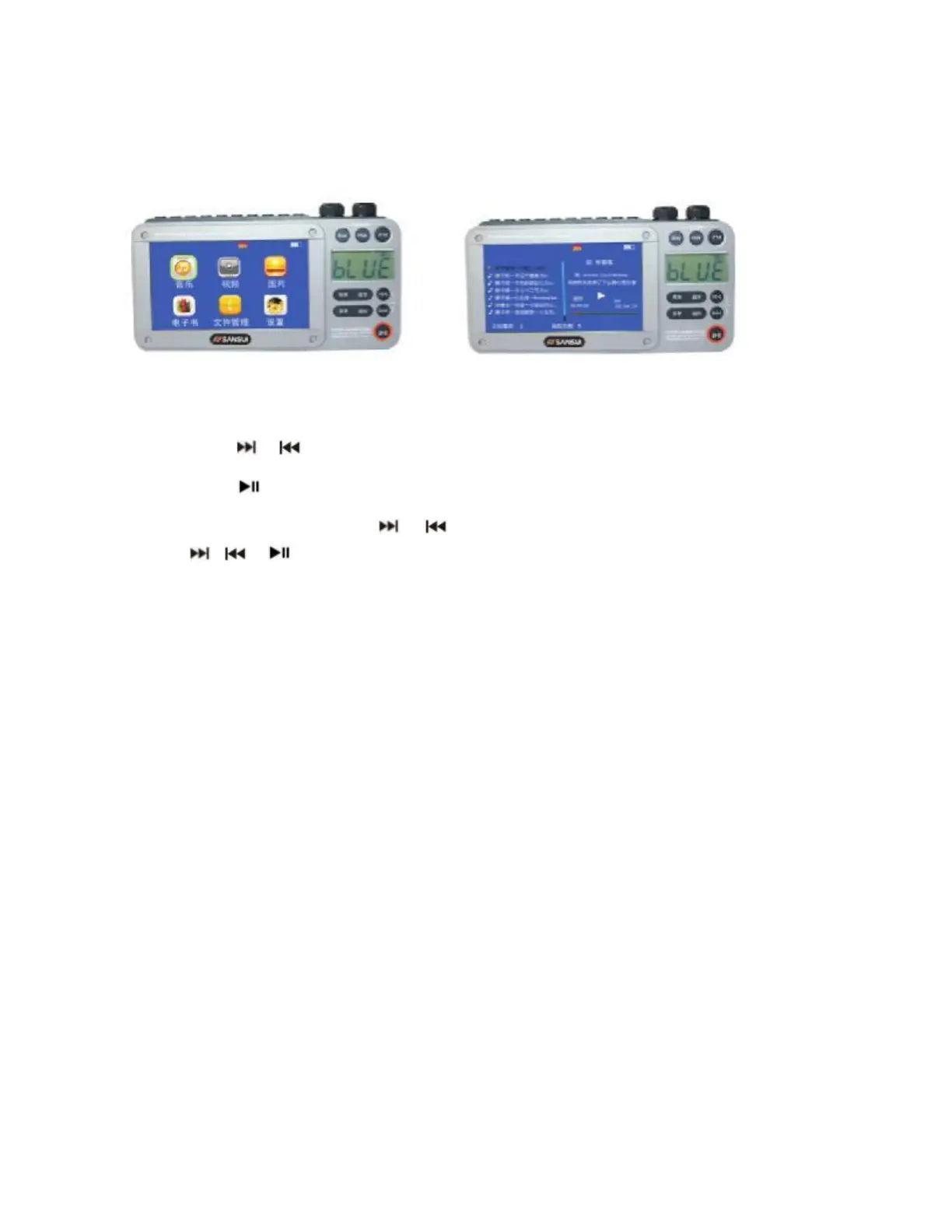
Power on the unit. Briey press the Video button, which activates the LCD screen. Insert a
USB ash drive or Micro SD (TF) card with pre-stored music les into the appropriate slot.
Short press the or Button to select the “MUSIC” icon shown on the screen.
Short press the Button to start music play of content stored on the USB/TF card.
During Music play, long press the or Button to fast forward or rewind, then short
press the , or Button again to exit fast forward or rewind.
Equalizer
The Music play function supports a graphic equalizer selection. When Music play is active,
press the Menu button to display the equalizer options:
- Normal
- Pop
- Classical
- Soft
- Jazz
- Rock
- DBB (Dynamic Bass Boost)
Also available on the menu is a repeat setting: Sequence, Repeat Once, Shule, Shule
+ Repeat and Intro.
Tips
The F-50 supports MP3, WAV, OGG, APE, and FLAC formats for music playback. To support
lyrics display it is necessary to download an ”LRC” lyric le.



 To Next Page