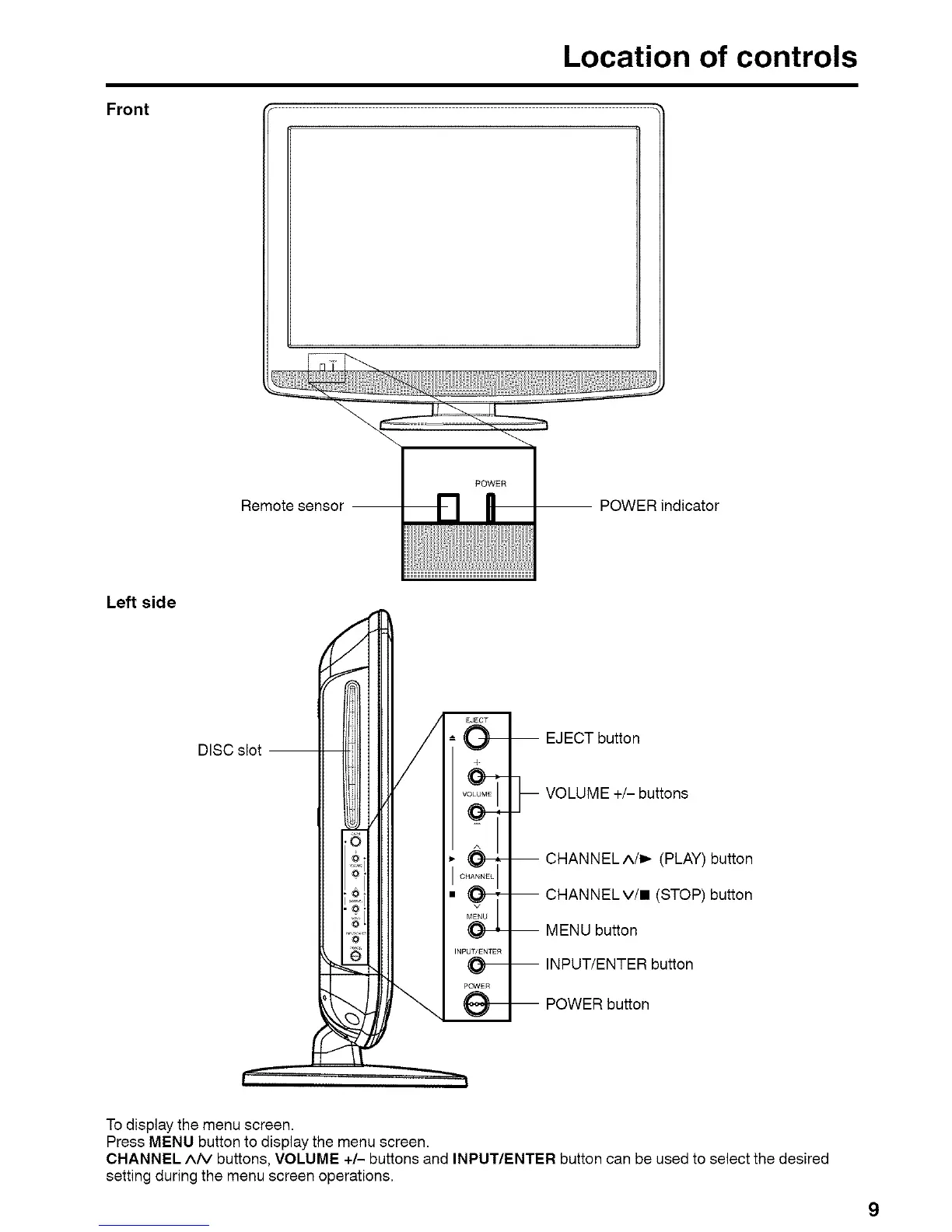
Front
Location of controls
Remote sensor -- -- POWER indicator
Left side
DISC slot --
4
.(O9-+-,'
CHANNELI
, O-f-:
INPUT/ENTER
O--
PowEn
O-
-- EJECT button
-- VOLUME +/- buttons
-- CHANNELA/I_ (PLAY) button
-- CHANNELV/II (STOP) button
-- MENU button
-- INPUT/ENTER button
-- POWER button
To display the menu screen.
Press MENU button to display the menu screen.
CHANNEL A/V buttons, VOLUME +/- buttons and INPUT/ENTER button can be used to select the desired
setting during the menu screen operations.



 To Next Page