EasyManua.ls Logo

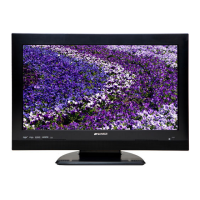
Sansui HDLCDVD265 - User Manual

Sansui HDLCDVD265
45 pages
Print Icon
To Next Page IconTo Next Page
Loading...
26” TFT LCD DIGITAL TV WITH DVD PLAYER
TÉLÉVISEUR NUMÉRIQUE AVEC ÉCRAN TFT À CRISTAUX
LIQUIDES DE 26 PO ET LECTEUR DVD
OWNER’S MANUAL
GUIDE D’UTILISATION
ATTENTION
ATTENTION
If you purchase a universal remote control from your local retailer, please contact the remote manufacturer for the
required programming code.
Si vous utilisez avec cet appareil une télécommande universelle (autre que celle vendue avec ce téléviseur),
consultez la documentation accompagnant la télécommande universelle afin de connaître le code numérique cor-
respondant au téléviseur.
AIR/CABLE MODE SELECTION
SÉLECTION DU MODE AIR/CABLE
When shipped from the factory, the Signal Type option is set to the “Cable” (Cable Television) mode.
If not using Cable TV, set this menu option to the “Air” position.
Lorsque l’appareil sort de l’usine, l’option « Signal Type » est en mode « Cable » (câblodistribution). Si vous
n’utilisez pas la câblodistribution, sélectionnez l’option « Air ».
Before operating the unit, please read this manual thoroughly.
Avant de faire fonctionner l’appareil, veuillez lire le présent guide attentivement.
HDLCDVD265
IF CONTACT WITH CUSTOMER SERVICE IS REQUIRED
PLEASE HAVE THE MODEL NUMBER READY PRIOR TO THE CALL
S’IL FAUT CONTACTER LE SERVICE CLIENTÈLE, PRENEZ SOIN D’ÊTRE MUNI
DU NUMÉRO DE MODÈLE AVANT D’APPELER.
CUSTOMER SERVICE – 1-800-289-0980
SERVICE/SERVICE CLIENTÈLE: 1-800-289-0980
ORION WEBSITE
SITE WEB ORION
FOR INFORMATION ON OUR OTHER PRODUCTS, PLEASE VISIT OUR WEBSITE AT
POUR OBTENIR DES INFORMATIONS SUR NOS AUTRES PRODUITS, VEUILLEZ VISITER NOTRE SITE WEB:
www.orionsalesinc.com
FRANÇAIS ENGLISH
52K0221A_eng.indd 152K0221A_eng.indd 1 12/15/08 7:00:36 PM12/15/08 7:00:36 PM

Table of Contents

Other manuals for Sansui HDLCDVD265

Questions and Answers

  • M
    Matthew CaldwellAug 21, 2025
    What to do if Sansui HDLCDVD265 remote is not functioning?
    • A
      Annette PattersonAug 21, 2025
      If the unit or remote operation key is not functioning on your Sansui TV DVD Combo, turn off the unit and unplug the AC power cord for several minutes, then replug it.
  • C
    Christian GrahamSep 4, 2025
    Why Sansui TV DVD Combo has no picture?
    • N
      Nicholas CarterSep 4, 2025
      If there is no picture on your Sansui TV DVD Combo, ensure the TV/DVD selector is set correctly.
  • O
    ovegaSep 2, 2025
    Why Sansui HDLCDVD265 picture wobbles?
    • R
      Rebecca RomeroSep 3, 2025
      If the picture on your Sansui TV DVD Combo wobbles or drifts: Tune to another station in case the station or Cable TV is experiencing problems. Make sure channels are set into memory. Check antenna orientation. Note that if the Cable TV company is scrambling the signal, there is no suggested solution provided.
  • F
    franciscosmithSep 1, 2025
    How to fix poor color on Sansui TV DVD Combo?
    • P
      Phillip WolfSep 1, 2025
      If your Sansui TV DVD Combo has poor color or no color, try the following: * Tune to another station. * Make sure channels are set into memory. * Check picture control adjustments. * Check antenna or Cable TV connections, reorient antenna. * Check for sources of possible interference.
  • J
    Joshua YoungAug 30, 2025
    How to improve reception on Sansui HDLCDVD265?
    • Y
      youngderekAug 30, 2025
      To improve poor reception on some channels with your Sansui TV DVD Combo: tune to another station in case the station or Cable TV is experiencing problems; reorient the antenna to receive a stronger station if the station signal is weak; check for sources of possible interference.
  • R
    Robert WilliamsAug 29, 2025
    What to do if Sansui HDLCDVD265 TV DVD Combo has no Cable TV reception?
    • L
      lauramayAug 29, 2025
      If your Sansui TV DVD Combo has no Cable TV reception, check all Cable TV connections. Ensure the Signal Type option is set to the 'Cable' mode. If problems persist, the station or Cable TV system may be experiencing issues, so try another station.
  • E
    ericchaseAug 27, 2025
    Why Sansui HDLCDVD265 has poor sound?
    • L
      Leslie HamiltonAug 28, 2025
      If your Sansui TV DVD Combo has poor sound, the station or Cable TV may be experiencing problems, so try tuning to another station. Also, check the volume adjustments or muting and look for any sources of possible interference.
  • J
    Johnathan PughAug 27, 2025
    How to fix poor picture on Sansui HDLCDVD265?
    • K
      Kimberly AyalaAug 27, 2025
      If you're experiencing a poor picture on your Sansui TV DVD Combo, try these steps: * Tune to another station in case the station or Cable TV is experiencing problems. * Check the antenna or Cable TV connections and reorient the antenna. * Check for sources of possible interference. * Check the picture control adjustments.
  • R
    Ryan RasmussenAug 25, 2025
    What to do if Sansui HDLCDVD265 does not operate?
    • I
      Isaac HughesAug 25, 2025
      If your Sansui TV DVD Combo is not operating, ensure the power cord is properly plugged in. Check the fuse or circuit breaker, and try unplugging the unit and plugging it back in.
  • L
    Linda HopkinsAug 23, 2025
    Why Sansui HDLCDVD265 has no sound?
    • F
      fnelsonAug 23, 2025
      If your Sansui TV DVD Combo has no sound, verify that the input selector of the amplifier is correctly set. Also, the unit might be in a Special playback mode, or the Audio Output position on the AV amplifier might be incorrect; select the correct position.

Summary

Important Safety Instructions

Safety Precautions

Features

Location of Controls

Remote Control

Antenna Connections

Cable TV Connections

Starting Setup

TV Operation

Select Video Input Source

Guides users on selecting external video sources like VCR or PC.

Closed Caption

Adjusting Picture Preference

Sound Control Adjustment

Playback Procedure

Special Playback Features

MP3;WMA;JPEG & Audio CD Playback

Subtitles

Setting the Picture Mode

Parental Control Setup

Connections to Other Equipment

Connecting TV;DVD to a PC

Problems and Troubleshooting

Specifications

Limited Warranty

Sansui HDLCDVD265 Specifications

HDLCDVD265

Power IconPower
power supplyAC 120V 60Hz
power consumption (operation)102W
power consumption (standby)0.7W
Operating Environment IconOperating Environment
operating temperature5°C - 40°C
operating humidityless than 80%
Television Specifications IconTelevision Specifications
display size26.01 inches
display resolution1366 x 768 pixels
tuner typeNTSC, ATSC, QAM
Ports & Interfaces IconPorts & Interfaces
s-video input1.0V p-p, 75 ohms
component video input(Y) 1 V p-p, 75 ohms
hdmiHDMI compliant, type A connector
Audio IconAudio
speaker dimensions40.6 mm x 121.9 mm
audio output power5.0W + 5.0W
hdmi audio2-channel PCM, 32/44.1/48 kHz
DVD/CD Player IconDVD/CD Player
signal systemNTSC
applicable discDVD (12 cm, 8 cm), CD (12 cm, 8 cm)
pickup cd wavelength790 nm
Weight and Dimensions IconWeight and Dimensions
weight8.8 kg
width663 mm
height498 mm
depth214 mm

HDLCDVD265A

Power IconPower
power supplyAC 120V 60Hz
power consumption (operation)102W
power consumption (standby)0.7W
Operating Environment IconOperating Environment
operating temperature5°C - 40°C
operating humidityless than 80%
Television Specifications IconTelevision Specifications
display size26.01 inches
display resolution1366 x 768 pixels
tuner typeNTSC, ATSC, QAM
Ports & Interfaces IconPorts & Interfaces
s-video input1.0V p-p, 75 ohms
component video input(Y) 1 V p-p, 75 ohms
hdmiHDMI compliant, type A connector
Audio IconAudio
speaker dimensions40.6 mm x 121.9 mm
audio output power5.0W + 5.0W
hdmi audio2-channel PCM, 32/44.1/48 kHz
DVD/CD Player IconDVD/CD Player
signal systemNTSC
applicable discDVD (12 cm, 8 cm), CD (12 cm, 8 cm)
pickup cd wavelength790 nm
Weight and Dimensions IconWeight and Dimensions
weight8.3 kg
width663 mm
height498 mm
depth214 mm

Related product manuals