EasyManua.ls Logo

Sansui RX-710 - Tape Playback; Tape Playback Operation; Automatic Music Program Search (AMPS) Function; Precautions for Tape Handling

Sansui RX-710
17 pages
Print Icon
To Next Page IconTo Next Page
To Previous Page IconTo Previous Page
Loading...
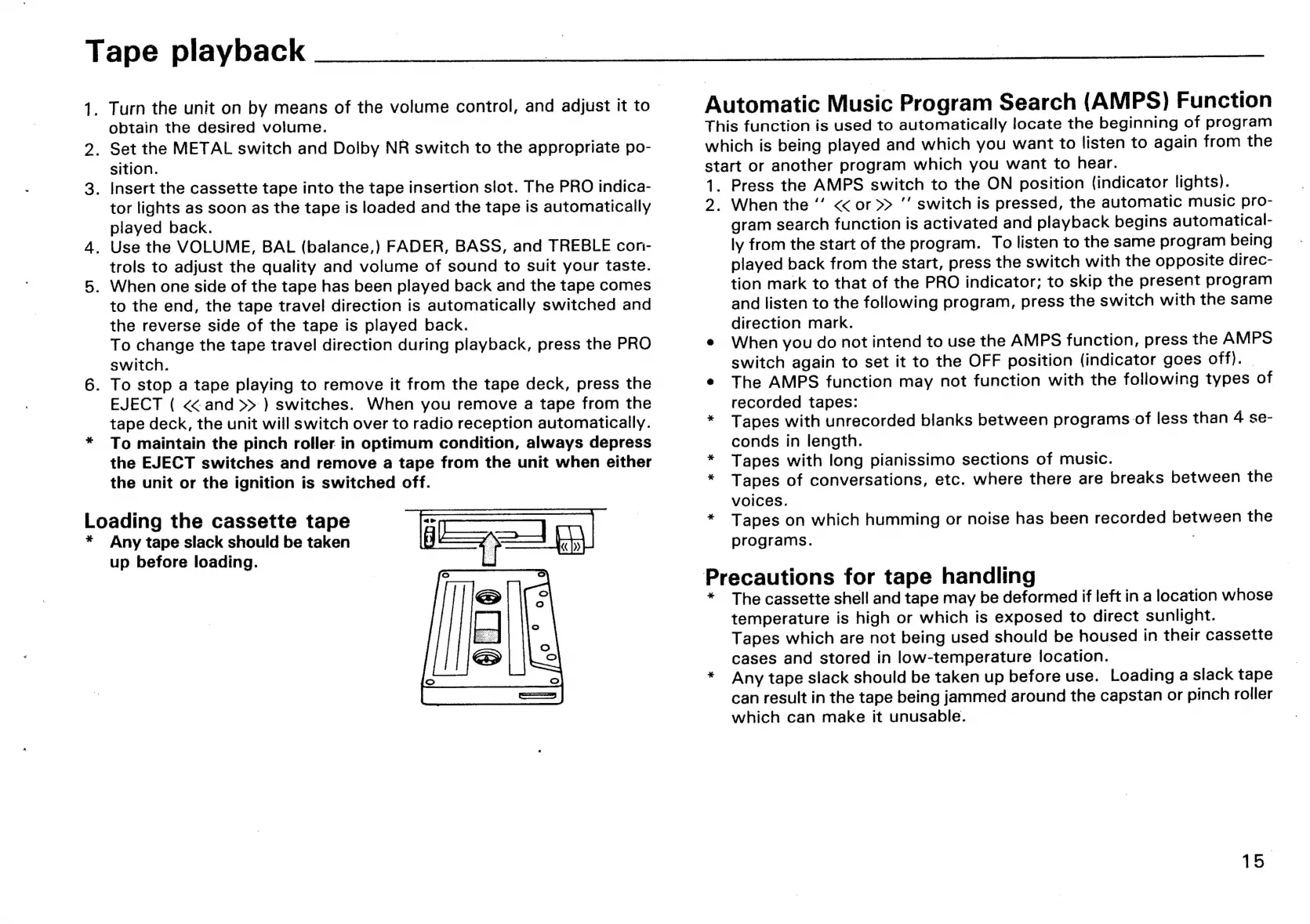
Loading
the
cassette
tape
*
Any
tape
slack
should
be
taken
Tape
playback
_
Turn
the
unit
on
by
means
of
the
volume
control,
and
adjust
it
to
obtain
the
desired
volume.
.
Set
the
METAL
switch
and
Dolby
NR
switch
to
the
appropriate
po-
sition.
.
Insert
the
cassette
tape
into
the
tape
insertion
slot.
The
PRO
indica-
tor
lights
as
soon
as
the
tape
is
loaded
and
the
tape
is
automatically
played
back.
.
Use
the
VOLUME,
BAL
(balance,)
FADER,
BASS,
and
TREBLE
con-
trols
to
adjust
the
quality
and
volume
of
sound
to
suit
your
taste.
.
When
one
side
of
the
tape
has
been
played
back
and
the
tape
comes
to
the
end,
the
tape
travel
direction
is
automatically
switched
and
the
reverse
side
of
the
tape
is
played
back.
To
change
the
tape
travel
direction
during
playback,
press
the
PRO
switch.
.
To
stop
a
tape
playing
to
remove
it
from
the
tape
deck,
press
the
EJECT
(
<<
and
>>
)
switches.
When
you
remove
a
tape
from
the
tape
deck,
the
unit
will
switch
over
to
radio
reception
automatically.
To
maintain
the
pinch
roller
in
optimum
condition,
always
depress
the
EJECT
switches
and
remove
a
tape
from
the
unit
when
either
the
unit
or
the
ignition
is
switched
off.
up
before
loading.
Automatic
Music
Program
Search
(AMPS)
Function
This
function
is
used
to
automatically
locate
the
beginning
of
program
which
is
being
played
and
which
you
want
to
listen
to
again
from
the
start
or
another
program
which
you
want
to
hear.
1.
2:
*
Press
the
AMPS
switch
to
the
ON
position
(indicator
lights).
When
the
<<
or
>>
’’
switch
is
pressed,
the
automatic
music
pro-
gram
search
function
is
activated
and
playback
begins
automatical-
ly
from
the
start
of
the
program.
To
listen
to
the
same
program
being
played
back
from
the
start,
press
the
switch
with
the
opposite
direc-
tion
mark
to
that
of
the
PRO
indicator;
to
skip
the
present
program
and
listen
to
the
following
program,
press
the
switch
with
the
same
direction
mark.
When
you
do
not
intend
to
use
the
AMPS
function,
press
the
AMPS
switch
again
to
set
it
to
the
OFF
position
(indicator
goes
off).
The
AMPS
function
may
not
function
with
the
following
types
of
recorded
tapes:
Tapes
with
unrecorded
blanks
between
programs
of
less
than
4
se-
conds
in
length.
Tapes
with
long
pianissimo
sections
of
music.
Tapes
of
conversations,
etc.
where
there
are
breaks
between
the
voices.
Tapes
on
which
humming
or
noise
has
been
recorded
between
the
programs.
Precautions
for
tape
handling
The
cassette
shell
and
tape
may
be
deformed
if
left
in
a
location
whose
temperature
is
high
or
which
is
exposed
to
direct
sunlight.
Tapes
which
are
not
being
used
should
be
housed
in
their
cassette
cases
and
stored
in
low-temperature
location.
Any
tape
slack
should
be
taken
up
before
use.
Loading
a
slack
tape
can
result
in
the
tape
being
jammed
around
the
capstan
or
pinch
roller
which
can
make
it
unusable.
15.

Related product manuals