16
STEP 3 Attach TV to Wall Plate
HEAVY! You may need assistance with this step.
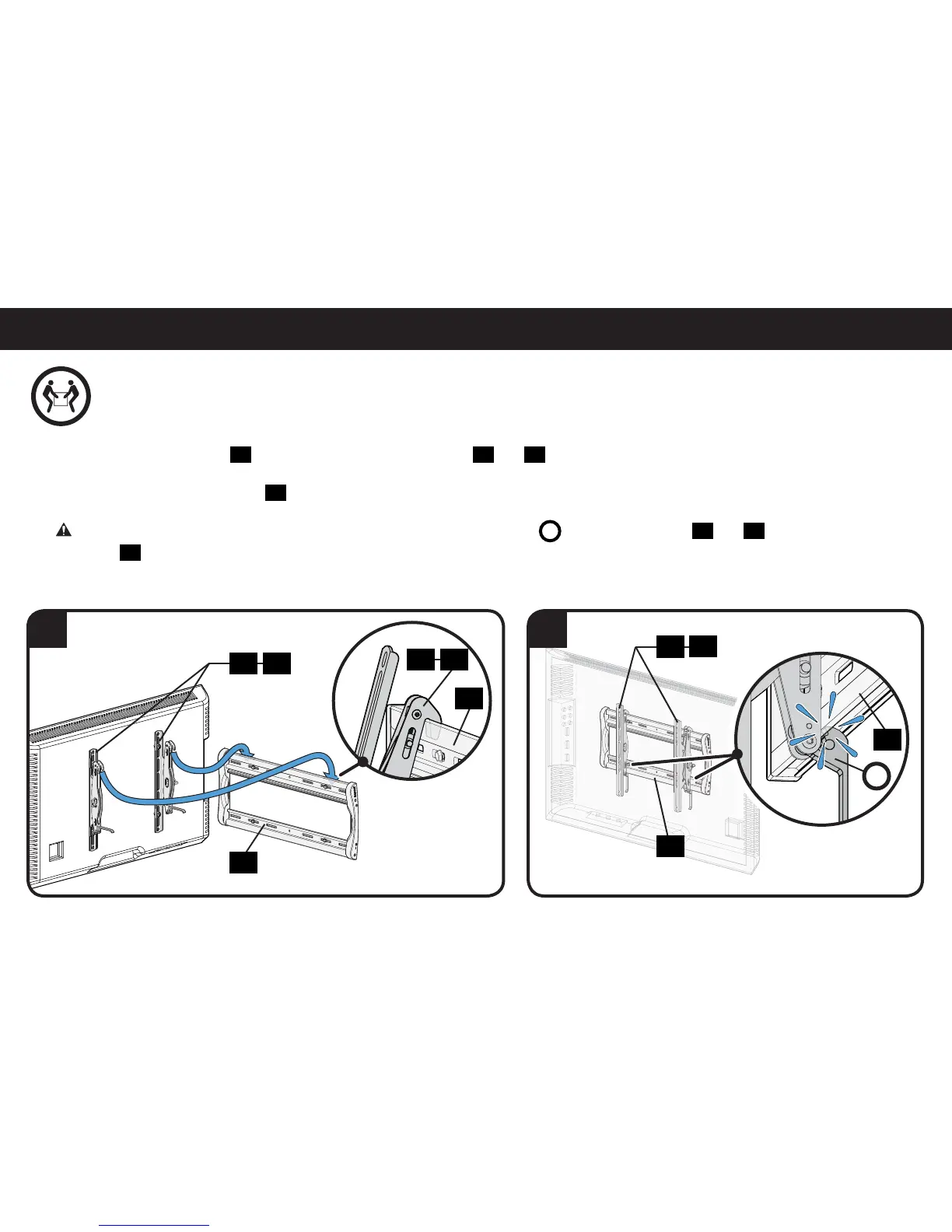
1. Hang the TV onto wall plate
23
by hooking the tops of TV brackets
01
and
02
.
2. Gently rest the TV onto wall plate
23
. An audible click ensures the TV is in the locked position.
CAUTION:
Avoid potential injuries or property damage! The ClickStand™
C
on both TV brackets
01
and
02
,
must be locked onto
wall plate
23
to ensure the TV is securely fastened in place.
23
01 02
01
01
02
02
23
23
C
23
1 2


 To Next Page