EasyManua.ls Logo

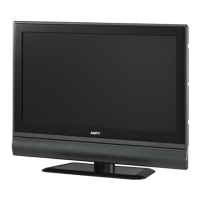
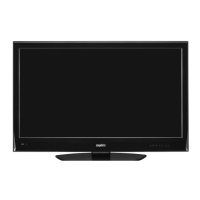
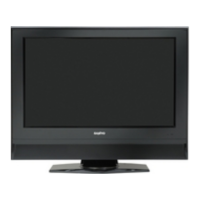
Sanyo 263 - User Manual

Sanyo 263
44 pages
Print Icon
To Next Page IconTo Next Page
Loading...
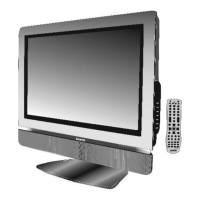
26” and 32"* LCD High-definition Colour TV with
ATSC Digital Tuner
INSTRUCTION MANUAL
AVL-261/263/
321/323
Help Line: 1-800-263-224
Monday to Friday 9am-5pm (Eastern)
* Diagonal measure
www.sanyo.ca
For best TV picture quality and channel selection connect to a digital
cable or satellite receiver

Questions and Answers

  • N
    nperezAug 15, 2025
    How to fix a Sanyo 263 LCD TV with no power?
    • A
      Allison MorganAug 15, 2025
      If your Sanyo LCD TV isn't powering on, make sure the AC power cord is securely plugged into the mains socket. If it is, try unplugging the power cord, waiting 60 seconds, and then plugging it back in and turning the unit on again.
  • M
    Michael BakerAug 18, 2025
    Why does the remote operation fail on my Sanyo LCD TV?
    • S
      Scott DuranAug 18, 2025
      If the remote isn't working with your Sanyo LCD TV, and it's a universal remote, try pressing the TV button. Check the batteries and replace them if needed, ensuring they are inserted with the correct polarity (+, -). Clean the remote control sensor lens on the unit. Avoid using the remote under strong or fluorescent lighting.
  • K
    karlaestradaAug 21, 2025
    What to do if control buttons do not work on Sanyo 263 LCD TV?
    • K
      Kevin CostaAug 21, 2025
      If the control buttons on your Sanyo LCD TV aren't working, unplug the power cord, wait a few seconds, then re-plug it and turn the unit on again.
  • C
    Cody PhillipsAug 25, 2025
    What to do if my Sanyo 263 LCD TV has good picture but no sound?
    • A
      Ann JohnsonAug 25, 2025
      If your Sanyo LCD TV shows a good picture but has no sound, first increase the volume. If there's still no sound, check to make sure the unit is not muted.
  • J
    joshuaturnerAug 27, 2025
    What to do if my Sanyo 263 has no picture?
    • R
      Robert PerezAug 27, 2025
      If you're not getting a picture on your Sanyo LCD TV, check the video connections at the rear of the unit to ensure they are properly connected. Also, adjust the contrast and brightness settings, and select the correct input. Finally, verify that a compatible signal is being input.
  • N
    Nicole GonzalesAug 30, 2025
    Why is the picture quality poor on my Sanyo 263?
    • J
      Julie GrantAug 30, 2025
      If your Sanyo LCD TV picture quality is poor, it may be due to electrical interference from devices like hairdryers or neon lights. Try turning off such equipment. Also, if you have an S-VHS camera or camcorder connected while another peripheral is activated, switch off one of the peripherals. Check if the room is too bright.
  • T
    Theresa BenitezSep 2, 2025
    How to improve poor color on my Sanyo 263 with good sound?
    • K
      Katie BrownSep 2, 2025
      If your Sanyo LCD TV has good sound but poor color, adjust the contrast, color, and brightness settings.
  • Z
    zfullerSep 5, 2025
    What causes a horizontal dotted line on my Sanyo 263 screen?
    • U
      ukirbySep 5, 2025
      If you see a horizontal dotted line on your Sanyo LCD TV, it might be caused by electrical interference from devices like hairdryers or neon lights. Try turning off the equipment.
  • C
    Christopher ClarkSep 8, 2025
    Why is my Sanyo 263 VGA picture not stable or synchronized?
    • J
      Joseph Gomez PhDSep 8, 2025
      If you're experiencing a non-stable or unsynchronized VGA picture on your Sanyo LCD TV, check if you have selected the correct VGA mode on your PC.
  • C
    clarkaustinSep 12, 2025
    How to fix no output from one of the speakers on Sanyo 263?
    • M
      Mrs. Danielle ChungSep 12, 2025
      If there is no output from one of the speakers on your Sanyo LCD TV, adjust the Balance in the SOUND menu.

Summary

Important Safety Precautions

Safe Usage Environment and Cleaning

Guidelines for avoiding water, ensuring proper ventilation, and safe cleaning practices.

Safety Precautions - Handling and Operation

Installation, Servicing, and Operational Safety

Covers safe installation, qualified servicing, and operational safety measures.

Safety Precautions - Power and Panel

Power Supply and Panel Protection

Ensuring correct power supply and protecting the LCD panel from damage.

Setup Procedures

Antenna and Cable Connections

Identification of Controls

Connecting External Devices

Basic Operations

Channel Management

Channel Selection

Screen Setup - Video Inputs

Picture Customization

Adjusting picture settings like mode, contrast, brightness, color, and sharpness.

Sound Settings

Volume and Sound Customization

Guides for adjusting volume, mute, sound modes, bass, treble, and balance.

Time and Timer Settings

Closed Captioning

Parental Control Setup

Troubleshooting Common Issues

Resolving Power, Picture, and Remote Problems

Guides to fix common issues like no power, no picture, or remote malfunctions.

Remote Control Programming

Remote Control Volume Lock

Sanyo 263 Specifications

General IconGeneral
BrandSanyo
Model263
CategoryLCD TV
LanguageEnglish

Related product manuals