EasyManua.ls Logo

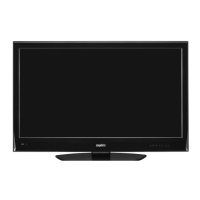
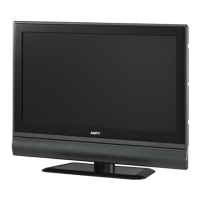
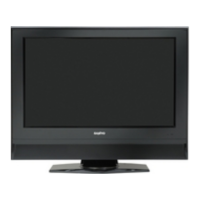
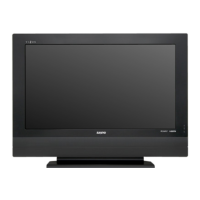
Sanyo LCD-24K50 - User Manual

Sanyo LCD-24K50
28 pages
Print Icon
To Next Page IconTo Next Page
Loading...
INSTRUCTION MANUAL
LCD-24K50
LCD-24K50(R)
LCD-24K50(W)
LCD TV

Questions and Answers

  • M
    mrogersJul 30, 2025
    What to do if my Sanyo LCD-24K50 LCD TV has no image?
    • B
      brownstaceyJul 30, 2025
      If your Sanyo LCD TV shows no image, first verify the connection between any external equipment and the TV. Remember that it can take a few seconds for the image to appear after turning the TV on. Ensure that the selected system corresponds with the external or video equipment. Also, confirm that the TV is operating within the correct temperature range (0°C ~ 40°C). If the issue persists, try turning the power off and then on again to restart the TV.
  • H
    Heather PierceAug 4, 2025
    How to fix no sound on Sanyo LCD-24K50 LCD TV?
    • J
      johnstonjeremyAug 4, 2025
      If you're experiencing no sound from your Sanyo LCD TV, begin by checking the audio cable connection from the audio input source. Adjust the audio source settings. Try pressing the VOLUME (+) button and ensure the MUTE button is not activated.
  • M
    Michael SmithAug 9, 2025
    Why is my Sanyo LCD-24K50 LCD TV remote not working?
    • D
      danieloneillAug 9, 2025
      If the remote control for your Sanyo LCD TV isn't working, start by checking the batteries. Ensure that there are no obstructions between the remote receiver on the TV and the remote control itself. Make sure you are within the maximum operating range of 16.4 feet (5 meters). Finally, check if direct sunlight or strong artificial light is shining on the TV's infrared remote receiver; if so, eliminate the light source.
  • A
    Adam AlvarezAug 14, 2025
    How to turn on Sanyo LCD TV?
    • J
      Juan Hammond PhDAug 14, 2025
      If your Sanyo LCD TV isn't powering on, ensure it's properly plugged into the AC outlet. Then, press the ON/STAND-BY button on either the side control or the remote control to turn it on. Check the POWER indicator; a flashing indicator signals a potential issue with the TV.
  • J
    Joe LopezAug 19, 2025
    How to adjust color on Sanyo LCD-24K50?
    • B
      brooksjacquelineAug 19, 2025
      If the colors on your Sanyo LCD TV appear abnormal, try adjusting the color settings. Alternatively, select a different color system option in the settings menu.
  • D
    Danielle WilsonAug 25, 2025
    Are tiny dots on Sanyo LCD TV normal?
    • S
      Shane MorrisAug 25, 2025
      Dark or bright points of light (red, green, or blue) may appear on the screen of your Sanyo LCD TV. This is a characteristic of the LCD panels and not a malfunction.

Summary

Important Information

To the Owner

Safety Precaution

Important safety precautions to reduce the risk of fire or electric shock.

Caution In Installing

Guidance on handling and installing the LCD TV to prevent damage or injury.

Safety Instructions

Setup and Preparation Guide

LCD TV Installation

Stand Installation and Uninstallation

Step-by-step guide for attaching and removing the TV stand safely.

Connecting TV Peripherals

Connecting AC Power Cord

Instructions on connecting the TV to a power source and safety precautions.

Connecting Video Sources and Aerial

Connecting Video Equipment and Aerial

Guide to connecting video sources like VCR, DVD, and an aerial.

Pre-Operation Guide

Remote Control Operation

Explains the functions of each button on the remote control.

Basic TV Operation Guide

Turning TV On;Off

Steps for powering the LCD TV on and off and understanding the power indicator.

Plug and Play Setup

Describes the automatic TV program search and initial setup process.

TV Basic Controls

Selecting Input Source

How to choose the active input source (TV, AV, HDMI, PC).

TV Basic Functions

Volume and Mute Control

How to adjust volume and mute the sound on the TV.

Advanced Basic TV Operation

Menu Operation TV;AV;HDMI

Channel Menu Operations

Guides through channel tuning methods like Auto Search and Semi-Auto Search.

Menu Operation TV;AV;HDMI - Tuning

Menu Operation TV;AV;HDMI - Picture & Sound

Picture Menu Adjustments

Detailed settings for Picture Mode, Contrast, Brightness, Colour, Tint, and Sharpness.

Sound Menu Adjustments

Options for Sound Mode, Equalizer, Balance, Bass Expander, and Auto Volume.

Menu Operation TV;AV;HDMI - Timer & OSD

Menu Operation TV;AV;HDMI - OSD & Setup

Menu Operation PC Mode

PC Adjustments

Tools for fine-tuning PC display, including Auto Adjust, H/V Position, Phase, Clock, and Auto Shut Down.

Appendix - Troubleshooting

Troubleshooting Guide

A guide to diagnosing and solving common TV problems.

Sanyo LCD-24K50 Specifications

General IconGeneral
Screen Size24 inches
Display TechnologyLCD
Resolution1366 x 768
Aspect Ratio16:9
Contrast Ratio1000:1
Brightness250 cd/m²
Response Time8 ms
Sound Output5W x 2
Power Consumption45W
Input PortsHDMI, USB, VGA
Viewing Angle178°/178°

Related product manuals