EasyManua.ls Logo

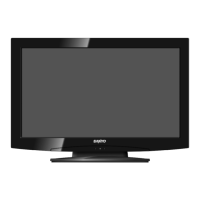
Sanyo LCD-19K40 - User Manual

Sanyo LCD-19K40
44 pages
Print Icon
To Next Page IconTo Next Page
Loading...
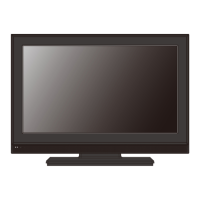
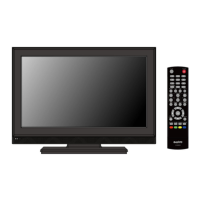
INSTRUCTION MANUAL
LCD-19K40
LCD-19K40(R)
LCD-19K40(S)
LCD-19K40(W)
LCD-24K40
LCD-24K40(R)
LCD-24K40(S)
LCD-24K40(W)
LCD TV
LCD-19K40.indd 1LCD-19K40.indd 1 9/24/2010 9:37:11 AM9/24/2010 9:37:11 AM

Questions and Answers

  • B
    billy53Aug 1, 2025
    How to turn on Sanyo LCD TV?
    • A
      Alexandra VaughnAug 1, 2025
      If your Sanyo LCD TV isn't powering on, ensure it's properly plugged into the AC outlet. Then, press the ON/STAND-BY button on either the side control or the remote control to turn it on. Check the POWER indicator; a flashing indicator signals a potential issue with the TV.
  • M
    Matthew GarciaAug 5, 2025
    What to do if my Sanyo LCD-19K40 has no image?
    • M
      mckinneynathanAug 5, 2025
      If your Sanyo LCD TV shows no image, first verify the connection between any external equipment and the TV. Remember that it can take a few seconds for the image to appear after turning the TV on. Ensure that the selected system corresponds with the external or video equipment. Also, confirm that the TV is operating within the correct temperature range (0°C ~ 40°C). If the issue persists, try turning the power off and then on again to restart the TV.
  • M
    michaelyatesAug 11, 2025
    Why is my Sanyo LCD-19K40 remote not working?
    • J
      Jacob HigginsAug 11, 2025
      If the remote control for your Sanyo LCD TV isn't working, start by checking the batteries. Ensure that there are no obstructions between the remote receiver on the TV and the remote control itself. Make sure you are within the maximum operating range of 16.4 feet (5 meters). Finally, check if direct sunlight or strong artificial light is shining on the TV's infrared remote receiver; if so, eliminate the light source.
  • Z
    zstevensAug 16, 2025
    How to fix no sound on Sanyo LCD-19K40 LCD TV?
    • W
      Whitney ClarkAug 16, 2025
      If you're experiencing no sound from your Sanyo LCD TV, begin by checking the audio cable connection from the audio input source. Adjust the audio source settings. Try pressing the VOLUME (+) button and ensure the MUTE button is not activated.
  • L
    Laura JonesAug 21, 2025
    How to adjust color on Sanyo LCD-19K40?
    • S
      stevencooperAug 21, 2025
      If the colors on your Sanyo LCD TV appear abnormal, try adjusting the color settings. Alternatively, select a different color system option in the settings menu.
  • R
    ronald54Aug 27, 2025
    Are tiny dots on Sanyo LCD-19K40 normal?
    • M
      Michael Cantu DDSAug 27, 2025
      Dark or bright points of light (red, green, or blue) may appear on the screen of your Sanyo LCD TV. This is a characteristic of the LCD panels and not a malfunction.

Summary

IMPORTANT INFORMATION

TO THE OWNER

Safety Precautions and Installation

Safety guidelines for operating and installing the LCD TV to prevent hazards and ensure proper setup.

SAFETY INSTRUCTIONS

PREPARATION

CONNECTING LCD TV

Stand Installation and Power Connection

Step-by-step guide for attaching the TV stand and connecting the AC power cord.

External Device Connectivity

Instructions for connecting aerials, computers, and video equipment to the TV.

BEFORE OPERATION

On-Screen Menu System Overview

Introduces the TV's on-screen menu for TV/AV/HDMI and PC modes.

BASIC OPERATION

Powering On;Off and Initial Setup

How to power the LCD TV on, off, and perform Plug & Play initial setup.

Input Source and Channel Selection

Guides on switching input sources and managing TV channels.

MENU OPERATION (TV;AV;HDMI mode)

MENU OPERATION (PC mode)

APPENDIX

Cleaning, Safety Features, and Troubleshooting

Guides on cleaning, explains safety features, and offers solutions for common TV problems.

Sanyo LCD-19K40 Specifications

General IconGeneral
BrandSanyo
ModelLCD-19K40
CategoryLCD TV
LanguageEnglish

Related product manuals