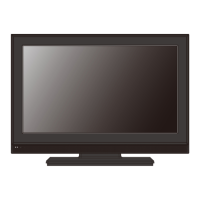
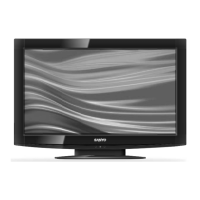
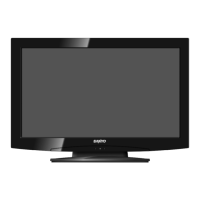
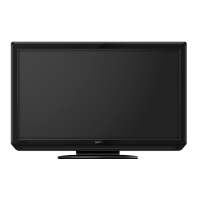
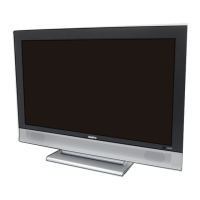
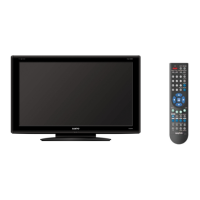
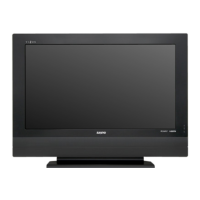
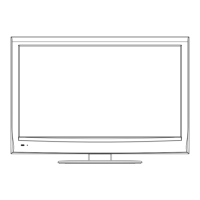
This document is a service manual for Sanyo LCD TVs, specifically covering the LCD-19E30, LCD-26E30, LCD-32E30, LCD-42E30, and LCD-42E30F models. It provides comprehensive information for servicing, alignment, troubleshooting, and maintenance of these devices.
Function Description
The Sanyo LCD TVs are designed for displaying video content from various sources, including TV broadcasts, AV/S-Video, YPbPr/YCbCr, VGA, and HDMI. They incorporate a main board with an MSTAR Scaler (MST9A881GL or MST9B881GL depending on the model), a power board, and an IR board for remote control functionality. Audio is processed through an Audio AMP (TI-TAS5706) and output via internal speakers or an earphone jack. The TVs support multiple display resolutions and refresh rates, catering to different input signal types.
Important Technical Specifications
Models Covered:
- LCD-19E30 (Product Code: 1 682 347 60, Chassis: SSA19CT-00)
- LCD-26E30 (Product Code: 1 682 347 61, Chassis: SSA26CT-00)
- LCD-32E30 (Product Code: 1 682 347 62, Chassis: SSA32CT-00)
- LCD-42E30 (Product Code: 1 682 347 63, Chassis: SSA42CG-10)
- LCD-42E30F (Product Code: 1 682 347 64, Chassis: SSA42CG-00)
Scaler ICs:
- MST9A881GL (for 19"/26"/32" models)
- MST9B881GL (for 42" models)
Tuner:
- LG TAFT-Z711D (2-in-1 Tuner with Analog Demodulator)
Audio Amplifier:
- TI-TAS5706 (Stereo Digital Audio Power Amplifier with EQ and DRC)
- TI-TPA6100 (Earphone AMP)
HDMI Switch:
- Sil9185 (3-input, 1-output HDMI switch with integrated EDID)
Memory:
- Flash x 1pcs 8MB
- DDR x 1pcs 8Mx16BIT
Panel Types:
- LCD (42"): 1920x1080 FHD PANEL
- LCD (19", 26", 32", 42"): WXGA PANEL
HDMI Input Ports:
- 19": 1 port
- 26"/32": 2 ports
- 42": 3 ports
Power Board Voltage Data (P802 for 42"/32"/26"):
- Pin1,2 (GND): 0V
- Pin3,4 (22.8-25.2V)
- Pin5,6,7 (GND): 0V
- Pin8,9 (11.4-12.6V)
- Pin10,11,12 (4.75-5.25V)
- Pin13 (On: 2V-5.5V, Off: 0-0.5V)
- Pin14 (<0.6V)
- Pin15 (2-5V)
- Pin16 (2.5-5V PWM)
Power Board Voltage Data (P802 for 19"):
- Pin1,2 (GND): 0V
- Pin3,4 (11.4-12.6V)
- Pin5,6,7 (GND): 0V
- Pin8,9 (11.4-12.6V)
- Pin10,11,12 (4.75-5.25V)
- Pin13 (On: 2V-5.5V, Off: 0-0.5V)
- Pin14 (<0.6V)
- Pin15 (2.5-5V)
- Pin16 (2.5-5V PWM)
Power Board Voltage Data (P803 for 42"/32"/26" only):
- Pin1,2,3,4,5 (22.8-25.2V)
- Pin6,7,8,9,10 (GND): 0V
- Pin11 (NC)
- Pin12 (2.5V-5V)
- Pin13 (2.5V-5V PWM)
- Pin14 (NC)
Operating Conditions:
- Temperature: 5°C to +35°C
- Humidity: 0% to 90%
Storage Conditions:
- Temperature: 0°C to +40°C
- Humidity: 0% to 90%
Usage Features
The TVs offer a range of user-adjustable settings and modes:
Factory Menu: Accessed by pressing "Mute" (remote control) and "Menu" (keypad). This menu allows for advanced adjustments and calibration.
- Color Temperature Adjustment: "Cool," "Warm," and "Normal" presets with adjustable R, G, B drive values.
- Shipping Mode: Sets the TV to default settings for a specific region (Factory/Asia/China/S America).
- NV Clear: Initializes program's default values to NVRAM, resetting settings like Gamma table, Channel table, Model table, Source dependent settings (Contrast, Brightness), and Common settings (Volume, Language, Parental Control, Closed Caption). Requires power cycle after processing.
- Full Power: For power consumption testing, sets Contrast, Brightness, Backlight, and Volume to maximum.
- Auto Calibration: Automatic color adjustment for PC, Video1 (Composite), and Video3 input sources.
- RF Burn In: Uses a "snow" pattern for burn-in, automatically turning off "Auto power off" function.
- Service Mode: For RS-232 serial port control and firmware updates.
- Reset: Resets all OSD menu settings to default values.
Dealer Mode: Provides specific functions for dealers.
- Volume Lock: Limits maximum volume.
- Tuning Lock: Prevents user from executing tuning function.
- Start Mode: Sets the TV to automatically enter a specific input mode (Off, TV-1 to TV-10, Video 1-3, PC, HDMI 1-3) when turned on.
- OSD: Controls OSD display.
- RC (Remote Control): Can be set to "Prohibit" to lock the remote control.
- AC Power Mode: Sets the TV to "On," "Last," or "Stand" when connected to AC power.
- Music Mode Setup: Configures Music Mode conditions for specific channel positions, where sound is output and picture is prohibited (black screen).
- Reset: Returns all settings to factory default.
- Baud Rate: For service use, sets Baud Rate to 9600 or 19200.
Input Signal Support:
- TV Function: Auto tuning, channel check, picture and speaker normal check.
- AV/S-Video: Picture and sound normal check.
- YPbPr/YCbCr: Supports various resolutions (e.g., 576I, 480P, 1080I/P, 720P) and checks display/sound.
- VGA: Supports various resolutions (e.g., 640x480, 800x600, 1024x768, 1280x720) and includes "Auto Adjust" for horizontal/vertical deflection.
- HDMI: Supports various resolutions (e.g., 480I/P, 720P, 1080I/P) and checks display/sound.
Maintenance Features
The manual outlines several procedures for maintenance and troubleshooting:
Alignment Instructions:
- Test Equipment: VG-848 (YPbPr, VGA signal generator), VG-849 (HDMI signal generator), FLUKE 54200 (TV signal generator), CA210 (white balancer).
- Power Test: Verifies pin voltages on P802 and P803 power board connectors.
- Alignment Flow-Chart: A step-by-step process including DDC, HDCP KEY, FLASH writing, general assembly test, white balance adjustment, and function checks for all input sources (TV, AV/S-Video, HD, VGA, HDMI).
- Source Calibration: Automatic calibration using ASTRO-859 signal generator for TV input (Video3) and white block pattern for VGA input.
- Color Temperature Adjustment: Manual adjustment of R, G, B drive values for "Cool," "Medium," and "Warm" presets using a signal generator and white pattern.
Troubleshooting Guide:
- General Fault Clearance: Basic checks for power, cable connections, external equipment, and remote control functionality.
- Specific Problem Solutions:
- No Power: Check AC outlet, power key, power indicator, batteries.
- Remote Control Does Not Work: Check obstacles, distance, strong artificial light.
- No Image: Check cable connections, system selection, operating temperature, power cycle.
- No Sound: Check audio cable, sound system, volume, mute.
- Tiny Black/Bright Points on TV: Acknowledged as a characteristic of LCD panels, not a defect.
- Picture Residue ("Ghost Shadow"): Acknowledged as a characteristic of LCD panels, not a defect, can recover over time or by changing picture/power cycling.
- Stripe Pattern: May appear due to reflected picture.
- Abnormal Color: Adjust color value, select different color system.
- Flowcharts for Specific Issues:
- Power LED no Light: Checks L21 +5V_IN, CN2 Pin 2, and LED, guiding to change power board, main PCB, or LED PCB.
- Has Audio but no Video Out: Checks backlight, CB5 Pin 18, Power unit Pin 18, and guides to change panel, power PCB, main PCB, or LCD module.
- Has Video but no Audio Out (Step 1): Checks volume, input source, speaker, guiding to cancel mute, adjust volume, change input resource, or change speaker unit/main PCB.
- Has Video but no Audio Out (Step 2): Checks speaker wire plug, L17 VCC+24V/12V, guiding to re-plug, change speaker unit, or change power board/main PCB.
Firmware Upgrading:
- Detailed steps for using the M-Star Debug board, USB cable, and ISP_Tool.exe software to upgrade firmware. This involves connecting the board, loading the firmware file (e.g., SSAXXC.bin), and executing the "Auto" and "Run" functions to write the program to the TV.
Stand Removal/Installation:
- Instructions for safely removing or installing the stand for 19" and 26"/32"/42" models, emphasizing careful handling, cushioning, and disconnecting AC power.
Wall Mounting Instructions:
- Mentioned as an alternative to the stand, but specific instructions are not detailed in the provided excerpts.
The manual emphasizes safety precautions, including handling the LCD screen with care, using specified screws, taking anti-dust measures, and protecting the cabinet during service. It also highlights that certain display characteristics, like black/bright points or ghost shadows, are inherent to LCD panels and not considered defects.

 Need help?

 To Next Page
 General