EasyManua.ls Logo

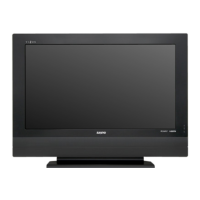
Sanyo LCD-32CA9S - User Manual

Sanyo LCD-32CA9S
44 pages
Print Icon
To Next Page IconTo Next Page
Loading...
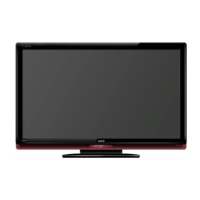
Owners Manual
LCD TV
MODEL LCD-32CA9S
LCD-37CA9S
LCD-42CA9S
LCD-CA9S-A NEW.indd 1 2/06/2008 2:07:42 PM

Other manuals for Sanyo LCD-32CA9S

Questions and Answers

  • J
    Jeremy BurnsJul 30, 2025
    What to do if my Sanyo LCD-32CA9S LCD TV has no image?
    • J
      jessica87Jul 31, 2025
      If there is no image on your Sanyo LCD TV, first check the connection between the TV and any external equipment. Remember that it can take a few seconds for the image to appear when turning the TV on. Also, verify that the selected system corresponds to the external or video equipment and the temperature is within the operating range (0°C ~ 40°C). If problems persist, try turning the power off and then on again to restart the TV.
  • Q
    qmurphyAug 5, 2025
    Why is my Sanyo LCD-32CA9S remote control not working?
    • A
      Ashlee ByrdAug 5, 2025
      If the remote control for your Sanyo LCD TV isn't working, start by checking the batteries. Ensure that there are no obstructions between the remote receiver and the remote control. Make sure you are within the maximum operating range of 16.4' (5m). Also, check if direct sunlight or strong artificial light is shining on the TV's infrared remote receiver; if so, eliminate the light source.
  • R
    richard09Aug 11, 2025
    How to fix no sound on Sanyo LCD-32CA9S LCD TV?
    • J
      Jeffrey WoodAug 11, 2025
      If you have no sound on your Sanyo LCD TV, check the audio cable connection from the audio input source. Adjust the audio source settings. Press the VOLUME (+) button to increase the volume and make sure the MUTE button is not activated.
  • L
    Linda TaylorAug 17, 2025
    How to turn on Sanyo LCD-32CA9S LCD TV when there is no power?
    • C
      Christine JonesAug 18, 2025
      If your Sanyo LCD TV has no power, ensure it is plugged into the AC outlet. Then, press the ON/STAND-BY button on the side control or the remote control to turn it on. Check the POWER indicator; if it flashes, the TV may have a problem.
  • K
    Kevin LambAug 23, 2025
    Why does my Sanyo LCD TV have tiny black or bright points?
    • J
      James LaneAug 23, 2025
      Dark or bright points of light (red, green, or blue) may appear on the screen. This is a characteristic of the LCD panels, not a malfunction of the LCD TV. LCD panel is being produced with very high accuracy technology. There is 99.99% or more dot pixel, but there is also 0.01 % or less of dot pixel lack or dot pixel that is constantly lighted. Regarding LCD panel characteristic, it may occur picture remain (look like a mirror) when the screen is changed if it displays same screen for a long time. Stripe pattern (moire, interference stripes) may show up on the screen depend on the reflected picture.

Summary

Introduction and Safety

Safety Precautions

Describes risks, warnings, and precautions for safe operation.

Installation Cautions

Provides guidance on proper handling and placement during installation.

Comprehensive Safety Instructions

Feature and Design Overview

Picture and Sound Features

Details on High Definition LCD Panel, VIZON Engine, NICAM Stereo, and Bass Expander.

Compatibility and Connectivity Options

Covers Multi System, HD-Ready, HDMI, and PC input capabilities.

Preparation and Initial Setup

Part Identification and Indicators

Identifies front panel components and status indicators.

Side Panel Controls

Details the buttons located on the TV's side for operation.

Connecting Your LCD TV

Connecting a Computer (PC;Mac)

Instructions for connecting computers via VGA or HDMI.

Connecting Video Equipment

Guide for connecting DVD players, VCRs, and other video sources.

Getting Started: Before Operation

Remote Control Functions

Overview of all buttons and their primary functions on the remote.

Navigating On-Screen Menus

Menu Operations in PC;HDMI Mode

Picture Settings for PC;HDMI

Picture adjustments for PC and HDMI inputs.

Basic TV Operation Guide

Selecting Input Sources

Switching between different signal inputs like TV, AV, PC, HDMI.

Teletext Features and Operation

Menu Operations: TV;AV Mode

Picture Menu Settings

Comprehensive picture adjustments including modes, contrast, brightness, color tone.

Sound Menu Settings

Detailed sound adjustments like sound mode, bass, treble, and balance.

Timer Menu Settings

Configuring off timer, on timer, and on timer channel.

Dealer Mode Configuration

Appendix and Maintenance

Product Safety Features Explained

Details on built-in safety features like automatic power-off.

Troubleshooting Common Issues

Solutions for problems like no power, no image, or no sound.

Technical Specifications

Sanyo LCD-32CA9S Specifications

General IconGeneral
BrandSanyo
ModelLCD-32CA9S
CategoryLCD TV
LanguageEnglish

Related product manuals