EasyManua.ls Logo

Sanyo LCD-32XR9DA - User Manual

Sanyo LCD-32XR9DA
43 pages
Print Icon
To Next Page IconTo Next Page
Loading...
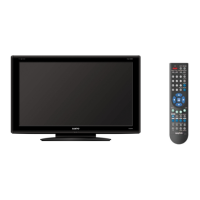
LCD TV
SERVICE MANUAL LCD-32XR9DA(S)
PRODUCT CODE No.
REFERENCE No.:SM0915071
1 682 346 37: PAL-BG(TV) DTV
FILE NO.
PRODUCT CODE No.

Questions and Answers

  • L
    Lauren MurraySep 4, 2025
    What does 'outside the receivable scope' mean on my Sanyo LCD-32XR9DA?
    • K
      Keith LandrySep 4, 2025
      If your Sanyo LCD TV displays an indication of “outside the receivable scope”, this means the TV set may not be able to receive the input signal, or the signal is not correctly identified, and the VGA format is beyond the specified scope. Check if the TV set can receive the input signal.
  • E
    Elizabeth RothSep 18, 2025
    Why are there lines when playing a VHS tape on my Sanyo LCD-32XR9DA?
    • A
      aprilruizSep 18, 2025
      If you're playing a VHS picture search tape and see lines at the top or bottom of the picture on your Sanyo LCD TV, press the “auto” key on the remote control. This will allow the TV to recheck the signal and display the correct picture.
  • S
    Sarah Hale DVMSep 16, 2025
    Why has the picture color changed on my Sanyo LCD-32XR9DA LCD TV?
    • L
      Logan SummersSep 16, 2025
      If the picture color on your Sanyo LCD TV has changed or is colorless, check the “Component” or “RGB” settings and make proper adjustments according to the signal types.
  • S
    Sharon WhiteSep 14, 2025
    Why is the picture on my Sanyo LCD-32XR9DA twisted and deformed?
    • P
      patriciawallaceSep 14, 2025
      If the picture on your Sanyo LCD TV is twisted and deformed, check to see if the picture-frame ratio is properly set up in the settings menu.
  • M
    Mark LopezSep 13, 2025
    How to adjust the screen position on my Sanyo LCD-32XR9DA?
    • M
      Mary MeltonSep 13, 2025
      If the screen position or size is not proper on your Sanyo LCD TV, check if the screen position and size are correctly set up in the settings menu.
  • M
    michaelschaeferSep 12, 2025
    Why has the color deteriorated on my Sanyo LCD-32XR9DA LCD TV?
    • R
      robertduncanSep 12, 2025
      If the color phase or tone of your Sanyo LCD TV's picture has deteriorated, verify that all the picture settings have been correctly adjusted.
  • C
    Caroline HunterSep 9, 2025
    Why is there a fringe in the picture on my Sanyo LCD TV?
    • E
      eruizSep 9, 2025
      If you see a fringe in the picture on your Sanyo LCD TV, ensure the antenna is correctly oriented. It's also possible that electric waves are being reflected from a hilltop or building.
  • B
    Brandi KramerSep 7, 2025
    Why is the picture on my Sanyo LCD-32XR9DA LCD TV blurry?
    • K
      Kelly GrahamSep 7, 2025
      If the picture on your Sanyo LCD TV is blurry, ensure that the antenna cable is correctly connected and that the TV is receiving the correct video signal.
  • R
    Roger HolmesSep 5, 2025
    Why does my Sanyo LCD-32XR9DA LCD TV show only hash with no picture or sound?
    • J
      James OliverSep 6, 2025
      If your Sanyo LCD TV shows no picture and sound, but only hash, check if the antenna cable is correctly connected and that it is receiving the video signal correctly.
  • G
    gail40Aug 20, 2025
    What to do if my Sanyo LCD TV has no picture and sound?
    • J
      Jesse ChristianAug 21, 2025
      If your Sanyo LCD TV shows no picture and sound, try these steps: First, ensure the TV is powered on. Then, verify it's receiving a signal from the correct source. Next, check the terminal connections and input mode. Finally, confirm the signal cable between the video source and the TV is properly connected.

Sanyo LCD-32XR9DA Specifications

General IconGeneral
BrandSanyo
ModelLCD-32XR9DA
CategoryLCD TV
LanguageEnglish

Related product manuals