EasyManua.ls Logo

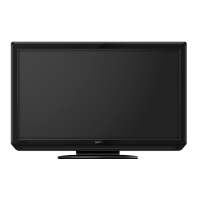
Sanyo LCD-32K30TD - User Manual

Sanyo LCD-32K30TD
52 pages
Print Icon
To Next Page IconTo Next Page
Loading...
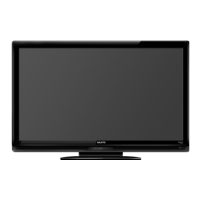
Owners Manual
MODEL LCD-32K30TD
LCD-42K30TD
LCD TV
LCD-K30TD_(SEI).indd 1 4/22/2009 3:14:47 PM

Table of Contents

Other manuals for Sanyo LCD-32K30TD

Questions and Answers

  • B
    Brett BruceJul 31, 2025
    How to turn on Sanyo LCD-32K30TD LCD TV?
    • M
      Misty RodriguezJul 31, 2025
      First, ensure the LCD TV is plugged into the AC outlet. Then, press the ON/STAND-BY button located on the side control or the remote control. Check the POWER indicator; if it flashes, it indicates a problem with the TV.
  • J
    Jeffrey FreemanAug 5, 2025
    Why is my Sanyo LCD-32K30TD remote control not working?
    • T
      Taylor WilkersonAug 5, 2025
      Check the batteries in the remote. Ensure there are no obstructions between the remote receiver on the TV and the remote control. Make sure you are within the maximum operating range of 16.4' (5m). Also, check if direct sunlight or strong artificial light is shining on the TV's infrared remote receiver; if so, eliminate the light source.
  • E
    Emily DillonAug 10, 2025
    What to do if there is no sound on my Sanyo LCD-32K30TD LCD TV?
    • P
      Peter RobertsAug 10, 2025
      First, verify the audio cable connection from the audio input source. Next, adjust the audio source settings. Then, press the VOLUME (+) button to increase the sound. Also, ensure the MUTE button is not activated.
  • T
    Teresa GonzalezAug 15, 2025
    What to do if there is no image on my Sanyo LCD-32K30TD LCD TV?
    • C
      Colleen BarrAug 15, 2025
      Check the connection between the external equipment and the LCD TV. When turning the LCD TV on, allow a few seconds for the image to display. Verify that the selected system corresponds with the external or video equipment. Ensure the ambient temperature is within the operating range of 0°C to 40°C. As a last resort, turn the power off, then on again to restart the LCD TV.
  • B
    Brandy PenningtonAug 20, 2025
    How to fix abnormal color on Sanyo LCD-32K30TD?
    • S
      Sarah JohnsonAug 21, 2025
      Adjust the color value in the settings menu. You can also try selecting a different color system to see if it improves the image.
  • A
    Ashley JacksonAug 26, 2025
    Why does my Sanyo LCD-32K30TD LCD TV have tiny black or bright points?
    • W
      wcameronAug 26, 2025
      Dark or bright points of light (red, green, or blue) may appear on the screen. This is a characteristic of LCD panels and not a malfunction. LCD panels are produced with very high accuracy, but a small percentage of dot pixels may lack or be constantly lit, which is not a defect. Also, regarding LCD panel characteristic, picture remain (look like a mirror) may occur when the screen is changed if it displays same screen for a long time. Changing the picture or turn-off the power supply may recover. Stripe patterns may appear depending on the reflected picture.

Summary

Sanyo LCD TV Owners Manual

Model Identification

Identifies the LCD TV models covered by the manual, including LCD-32K30TD and LCD-42K30TD.

Important Safety Information

TV Stability and Placement Precautions

Advises on stable positioning and furniture anchoring to prevent accidents and injuries.

Owners Guide to Operation

General Operating Safety

Covers safe handling, environmental considerations, and initial operational advice.

Installation Safety Guidelines

Provides guidance for safe installation procedures, including handling and avoiding hazards.

Comprehensive Safety Instructions

Electrical and Usage Safety Rules

Details electrical safety, proper usage, cleaning, and maintenance to prevent hazards.

Features and Design

Picture Technology Highlights

Explains panel resolution, VIZON Engine, and Dynamic AI for picture quality.

Audio Technology Highlights

Details DOLBY DIGITAL and Bass Expander features for enhanced sound.

User-Facing Features

Covers Sports Mode, EPG, Ambient Light Sensor, and Favorite List functionality.

Connectivity Standards

Explains compatibility with DVB, HDMI, PC input, and available terminals.

Additional Functionality

Includes Wall Mounting compatibility and Light Commercial Mode features.

Preparation for Use

Identifying TV Parts

Describes front panel components, indicators, and care for the LCD panel.

Side Controls and Terminals

Details side control buttons and various input/output connection ports.

Connecting Your Sanyo TV

Power Connection and Stand Setup

Guide for connecting the AC power cord and installing the TV stand.

Connecting External Devices

Instructions for connecting aerial, computer, and video equipment.

Getting Started with Your TV

Remote Control Button Functions

Explanation of all remote control buttons and their primary functions.

Remote Control Usage Guidelines

Covers operating range, battery installation, and precautions.

Main Menu Navigation

Understanding the Main Menu Structure

Overview of menu categories (Picture, Sound, Time, etc.) and navigation methods.

Basic TV Operations

Powering On;Off and Input Selection

Steps for turning the TV on/off and choosing input sources.

Displaying Information Banner

How to view current status information like channel and signal source.

Audio and Sleep Timer Functions

Sound Control and Modes

Adjusting volume, sound modes, surround, and bass.

Sleep Timer Functionality

Setting the automatic turn-off time for the LCD TV.

Still Picture Function

Freezing the current image on the screen.

Picture and Audio Modes

Picture Mode Selection

Choosing from Personal, Standard, Vivid, Dynamic, and Soft picture presets.

Audio System Selection

Selecting NICAM, A2, or Monaural sound systems for broadcasts.

Channel and Programme Management

Selecting TV Channels

Methods for channel selection using buttons, channel list, or favourites.

Display Modes and Sports

Wide Screen Aspect Ratios

Adjusting screen size and aspect ratio (16:9, 4:3, Zoom).

Sports Mode Optimization

Enhancing picture and sound settings specifically for sports viewing.

Advanced Teletext and EPG Features

Subtitle and Radio Modes

Managing subtitles and switching between TV and Radio modes.

EPG Usage

Viewing programme guides and setting programme reservations.

Teletext Service Guide

Operating the Teletext Remote

Explains remote control buttons for accessing and navigating Teletext.

Teletext Functionality

Covers Text/TV, Reveal, Cancel, Index, Subcode, Size, and Hold functions.

TV Settings: Channel Tuning

Automatic Channel Tuning

Performing an auto channel search to store available channels.

Manual Channel Tuning

Tuning DTV and ATV channels manually for specific positions.

TV Settings: Picture and Sound Adjustments

Colour System Adjustment

Setting colour system for optimal display, including AUTO, PAL, SECAM.

Sound System Adjustment

Adjusting sound system for clear audio, including DK, I, BG options.

Fine Tuning for Broadcasts

Adjusting fine tuning for better picture and sound quality in inferior conditions.

Channel Skipping Function

Removing unwanted channels from the scan memory to avoid them.

TV Settings: Programme Editing

Programme Editing and Renaming

Editing, moving, and renaming channels in ATV mode.

TV Settings: Favourite Channels

Setting Favourite Channels

Marking and managing favourite channels for quick access.

Skipping Favourite Channels

Skipping channels within the favourite channel list.

TV Settings: Channel Reordering

Moving and Deleting Channels

Reordering channels and deleting unwanted ones from the list.

Picture Menu Settings

Picture Option Adjustments

Detailed guide for adjusting Picture Mode, Contrast, Brightness, Colour, and more.

Sound Menu Settings

Sound Option Adjustments

Detailed guide for adjusting Sound Mode, Treble, Bass, Balance, and Surround.

Time and Scheduling Functions

Time Zone and Current Time Setup

Setting local time zone and the current time for DTV services.

Timer Settings

Configuring Off Timer and On Timer for automatic power control.

Sleep Timer and Daylight Saving

Setting sleep timer and managing daylight saving time adjustments.

System and Software Setup

System Setup Configuration

Adjusting ECO mode, Illumination, S/P DIF, Audio Preference, and Operating Mode.

Software Update Process

Instructions for auto update time, model information, and manual software updates.

Lock and Parental Control Features

Lock System and Password Management

Setting up channel locks, changing passwords, and system locking.

Parental Guidance Content Blocking

Blocking programmes based on age ratings (G, PG, M, MA, AV, R).

PC Input Screen Setup

Adjusting PC Display Settings

Optimizing screen settings like Auto Adjust, H-Position, V-Position, Size, and Phase for PC input.

Dealer Mode Settings

Dealer Mode Options Overview

Explains various dealer settings like Volume Lock, Tuning Lock, Start Mode, OSD, RC, and AC Power.

Advanced Dealer Mode Features

Covers Music Mode, No Signal Off, PC Control, Baud Rate, and Reset functions.

Appendix and Troubleshooting

Care, Safety Features, and Auto Power Off

Instructions for cleaning, product safety features, and auto power off function.

Troubleshooting Common Issues

Solutions for common TV problems such as no power, no image, or no sound.

Technical Specifications and Configurations

Detailed Technical Specifications

Includes model, resolution, brightness, power, and terminal details.

Dimension, Environment, and Signals

Covers physical size, operating conditions, and signal mode compatibility.

Stand Base Removal Procedure

Uninstalling the TV Stand Base

Step-by-step guide to safely remove the stand base from the TV.

Sanyo LCD-32K30TD Specifications

General IconGeneral
BrandSanyo
ModelLCD-32K30TD
CategoryLCD TV
LanguageEnglish

Related product manuals