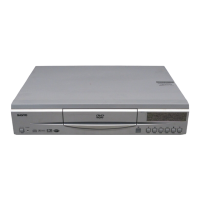
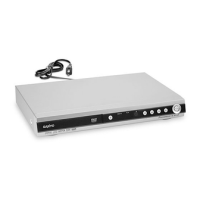
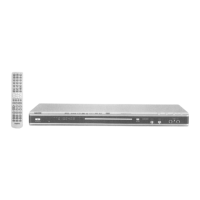
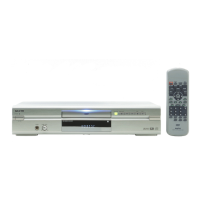
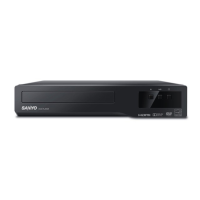
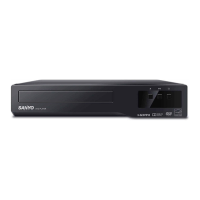
The Sanyo DWM-380 is a DVD Video Player designed for home entertainment, offering straightforward setup and operation for playing DVD discs.
Function Description
The DWM-380 is a dedicated DVD player that reads and plays standard DVD video discs. It is designed to connect to a television for video and audio output. The device supports both direct audio/video connections and connections via an RF modulator (not supplied) for older televisions without A/V input jacks.
Important Technical Specifications
- Power Supply: The unit operates on AC 120V, 60Hz.
- Disc Compatibility: It plays 5-inch (12cm) DVD discs.
- Video Output:
- Composite Video: Standard yellow RCA jack for video output.
- Component Video Out (Y, Cb, Cr): Provides higher quality video output, separating the luminance (Y) and color difference (Cb, Cr) signals.
- Audio Output:
- Stereo Audio (R-AUDIO-L): Standard red (right) and white (left) RCA jacks for audio output.
- Remote Control: Comes with an RB-SL20 wireless remote control for convenient operation.
- Batteries: Requires two "AA" batteries (not supplied) for the remote control.
Usage Features
1. Accessories:
The player comes with essential accessories for basic setup:
- Audio/Video cable: A standard RCA cable with yellow (video), red (right audio), and white (left audio) connectors for connecting to a TV.
- RB-SL20 wireless remote control: Allows for convenient control of the player from a distance.
- Batteries: Two "AA" batteries are required for the remote control, but are not supplied with the unit.
2. Hook Up (TV and DVD Video Player):
The DWM-380 offers flexible connection options depending on your television's capabilities:
-
Direct Audio/Video Connection (Recommended for TVs with A/V Input Jacks):
- Connect the yellow RCA cable from the DVD player's "VIDEO OUT" to the TV's "VIDEO INPUT."
- Connect the red RCA cable from the DVD player's "R AUDIO OUT" to the TV's "R-AUDIO-L INPUT."
- Connect the white RCA cable from the DVD player's "L AUDIO OUT" to the TV's "R-AUDIO-L INPUT."
- Plug the DVD player into an AC 120V, 60Hz power outlet.
- This method provides the best possible picture and sound quality for televisions equipped with these inputs.
-
Component Video Connection (for higher quality video):
- If your TV has Component Video Input (Y, Cb, Cr), you can use separate cables (not supplied) to connect the "COMPONENT VIDEO OUT" jacks on the DVD player to the corresponding inputs on your TV. This provides a sharper image than composite video.
-
RF Modulator Connection (for TVs without A/V Input Jacks, RF Modulator not supplied):
- This method is for older televisions that only have an antenna input.
- Connect the DVD player's "VIDEO OUT" and "AUDIO OUT" to the "A/V IN" jacks of an RF modulator.
- Connect the RF modulator's "TO TV" output to the TV's "ANT. IN" jack.
- If you have an antenna or cable TV, connect it to the RF modulator's "ANT. IN" jack.
- Set the RF modulator and the TV to the same channel (CH3 or CH4), choosing a channel not used for regular broadcasts in your area.
- This setup allows the DVD player's signal to be converted into an RF signal that the TV can receive via its antenna input.
-
RF Modulator Connection with VCR (RF Modulator not supplied):
- If you also have a VCR, the setup is similar to the RF modulator connection, but the RF modulator's output connects to the VCR's "VHF/UHF IN" from the antenna. The VCR's "TO TV" output then connects to the TV's "ANT. IN."
- Ensure all devices (TV, VCR, RF Modulator) are set to the same channel (CH3 or CH4) that is not used for regular broadcasts.
3. TV Setting:
After connecting the DVD player, you need to configure your television:
- Turn on your television.
- Select the appropriate video input source on your TV. This might be labeled "VIDEO 1," "A/V," "INPUT," or similar, depending on your TV model. Refer to your TV's owner's manual for specific instructions.
- If using an RF modulator, set your TV's channel to CH3 or CH4, matching the channel selected on the RF modulator. This is typically done using the "0," "3," or "4" buttons on your TV's remote control.
4. Load the Disc and Start Playback:
- Press the "POWER" button on the DVD player to turn it on.
- Press the "OPEN/CLOSE" button to open the disc tray.
- Place a 5-inch (12cm) DVD disc onto the tray with the label side facing up.
- Press the "OPEN/CLOSE" button again to close the disc tray.
- The player should automatically begin reading the disc. If it doesn't start automatically, press the "PLAY" button.
5. DVD Disc Menu Navigation:
- If a DVD disc menu appears on your TV screen, use the arrow buttons on the remote control to navigate through the menu options (e.g., "Play Movie," "Scene Selections").
- Once your desired option is highlighted, press the "ENT" (Enter) button to select it and begin playback.
Maintenance Features
- Cleaning: The manual does not explicitly detail cleaning procedures, but general electronic device maintenance practices would apply. This typically involves keeping the unit free from dust and ensuring proper ventilation.
- Troubleshooting: The manual provides a contact number for customer support ("Need help? Call 1-800-813-3435, Weekdays: 7:30 AM - 4:00 PM Central Time") for assistance with setup or operational issues.
The DWM-380 is designed for ease of use, making it a suitable choice for users looking for a straightforward DVD playback experience with various connectivity options to accommodate different television types.

 Need help?
 General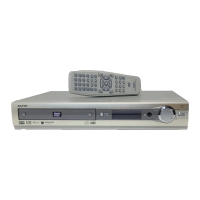

 To Next Page