EasyManua.ls Logo

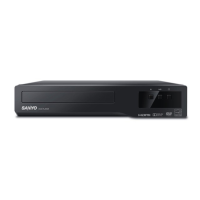
Sanyo FWDP105F - User Manual

Sanyo FWDP105F
22 pages
Print Icon
To Next Page IconTo Next Page
Loading...
sanyo-av.com
Owner's Manual
Manual del Propietario
ES
Need help? Please Call Toll Free 1 866 212 0436 or visit our Web Site above:
To obtain a more detailed Electronic Copy of this
Manual or much further contents, go to
Para obtener una Copia Electrónica más detallada de este Manual o mucho otras
contenido, visite
ES
¿
Necesita ayuda?
Llame por favor sin costo al 1 866 212 0436 ó visite nuestro
Sitio Web en:
ES
sanyo-av.com
DVD Player
FWDP105F

Other manuals for Sanyo FWDP105F

Questions and Answers

  • V
    vaughncatherineAug 19, 2025
    How to reset forgotten password for rating level on Sanyo FWDP105F DVD Player?
    • A
      Amber JonesAug 20, 2025
      If you've forgotten the password for the rating level on your Sanyo DVD Player, enter the default password '4737'. This will clear your forgotten password.
  • C
    Charles MyersAug 21, 2025
    What to do if Sanyo DVD Player remote control not working?
    • D
      daniel15Aug 21, 2025
      If your Sanyo DVD Player isn't responding to the remote control, try these steps: 1. Aim the remote directly at the sensor on the front panel. 2. Reduce the distance to the unit. 3. Replace the batteries in the remote. 4. Ensure the batteries are inserted with the correct polarity (+/- signs).
  • B
    Bryan WilliamsAug 25, 2025
    What to do if my Sanyo DVD Player has no power?
    • P
      parkercynthiaAug 25, 2025
      If your Sanyo DVD Player isn't powering on, make sure the AC power cord is properly connected. If it is, try unplugging the player from the outlet, waiting 5-10 seconds, and then plugging it back in.
  • G
    Gary JacksonAug 26, 2025
    How to fix a Sanyo FWDP105F with no sound or picture?
    • N
      Nicole HigginsAug 27, 2025
      If you're not getting any sound or picture from your Sanyo DVD Player, first ensure that your TV is switched on. Then, check the video connection and the audio/video cable connections to the TV to make sure they are secure.
  • L
    lambertaustinAug 28, 2025
    Why my Sanyo DVD Player cannot play a disc?
    • B
      bmillsAug 28, 2025
      If your Sanyo DVD Player isn't playing a disc, try these steps: 1. Clean the disc. 2. Make sure the disc is inserted correctly. 3. Insert a disc that is compatible with the unit. 4. Try another disc to see if the original disc is defective. 5. Check if the parental lock levels are set too high (DVD only).
  • A
    Austin MarshallAug 30, 2025
    How to resolve no sound or distorted sound on Sanyo DVD Player?
    • C
      Christopher WilliamsAug 30, 2025
      If you're experiencing no sound or distorted sound with your Sanyo DVD Player, first adjust the volume. Then, check that the speakers are connected correctly.
  • M
    Meagan WilliamsSep 1, 2025
    What causes a completely distorted or black and white picture on Sanyo DVD Player?
    • W
      wdillonSep 1, 2025
      If you're seeing a completely distorted or black and white picture on your Sanyo DVD Player, connect the unit directly to the TV. Also, make sure the disc is compatible with the unit.
  • H
    Herbert AlvaradoSep 3, 2025
    What to do if buttons do not work on Sanyo FWDP105F DVD Player?
    • C
      Cassandra HarrisSep 3, 2025
      If the buttons on your Sanyo DVD Player aren't working or the unit stops responding, reset the unit by unplugging the AC cable from the wall outlet, waiting 5-10 seconds, and then plugging it back in.
  • F
    Felicia ScottSep 5, 2025
    Why is the picture distorted on my Sanyo FWDP105F?
    • J
      johnsonrobertSep 5, 2025
      A small amount of picture distortion may appear sometimes, which is not a malfunction. You can also try connecting the Sanyo DVD Player directly to the TV.
  • K
    kathleen35Sep 8, 2025
    How to fix picture freezing during Sanyo FWDP105F playback?
    • T
      Timothy JohnsonSep 8, 2025
      If the picture freezes momentarily during playback on your Sanyo DVD Player, check the disc for fingerprints or dirt. Clean the disc with a soft cloth, wiping from the center to the edge.

Summary

PRECAUTIONS

IMPORTANT SAFETY INSTRUCTIONS

Essential guidelines for safe operation and handling of the DVD player.

About the Discs

Information on playable and unplayable disc types and compatibility.

SETUP

Connections

Details on connecting the DVD player to a TV and audio system.

About the Remote Control

Information on using the remote control and installing batteries.

DVD FUNCTIONS

Playback

Instructions for playing DVD, CD, and JPEG discs.

JPEG Playback

Specific guidance for playing JPEG files from discs.

Search Functions

Methods for searching tracks, files, titles, chapters, or time.

On-Screen Display

How to view disc information and status on the TV screen.

Repeat; Random Playback

Options for repeating playback segments or randomizing track order.

Special Settings

Adjusting subtitle language, audio language, and camera angles.

DVD Setting

Configuring system, language, audio, and video settings.

INFORMATION

Troubleshooting Guide

Solutions for common problems encountered with the DVD player.

Specifications

Technical details about the DVD player's performance and dimensions.

LIMITED WARRANTY

Details on the warranty coverage, exclusions, and how to obtain assistance.

Sanyo FWDP105F Specifications

General IconGeneral
TypeDVD Player
Disc Formats SupportedDVD, CD
Progressive ScanYes
UpscalingNo
Remote ControlYes
Playable Media FormatJPEG, MP3
Video OutputComposite Video

Related product manuals