EasyManua.ls Logo

Sanyo DWM-450 - User Manual

Sanyo DWM-450
38 pages
Print Icon
To Next Page IconTo Next Page
Loading...
DWM-450
INSTRUCTION MANUAL
DVD Video Player
80M2000270001 DWM-450, Issue Number 1
SANYO’S HELP-LINE
Call the toll-free number below if you have any difficulties operating this product.
1-800-813-3435 (Weekdays: 7:30 AM - 4:00 PM Central Time)
English
Please Read This Manual.
Because DVD is a new technology, we recommend that you read this manual carefully before connecting your
DVD video player and operating it for the first time.
Keep the manual in a safe place for future reference.
REMOTE CONTROLLER RB-SL50
REPEAT A - B ANGLE ON SCREEN
TOP MENU RETURN
SETUP MENU
AUDIO SUBTITLE RANDOM ZOOM
PROGRAM
REV PL AY FWD
NEXTPREV
SLOW PAUSE/STEP SEARCH MODE
O N OPEN/CLOSE
123
6
98
5
4
7
0
+10
ENT
zq
a
n
f
e
cd
k
STOP
DWM-450-US - English 3/16/05, 3:57 PM1

Table of Contents

Other manuals for Sanyo DWM-450

Questions and Answers

  • T
    tgoodJul 30, 2025
    Why is the remote control not working for my Sanyo DWM-450 DVD Player?
    • J
      jeffrey32Jul 30, 2025
      If the remote control for your Sanyo DVD Player isn't working correctly, check the batteries. Ensure they are not weak and are installed with the correct polarity (+ or -). If needed, replace the batteries. Also, make sure you are aiming the remote control directly at the remote sensor window on the DVD player.
  • T
    Troy DuranAug 5, 2025
    Why is there no sound from my Sanyo DVD Player?
    • V
      Victoria FloresAug 5, 2025
      If there is no sound coming from your Sanyo DVD Player, first, make sure the TV is turned on. Next, check that the audio cables are correctly connected to the jacks. Also, verify that any audio equipment connected to the DVD player is powered on.
  • J
    Jennifer TurnerAug 11, 2025
    What to do if my Sanyo DWM-450 has no picture?
    • G
      Glenn RandallAug 11, 2025
      If you're not getting a picture from your Sanyo DVD Player, check the following: Ensure you've loaded a playable disc. Confirm that your TV is set to receive the signal from the DVD player. Verify that the video cable and S-video cable are securely connected to the jacks. If the 'PROGRESSIVE' mode is set, switch to 'INTERLACE' mode.
  • A
    Adrian LopezAug 17, 2025
    What to do if Sanyo DWM-450 does not start playback?
    • C
      Chelsea CarterAug 17, 2025
      If your Sanyo DVD Player won't start playback, make sure a disc is loaded correctly. Be sure you're using a playable disc. Check that the disc is loaded with the label side facing up. Clean the disc or replace it if it's dirty. Lastly, if 'PARENTAL' control is set, cancel the parental lock function or change the rating level.
  • G
    Gregory OlsonAug 25, 2025
    What does 'NO PLAY' mean on my Sanyo DVD Player?
    • R
      rachelturnerAug 25, 2025
      If “NO PLAY” appears on the screen when using your Sanyo DVD Player, ensure that you have loaded a playable disc. Also, check if the 'PARENTAL' control is set; if it is, cancel the parental lock or adjust the rating level. The disc may not have the correct file or data, so try a different playable disc.

Summary

Important Safety Instructions

Controls Overview

Front Panel Controls

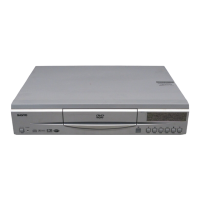
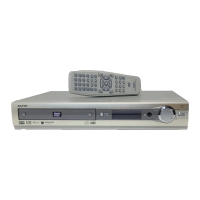
Identification and description of controls on the front panel of the DVD player.

Back Panel Connections

Description of audio and video output jacks on the rear panel of the DVD player.

Remote Control Guide

Remote Control Layout and Buttons

Diagram and numbering of all buttons on the wireless remote control.

Before Connecting Your Device

Basic Connections

Conventional TV Connection

Steps to connect the DVD player to a standard TV using composite or S-Video cables.

Progressive-Scan TV Connection

Connecting to a TV with progressive scan capability using component video.

For Safe and Efficient Operation

Playable Discs

Basic Operation

Playback Preparations

Steps to prepare the unit and TV before starting playback.

Starting Basic Playback

Step-by-step guide to inserting a disc and starting playback.

Stopping Playback

How to stop playback for DVD and CD discs, including resume function.

TVGuardian Operation

TVGuardian Initial Setup

Steps to configure the TVGuardian® foul language filter system.

MP3 CD Operation

Picture Disc Operation

Initial Settings

Display Language Configuration

How to select the display language for menus and on-screen prompts.

Display Aspect Ratio Configuration

Configuring the video output for different TV screen sizes (4:3 LB, 4:3 PS, 16:9).

Digital Audio Output Settings

Configuring the digital audio output for connection to amplifiers.

Parental Control Settings

How to set parental lock levels and change the password for content restrictions.

Troubleshooting Guide

Sanyo DWM-450 Specifications

General IconGeneral
TypeDVD Player
Progressive ScanYes
Video OutputComposite, S-Video, Component
Remote ControlYes
Weight5.5 lbs
Playable Media FormatDVD, CD, MP3
Audio OutputDigital Coaxial

Related product manuals