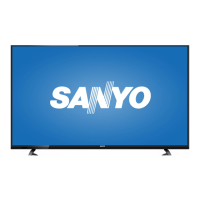
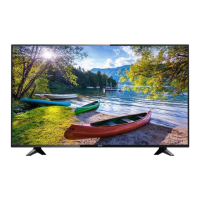
This is the owner's manual for a Sanyo LCD TV (LED Backlight) HDTV, model FW24E05T.
Function Description:
The Sanyo FW24E05T is an LCD television with LED backlighting, designed for high-definition viewing. It serves as a display for various video sources, including broadcast television (analog and digital), external media devices (DVD players, set-top boxes, computers, USB storage), and audio output. The TV features a user-friendly menu system for adjusting picture, sound, time, setup, lock, and channel settings. It also includes a setup wizard for initial configuration, making it easy to connect to various signal sources and optimize viewing.
Important Technical Specifications:
- Model: FW24E05T
- Display Type: LCD TV with LED Backlight
- Resolution: Supports 480i, 480p, 720p, 1080i, and 1080p/60Hz for HDMI and Component Video inputs. For Antenna/Cable, it supports 480i, 480p, 720p, 1080i (NTSC, ATSC). PC input supports VGA, SVGA, XGA, WXGA.
- Broadcasting System: US System NTSC-M, ATSC standard (8VSB).
- Receiving Channels:
- VHF: 2-13
- UHF: 14-69
- CATV: 14-36 (A)-(W), 37-59 (AA)-(WW), 60-85 (AAA)-(ZZZ), 86-94 (86)-(94)95-99 (A-5)-(A-1), 100-135 (100)-(135), 01 (4A)
- Tuner Type: Frequency synthesized
- Screen Refresh Rate: 60Hz
- Power Requirement: AC 120V, 60Hz
- AC Power Consumption: 30 watts
- Weight (w/stand): 7.5 lbs
- Dimensions (w/stand): Width 21.9 inches, Height 14.5 inches, Depth 5.4 inches
- Dimensions (w/out stand): Width 21.9 inches, Height 13.3 inches, Depth 2.1 inches
- Audio Output: Composite audio connection, Optical Digital Audio Output.
- Video Inputs:
- HDMI: 2 ports (HDMI 1/DVI IN, HDMI 2)
- Component Video (Y Pb Pr): Shared with L/R AUDIO input jacks.
- Composite Video (VIDEO IN): Shared with L/R AUDIO input jacks.
- PC IN: 15-pin D-sub for VGA output.
- ANTENNA/CABLE IN: For analog and digital signals.
- Other Ports: USB (5V=500mA) for mass storage devices, DVI/PC AUDIO IN (for DVI/PC only).
- VESA Wall Mount Compatibility: 100 x 100, M4 screw (for FW24E05T model).
Usage Features:
- Remote Control: Full-featured remote control with buttons for Power, Input, numerical channel selection (0-9), Sub Channel, Recall, Menu, CC (Closed Caption), Enter/OK, Picture, Exit, Favorite, Volume Up/Down, Mute, Channel Up/Down, Info, USB, Reset, Audio, TV, Pix Shape, and Sleep.
- On-TV Buttons: Physical buttons on the TV panel for Power, Menu, Input, Volume Up/Down, Channel Up/Down, and Enter.
- Setup Wizard: Guides users through initial setup, including selecting Home Mode or Store Mode, and auto-scanning for analog and digital channels (Air/Cable).
- Picture Settings: Offers various picture modes (Standard, Vivid, Mild, Manual, Power Saving) and adjustable parameters like Brightness, Contrast, Color, Tint, Sharpness, Color Temperature, and Backlight. "Power Saving" mode is ENERGY STAR compliant.
- Sound Settings: Provides sound modes (Standard, Manual), adjustable Bass, Treble, Balance, MTS (Mono/Stereo/SAP), Audio Language (English/French/Spanish), Digital Audio Output (Off, PCM, RAW), Surround Sound (On/Off), and Auto Volume Control.
- Time Settings: Includes a Sleep Timer with various intervals (5min to 240min).
- Setup Menu: Allows configuration of Menu Language, Closed Captioning (CC Mode, Analog CC, Digital CC, Option for font style/size), Over Scan, Input Label, PC Settings (H-Pos, V-Pos, Clock, Phase, Auto), Other Settings, Restore Default, and Setup Wizard.
- Lock Menu (Parental Controls):
- System Lock: Locks/unlocks TV buttons.
- Change Password: Allows setting a new 4-digit password.
- Input Block: Blocks/unblocks specific input sources (TV, Video, HDMI 1, HDMI 2, PC, USB).
- US Rating: Restricts movie and TV programs based on US MPAA ratings (G, PG, PG-13, R, NC-17, X) and US TV ratings (TV-Y, TV-Y7, TV-G, TV-PG, TV-14, TV-MA).
- Canada Rating: Restricts programs based on Canadian English (C, C8+, G, PG, 14+, 18+) and Canadian French ratings.
- RRT Setting: Displays an advance V-Chip rating table for digital channels and allows resetting RRT to default.
- Channel Management:
- Air/Cable Selection: Choose signal type.
- Auto Scan: Automatically searches for channels.
- Favorite List: Create a list of favorite channels.
- Channel List: Display and manage channels.
- Show/Hide: Show or hide channels from the program list.
- Channel Number: Display channel numbers.
- Channel Label: Create custom labels for channels (up to 7 characters).
- PC Settings: Adjusts horizontal/vertical position, clock, phase, and auto-adjust for PC input.
- USB Media Playback: Supports JPG format for photo viewing. Features include Play/Pause, Prev/Next, Stop, Repeat (All/Off/1), Playlist, Info, Rotate, Zoom In/Out.
- ENERGY STAR® Compliance: The "Power Saving" picture mode helps the product qualify for ENERGY STAR, reducing power consumption.
- Safety Features: Double insulation, warning symbols for electric shock and important instructions, cautions against exposure to rain/moisture, proper ventilation, and secure mounting.
Maintenance Features:
- Cleaning: The TV can be cleaned with a soft, lint-free cloth. Ventilation slots should be dusted occasionally. Avoid strong cleaning agents, ammonia-based cleaners, or abrasive powders. For the screen, use a soft, lint-free cloth, possibly dampened with warm water, but do not spray liquid directly.
- Troubleshooting Guide: The manual includes a comprehensive troubleshooting section to address common issues such as no power, no picture/sound, poor picture quality, no sound, blank screen, and unexpected TV shutdown.
- Remote Control Battery Replacement: Instructions for inserting and replacing "AAA" batteries in the remote control, with precautions against mixing battery types, incorrect polarity, and excessive heat.
- Factory Reset: The "Reset" button on the remote control and "Restore Default" option in the Setup menu allow users to revert settings to factory defaults.
- Customer Support: Provides a toll-free number (1-800-877-5032) and website (sanyo-av.com) for assistance, FAQs, and product recycling information.
- Limited Warranty: One-year parts and labor warranty covering defects in materials and workmanship for new products purchased from an Authorized Dealer. Exclusions include shipping costs, labor for installation/setup, damage from improper installation/maintenance, power surges, lightning, retained images, cosmetic issues from normal wear, mishandled shipments, modifications, commercial use, and failure to operate per the Owner's Manual.

 Need help?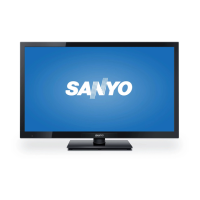



 To Next Page

 General