EasyManua.ls Logo

Sanyo KS2462R - User Manual

Sanyo KS2462R
24 pages
Print Icon
To Next Page IconTo Next Page
Loading...
Pub. OI-85464189508000 ©SANYO 2002
INSTRUCTION MANUAL
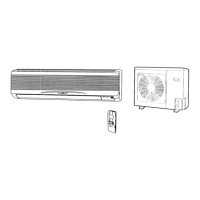
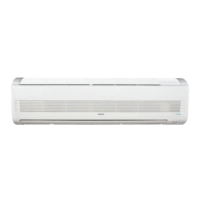
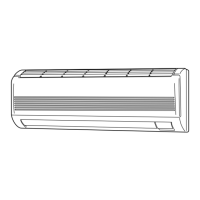
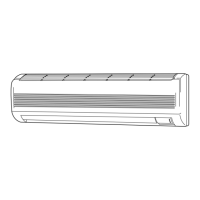
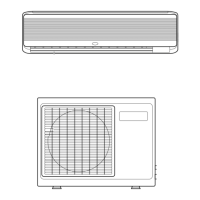
Split System Air Conditioner
Save These Instructions!
Printed on Recycled Paper
KS2462R
COOL/DRY Model
In order to protect the environment, this air conditioner uses the new refrigerant R410A.

Questions and Answers

  • S
    Sharon DillonJul 30, 2025
    Why is my Sanyo Air Conditioner not cooling properly?
    • M
      Mr. Michael AndersonJul 30, 2025
      Poor cooling performance in your Sanyo Air Conditioner can be due to several reasons: * The air filter may be dirty or clogged. Clean it to improve airflow. * There might be a heat source or too many people in the room. Try to eliminate the heat source. * Doors and/or windows might be open. Shut them to keep the heat out. * An obstacle might be near the air intake or air discharge port. Remove it to ensure good airflow. * The thermostat might be set too high for cooling. Set the temperature lower.
  • J
    Jordan ShermanAug 5, 2025
    How to fix a Sanyo KS2462R Air Conditioner that won't turn on?
    • A
      Alan BrownAug 5, 2025
      If your Sanyo Air Conditioner does not run at all, here are a few things to check: 1. Check for a power failure and restore power if necessary. 2. If the leakage circuit breaker has tripped, contact a service center. 3. If the line voltage is too low, consult your electrician or dealer. 4. Ensure the operation button is ON; press it again if it's OFF. 5. Replace the batteries in the remote control unit if they have run down.
  • M
    Michelle KellyAug 12, 2025
    Why does the compressor in my Sanyo KS2462R run then stop?
    • M
      Michael WhiteAug 12, 2025
      If the compressor in your Sanyo Air Conditioner runs but soon stops, there might be an obstruction in front of the condenser coil. Remove the obstruction.
  • M
    moralesdavidAug 17, 2025
    What to do if Sanyo KS2462R OPERATION lamp is on but outdoor unit won't run?
    • M
      Mr. Christopher ConnerAug 17, 2025
      If the OPERATION lamp lights but the outdoor unit of your Sanyo Air Conditioner will not run, it might be due to the use of portable telephones near the air conditioner, which can cause disturbance. Turn off the power, then restart the air conditioner after 1 minute.
  • D
    David FletcherAug 25, 2025
    What is the clicking sound from my Sanyo KS2462R?
    • C
      Christopher LongAug 25, 2025
      This clicking sound from your Sanyo Air Conditioner is normal. In cooling and drying operation, any plastic parts may expand or shrink due to a sudden temperature change. The sound will soon disappear.

Summary

Features

Microprocessor Controlled Operation

Describes advanced control features of the remote.

Wireless Remote Control Simplicity

Highlights ease of use of the remote control unit.

24-Hour Auto Timer

Enables setting unit on/off within a 24-hour period.

1-Hour Auto Shut-off Timer

Allows automatic unit turn-off after one hour.

Automatic Fan Speed Control

Unit adjusts fan speed automatically across three levels.

Air Sweep Functionality

Flap moves to distribute air evenly in the room.

Automatic Power Failure Restart

Unit resumes operation after power interruption.

Built-in Anti-Mold Filter

Filter inhibits mold and bacteria growth.

Optional Air Cleaning Filter

Filter removes odors and cleans air (sold separately).

Alert Symbols and Warnings

Hazard Warning Symbol

Indicates severe personal injury or death risk.

Cautionary Symbol for Damage

Indicates risk of personal injury or property damage.

Installation Location Guidelines

Electrical Requirements

Essential Safety Instructions

Air Conditioner Components Identification

Unit Display and Operation Selector

Operation Selector and Indicator Lamps

Explains unit's main control switch and status lights.

Remote Control Display Symbols

Understanding Remote Symbols

Operation Mode Symbols

Icons for Dry and Cool modes.

Fan Speed Symbols

Icons for Auto, High, Medium, Low fan speeds.

Temperature Setting Display

Shows current and set temperatures.

Timer Function Symbols

Icons for various timer settings.

Night Setback Symbol

Icon indicating energy-saving temperature adjustment.

Transmission Confirmation Symbol

Icon showing signal transmission.

Flap Direction Symbols

Icons for flap angle and sweep.

Remote Control Unit Buttons Overview

Remote Components and Display Functions

Describes transmitter, sensor, and display.

Key Operation Controls

Covers buttons for mode, fan, temp, timer, and sweep.

Setup and Utility Buttons

Explains ACL, ADDRESS, and SENSOR buttons.

Remote Control Button Functions Detailed

Timer Programming Button Functions

Details on Program and Timer Select buttons.

Mode and Airflow Control Buttons

Explains Mode, Flap, and Fan Speed buttons.

Reset and Address Setting Buttons

Covers ACL, Address Switch, and Sensor buttons.

Using the Sanyo Air Conditioner Remote

Installing Remote Control Batteries

Step-by-step guide for battery insertion.

Proper Remote Control Usage

How to point and operate the remote.

Optimal Remote Control Placement

Recommended locations to avoid interference.

Mounting and Securing the Remote Control Unit

Mounting the Remote Control Holder

Instructions for attaching the wall holder.

Securing Remote to Prevent Theft

Steps to prevent unauthorized removal.

Operation with the Remote Control Unit

Manual Operation Steps

How to use the remote for basic functions.

Operation with the Remote Control Unit (continued)

Adjusting Fan Speed with Remote

Explains automatic and manual fan speed settings.

Operation with the Remote Control Unit (continued)

Night Setback Mode Function

How to use the energy-saving temperature adjustment.

Special Operating Remarks

DRY Operation Characteristics

Details on how DRY mode functions.

Power Failure and Restart Behavior

Unit's response to power interruptions.

Clicking Sound Explanation

Reason for occasional clicking sounds.

Remote Control Signal Intervals

Frequency of remote signals to the unit.

Setting the Air Conditioner Timer

Setting the Current Time

Procedure to set the clock on the remote.

Setting the Auto OFF Timer

How to program the unit to turn off automatically.

Setting the Air Conditioner Timer (continued)

Setting the Auto ON Timer

How to program the unit to turn on automatically.

Daily ON;OFF Program Setting

Creating a daily schedule for ON and OFF times.

Setting the 1-Hour OFF Timer

Activating the 1-Hour OFF Timer

How to set the unit to stop in one hour.

Timer Interaction with Program Timer

How timers prioritize and interact.

Adjusting Airflow Direction

Horizontal Airflow Adjustment

Manual adjustment of vertical vanes.

Vertical Airflow Adjustment

Using the remote to control flap movement.

Sweep Function Operation

Automatic flap movement for wide air distribution.

Manual Airflow Direction Settings

Selecting specific flap positions.

Operation Without Remote Control

Care and Cleaning Guidelines

Cleaning Indoor Unit Casing and Grille

Instructions for cleaning the main unit body.

Care and Cleaning Guidelines (continued)

Anti-Mold Filter Maintenance

How to remove, clean, and replace the filter.

Care and Cleaning Guidelines (continued)

Installing the Air Cleaning Filter

Steps to install the optional filter.

Cleaning Main Unit and Remote

General cleaning advice for the unit and remote.

Tips for Energy Saving

Preventing Airflow Obstruction

Importance of clear air intake and outlet.

Maximizing Cooling Efficiency

Using sunlight and curtains effectively.

Air Filter Maintenance for Efficiency

Keeping filters clean for optimal performance.

Sealing the Room for Efficiency

Keeping doors and windows closed to retain conditioned air.

Troubleshooting Common Issues

Unit Fails to Start

Possible causes and remedies for no operation.

Lamp Flashing or No Operation

Troubleshooting wiring or remote issues.

Compressor Cycling Issues

Reasons for compressor stopping prematurely.

Poor Cooling Performance

Causes like dirty filters or open windows.

Clicking Sound Explanation

Normal sounds from temperature changes.

Outdoor Unit Not Running

Reasons for outdoor unit inactivity.

Air Conditioner Operating Range

Sanyo KS2462R Specifications

General IconGeneral
BrandSanyo
ModelKS2462R
CategoryAir Conditioner
LanguageEnglish

Related product manuals