EasyManua.ls Logo

Sanyo KS2472 - User Manual

Sanyo KS2472
88 pages
Print Icon
To Next Page IconTo Next Page
Loading...
IMPORTANT
These air conditioners employ new
refrigerant R410A.
Pay special attention when
servicing the unit.
TECHNICAL & SERVICE MANUAL
KS1872 + C1872
+ CL1872
KS2472 + C2472
+ CL2472
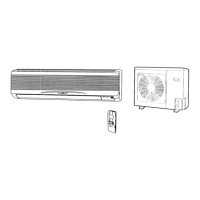
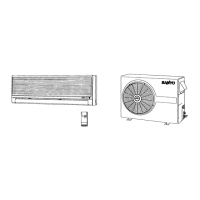
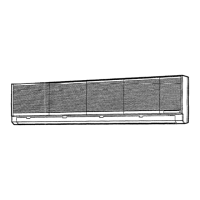
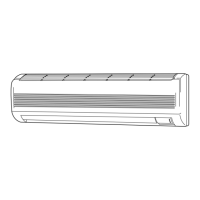
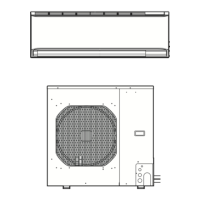
DC INVERTER SPLIT SYSTEM AIR CONDITIONER
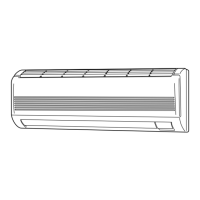
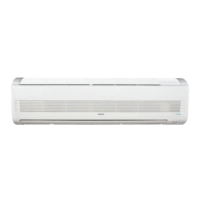
Indoor Unit
FILE NO.
Destination: North America
Outdoor Model No.
C1872
C2472
CL1872
CL2472
Product Code No.
1 852 330 36
1 852 330 37
1 852 330 40
1 852 330 41
Outdoor Unit
KS1872
KS2472
C1872
CL1872
C2472
CL2472
REFERENCE NO. SM700663
Indoor Model No.
KS1872
KS2472
Product Code No.
1 852 099 83
1 852 099 84
AIR CO
N
D
I
T
I
O
N
E
R

Table of Contents

Questions and Answers

  • R
    Rachel FarmerAug 15, 2025
    What to do if my Sanyo Air Conditioner stops suddenly or the indicator lamps flicker?
    • J
      Justin Mendoza Jr.Aug 15, 2025
      To address sudden stops or flickering indicator lamps in your Sanyo Air Conditioner, insulate for noise or increase the distance from the noise source. You can also: - Use shielded wires. - Move the unit away from the noise source.
  • A
    Alex RomeroAug 18, 2025
    How to fix TV picture noise or radio static with Sanyo Air Conditioner?
    • T
      Thomas TaylorAug 18, 2025
      If you're experiencing noise or distortion in your TV picture or static in the radio sound when using your Sanyo Air Conditioner, try these steps: - Use a separate power source. - Keep the A/C and its wiring at least 1 meter away from wireless devices and antenna cables. - Change the wireless device’s antenna to a high-sensitivity antenna. - Change the antenna cable to a BS coaxial cable. - Use a noise filter (for the wireless device). - Use a signal booster.
  • A
    alvarezninaAug 21, 2025
    What to do if the motor stops quickly when the outdoor unit of my Sanyo KS2472 Air Conditioner operates?
    • B
      Brian ShawAug 21, 2025
      If the motor rotates briefly (for a few seconds) and then stops quickly when the outdoor unit of your Sanyo Air Conditioner operates, first replace the outdoor unit controller, then, if necessary, replace the DC motor.
  • R
    Rebekah PattersonAug 25, 2025
    What to do if the motor stops quickly when the indoor unit of my Sanyo KS2472 operates?
    • D
      Douglas RiveraAug 25, 2025
      If the motor rotates briefly (for a few seconds) and then stops quickly when the indoor unit of your Sanyo Air Conditioner operates, first replace the indoor unit controller, then, if necessary, replace the DC motor.
  • M
    Michael KellyAug 27, 2025
    Why doesn't the fan stop when the outdoor unit stops on my Sanyo Air Conditioner?
    • S
      Steven DavisAug 27, 2025
      If the fan doesn't stop when the outdoor unit of your Sanyo Air Conditioner stops, it indicates outdoor unit controller trouble. Replace the controller to resolve this.
  • S
    Stephanie OrrAug 30, 2025
    Why doesn't the fan stop when the unit stops on my Sanyo Air Conditioner?
    • N
      Nancy NelsonAug 30, 2025
      If the fan doesn't stop when your Sanyo Air Conditioner unit stops, it indicates indoor unit controller trouble. Replace the controller to resolve this.
  • J
    James LeblancSep 2, 2025
    Why isn't the fan motor rotating when the outdoor unit is operating on my Sanyo KS2472?
    • K
      Kathryn CervantesSep 3, 2025
      If the fan motor doesn't rotate when the outdoor unit of your Sanyo Air Conditioner is operating, it indicates outdoor unit controller trouble. Replace the controller to resolve this.
  • K
    Kevin BullockSep 5, 2025
    Why isn't the fan motor rotating when the unit is operating on my Sanyo Air Conditioner?
    • J
      Jeremy DouglasSep 5, 2025
      If the fan motor doesn't rotate when your Sanyo Air Conditioner unit is operating, it indicates indoor unit controller trouble. Replace the controller to resolve this.
  • C
    Chad HarrisSep 8, 2025
    What to do if the self-diagnostics function fails on my Sanyo KS2472?
    • N
      Nicole SteeleSep 9, 2025
      If the self-diagnostics function fails to operate on your Sanyo Air Conditioner, check the indoor unit and the power voltage. Also, verify if the fuse is blown. If necessary, replace the circuit board or the fuse.
  • E
    Erik Perry PhDSep 12, 2025
    Why does the operation lamp blink rapidly on my Sanyo KS2472 Air Conditioner when turned on?
    • M
      Michelle AndersonSep 12, 2025
      If the operation lamp blinks every 0.5 seconds immediately when the power is turned ON for your Sanyo Air Conditioner, it indicates an external ROM (OTP data) failure on the indoor circuit board, a ROM socket insertion problem, or that the ROM has not been installed.

Summary

Operating Range

Cooling Mode Performance

Defines the temperature limits for cooling operation of the air conditioner.

Product Specifications

Unit Specifications

Details general specifications for indoor and outdoor units, including electrical and performance data.

Major Component Specifications

Provides detailed specifications for key internal components like motors and heat exchangers.

Other Component Specifications

Lists specifications for sensors and heat exchanger characteristics.

Dimensional Data

Indoor Unit Dimensions

Illustrates the physical dimensions of the indoor units.

Outdoor Unit Dimensions

Illustrates the physical dimensions of specific outdoor units.

Refrigerant Flow Diagram

Refrigerant Tubing Insulation

Explains the importance and method of insulating refrigerant tubing.

Performance Data

Temperature Performance Charts

Graphs showing cooling characteristics based on ambient temperatures.

Air Throw Distance Charts

Charts illustrating airflow distance based on flap angle and fan speed.

Electrical Data

Electrical Characteristics

Lists electrical ratings including amperage, voltage, and power input.

Electric Wiring Diagrams

Provides electrical connection diagrams for indoor and outdoor units.

Installation Instructions

Installation Site Selection

Guidelines for choosing appropriate indoor and outdoor unit locations.

Wiring and Connections

Details on wire length, diameter, and electrical diagrams.

Operational Setup

Covers remote control installation, test run, and grille removal.

Maintenance Procedures

Remote Control Address Setting

Procedure for setting remote control addresses in multi-unit installations.

Connector Handling

Instructions for safely disconnecting and connecting outdoor unit connectors.

System Functions

Operation Modes

Explains Emergency, Sensor Dry, and PAM control modes.

Protective Functions

Details freeze prevention and compressor discharge temperature controls.

Troubleshooting

Inspection and Diagnostics Procedures

Precautions, self-diagnostics, and initial unit checks.

Component Troubleshooting

Diagnosis for fan motors, noise, and electromagnetic interference.

Electrical Component Checks

Insulation Resistance Measurement

Procedure for testing the insulation resistance of electrical parts.

Fuse Continuity Check

Method for checking the continuity of fuses on the PCB assembly.

Refrigerant R410 A Servicing

Refrigerant Characteristics and Tools

Details R410A characteristics, servicing checklist, and required tools.

Refrigerant Handling Procedures

Covers tubing installation, compressor replacement, leak repair, and charging.

Product Information and Alerts

Product Identification

Fields for recording model, serial numbers, and purchase date.

Alert Symbols Explained

Explanation of warning and caution symbols used in the manual.

Installation and Electrical Requirements

Installation Location Guidelines

Recommendations for proper placement of indoor and outdoor units.

Electrical Requirements

Standards for wiring, grounding, and electrical codes.

Safety Instructions

General safety advice for using the air conditioner.

Names of Parts

Indoor and Outdoor Unit Components

Identification and description of major parts of both units.

Remote Control Unit Operation

Unit Display and Operation Button

Description of the remote control display and main operation button.

Understanding Display Symbols

Explanation of the icons and symbols shown on the remote control display.

Button Functions and Usage

Details on the functions of various buttons on the remote control.

Battery Installation

Instructions on how to install batteries in the remote control unit.

Operation with Remote Control

Basic Operation Steps

Step-by-step guide for performing cooling operations using the remote.

Fan Speed and Fan-Only Operation

How to adjust fan speed and operate in fan-only mode.

Night Setback Mode

Description of the energy-saving temperature adjustment feature.

Special Operation Modes

Explanation of Quiet, High Power, and ION operation modes.

Special Remarks

DRY Operation Details

Specifics on how the DRY operation mode functions.

Other Operational Notes

Remarks on power failure, clicking sounds, and remote signal behavior.

Setting the Timer

Setting Present and Off Times

Instructions for setting the current time and the OFF timer.

Setting On Time and Repeat Timers

Instructions for setting the ON timer and daily repeat timer.

Timers and Energy Saving

Using the 1-Hour OFF Timer

Explanation of the 1-hour OFF timer function and its operation.

Tips for Energy Saving

Advice and recommendations for operating the unit efficiently.

Adjusting Airflow Direction

Horizontal and Vertical Airflow Control

Methods for adjusting airflow direction manually and automatically.

Operation and Cleaning

Operation Without Remote Control

Instructions for operating the unit manually when the remote is unavailable.

General Care and Cleaning

Basic guidelines for cleaning the indoor unit casing and grille.

Filter and Generator Maintenance

Anti-Mold Filter Maintenance

Steps for removing, cleaning, and replacing the anti-mold filter.

Air Clean Filter Care

Instructions for cleaning and maintaining the air clean filter.

Negative Ion Generator Cleaning

Procedure for cleaning the negative ion generator.

Troubleshooting Guide

Common Issues and Solutions

A table listing common problems and their recommended remedies.

Temperature Limits for Operation

Summary table of operating temperature ranges for cooling.

Sanyo KS2472 Specifications

General IconGeneral
BrandSanyo
ModelKS2472
CategoryAir Conditioner
LanguageEnglish

Related product manuals