General
This set has an On-screen Service Menu system included in the CPU that allows remote operation for most of the
service adjustments.
On-screen Service Menu System
1) How to enter the Service Menu
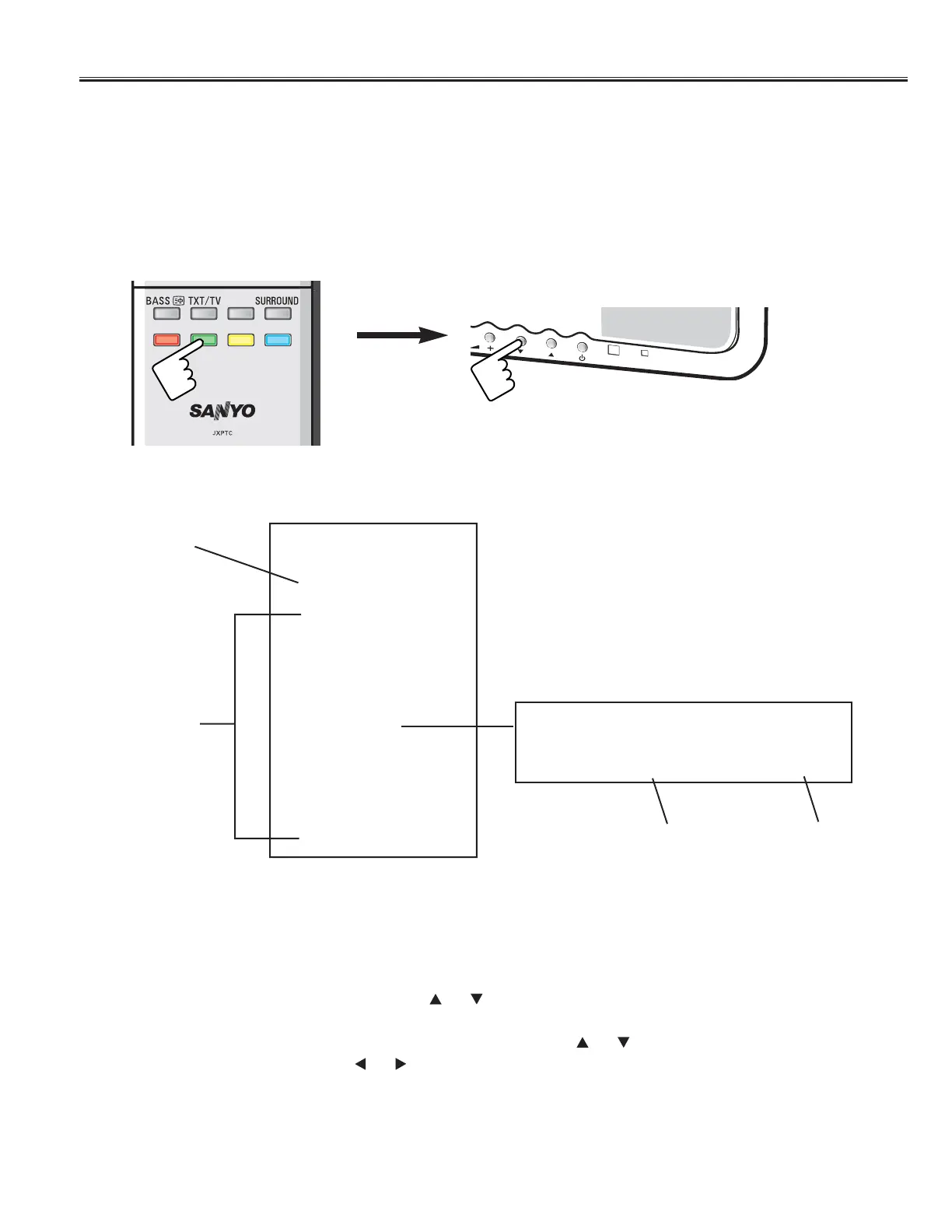
Press and hold the Green button of the remote control and press the Programme Down (▼)button on the front
control panel of the TV, and the Main menu of service mode will be displayed.
3) Exit from the Service Menu
Press the MENU button repeatedly or turn off the TV set by pressing the Power ON/OFF button.
2) How to select the service section and service item and change data value:
To select Service Section: Press the Cursor or button on the remote control hand set, and press the
OK button to enter the Sub menu.
To change data value: Select service item by pressing the Cursor or
,
and change data value by pressing
the Cursor or button.
[ Main Menu of the Service Mode ]
Software Version
Information
Service Section
Service
UE2 32 Ver 5.06
Sound
Video
Other
STV8216
TTDDAA99888866
STV2310
ADE3800
WSS
EEPROM Reset
TDA9886 FE
Write 1 70
[Sub Menu]
Data Value
Item No.
Example;
Important Notice: Do not attempt to adjust service adjustments not listed on page 11, otherwise it may cause
loss of performance and for correct operation.



 To Next Page