EasyManua.ls Logo

Sanyo MLS-3781 - User Manual

Sanyo MLS-3781
31 pages
Print Icon
To Next Page IconTo Next Page
Loading...
Labo Autoclave
Thank you for purchasing a Sanyo Autoclave.
Please read this instruction manual carefully
before using the product.
After reading this manual, store it in a readily
accessible place along with the warranty card.
Please pay particular attention to the
S Safety Precautions T section on page 1 to 6.
Contents
Page
How to Use
On Power Failure . . . . . . . . . . . . . . . . . . . . 24
Maintenance . . . . . . . . . . . . . . . . . . . . . . . . 26
Troubleshooting . . . . . . . . . . . . . . . . 27 ~ 28
Specifications . . . . . . . . . . . . . . . . . . . . . . 29
Basic operating procedure . . . . . . 14 ~ 22
For continuous use . . . . . . . . . . . . . . . 22
To stop the operation
. . . . . . . . . . . . . . 23
For timer operation
. . . . . . . . . . . . . . . . 23
High-pressure Steam Sterilizer
INSTRUCTION MANUAL
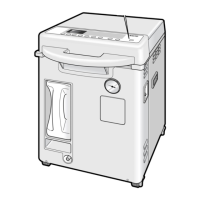
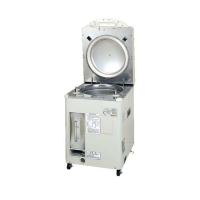
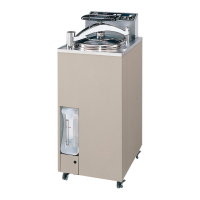
Model No. indication
Safety Precautions . . . . . . . . . . . . . . . 1 ~ 6
Precautions in Use . . . . . . . . . . . . . . . . . . . 7
Before Using the Product . . . . . . . . . . . . . . 8
Sterilization Objects . . . . . . . . . . . . . 12 ~ 13
Names and Functions of Part . . . . . . . 9 ~ 10
Explanation of Label . . . . . . . . . . . . . . . . . 11
MLS
-
3751
MLS
-
3781
Model
Nos.
On Voice Guide . . . . . . . . . . . . . . . . . . . . . 25


Other manuals for Sanyo MLS-3781

Questions and Answers

  • J
    Jason SteinAug 21, 2025
    How to fix power issue on Sanyo MLS-3781 Laboratory Equipment?
    • M
      Michael MorrowAug 21, 2025
      If your Sanyo Laboratory Equipment isn't getting power, check if the breaker is off and turn it on. Also, inspect the power cord for any damage; if broken, replace it.
  • Z
    Zachary NicholsAug 23, 2025
    What to do if Sanyo MLS-3781 Laboratory Equipment chamber leaks steam?
    • R
      Richard YoungAug 23, 2025
      If steam is leaking from the periphery of the chamber of your Sanyo Laboratory Equipment, start by cleaning the contact part of the packing and the chamber top. If the chamber lid packing is deteriorated, it should be replaced.
  • A
    alexanderjenniferAug 26, 2025
    How to stop steam leak from Sanyo MLS-3781 pipe?
    • D
      Danielle NewtonAug 26, 2025
      If steam leaks from the pipe and joint of your Sanyo Laboratory Equipment, check the heater mounting part (lower side of the chamber) and retighten any loose nuts. Also, check the pipe connection and retighten if loosened. If the hose band is loose, lace it.
  • J
    julia45Aug 27, 2025
    Why won't the temperature rise during heating in my Sanyo Laboratory Equipment?
    • A
      Anthony FranklinAug 28, 2025
      If the temperature in the heating process of your Sanyo Laboratory Equipment is not rising and failing to reach the sterilization temperature, check if the exhaust hose is bent and straighten it. Also, verify that the correct cycle is selected instead of the melting cycle. If the boiling point isn't properly set for your altitude, it is best to contact your dealer.
  • J
    Jason IngramAug 30, 2025
    What to do if steam leaks from the safety valve of my Sanyo Laboratory Equipment?
    • J
      Jeffery JonesAug 30, 2025
      If steam is leaking from the safety valve vent of your Sanyo Laboratory Equipment, indicating abnormally high pressure during sterilization, first stop the operation. Make sure that sterilization objects are not blocking the temperature sensor inside the chamber. If you are sterilizing a small amount of liquid in a large container with a narrow mouth, fill the container halfway or transfer the liquid to a container with a wider mouth. Additionally, ensure that beakers or similar items are not being sterilized with their openings facing upward; instead, direct the openings downward or lay them down.
  • M
    margaret03Sep 1, 2025
    What to do if the cover of my Sanyo Laboratory Equipment won't open?
    • J
      Jeffrey NelsonSep 1, 2025
      If the cover of your Sanyo Laboratory Equipment will not open, ensure the power switch is turned ON and wait for the power to be restored if there was an outage. If the COVER LOCK lamp is lit, the temperature and pressure inside the chamber are still too high; wait until the COVER LOCK lamp goes out.
  • D
    davidsarahSep 3, 2025
    Why won't my Sanyo Laboratory Equipment start?
    • M
      Mitchell SosaSep 3, 2025
      If the operation of your Sanyo Laboratory Equipment will not start, first ensure that the power switch is turned ON. Then, firmly press down the handle to close the cover until you hear a buzzer sound. If a timer operation is in progress, press the stop button to cancel it.
  • J
    Joseph MorrisSep 5, 2025
    How to fix power not supplied to Sanyo Laboratory Equipment?
    • G
      gomezjohnSep 5, 2025
      If power is not being supplied to your Sanyo Laboratory Equipment, ensure that the power supply is turned ON. If there has been a power outage, wait until the power is restored.
  • A
    Andrew GarrisonSep 7, 2025
    What causes the 'pressure rises abnormally high' error on my Sanyo Laboratory Equipment?
    • B
      Brooke DavisSep 7, 2025
      If your Sanyo Laboratory Equipment displays an error sign indicating abnormally high pressure, check if the exhaust hose is bent. If it is, take out the exhaust tank and straighten the hose. Note that the cautionary message may appear several times after straightening the hose; if the issue persists, press the stop button and try again. Also, make sure that the mouth of the sterilization bag is open and that the bag contains 300 ml of water. If the boiling point is not set suitably to the altitude, ask your dealer to adjust it.
  • A
    Alicia HamiltonSep 9, 2025
    How do I fix the 'exhaust hose is bent' message on my Sanyo Laboratory Equipment?
    • A
      Alexander Garcia MDSep 9, 2025
      If you receive a cautionary message indicating that the exhaust hose is bent on your Sanyo Laboratory Equipment, remove the exhaust tank and straighten the exhaust hose. After straightening, the message may appear several times. If the issue persists, press the stop button and try again. If the product does not return to normal, contact the dealer from whom you purchased the product.

Summary

Safety Precautions

Understanding Safety Levels and Symbols

Explains DANGER, WARNING, CAUTION levels, and safety symbols.

Electrical and Grounding Safety

Covers grounding, dedicated outlets, and power cord safety.

Operational Safety Guidelines

Procedures for stopping operations, checking performance, and opening the drain valve.

Product Handling and Maintenance Safety

Advises on dedicated outlets, handling hot objects, maintenance, and cord safety.

Ventilation and Personal Safety

Warnings about exhaust hoses, children, opening covers, and steam vents.

Product Installation and Error Handling

Safety for product installation, moving, water draining, and error indication.

Precautions in Use

Before Using the Product

Power Supply and Grounding Connections

Instructions for connecting the power cord to a dedicated, grounded outlet.

Control Panel Overview

Sterilization Objects

How to Use

Basic Operating Procedure Overview

Step-by-step guide for general operation.

Post-Operation Cover Opening

Safe procedure for opening the cover after operation, ensuring pressure release.

Removing Sterilized Objects

How to safely remove sterilized items, using protective gloves.

Powering Down and Draining Water

Steps for powering off the unit and draining heating water.

On Power Failure

Restoring Operation After Power Loss

Actions and checks required after a power interruption.

Troubleshooting Guide

Common Issues and Solutions

Identifies common problems, checks, remedies, and page references.

Sanyo MLS-3781 Specifications

General IconGeneral
BrandSanyo
ModelMLS-3781
CategoryLaboratory Equipment
LanguageEnglish

Related product manuals