EasyManua.ls Logo

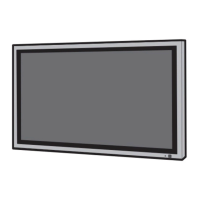
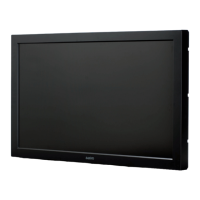
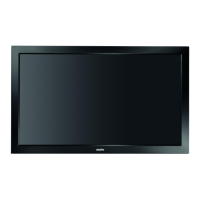
Sanyo PID-47NE1 - User Manual

Sanyo PID-47NE1
48 pages
Print Icon
To Next Page IconTo Next Page
Loading...
h
English
Please read these instructions before operating your set
and retain them for future reference.
Operating Instructions
FULL HD LCD Display
PID-42NE1
PID-47NE1
PID-42NE1U
PID-47NE1U

Other manuals for Sanyo PID-47NE1

Questions and Answers

  • M
    Michael BonillaAug 15, 2025
    What to do if my Sanyo PID-47NE1 Monitor has no picture?
    • J
      Joseph ScottAug 15, 2025
      If your Sanyo Monitor is displaying no picture, start by pressing the power switch or stand-by button on the remote control. Then, check to ensure the unit is properly plugged into the AC outlet and that it is switched on.
  • C
    Carly CaldwellAug 18, 2025
    How to fix no sound on my Sanyo PID-47NE1 Monitor?
    • J
      Jordan OrrAug 18, 2025
      If you're experiencing a lack of sound on your Sanyo Monitor, try the following: first, check if the mute function is activated on the remote control. Next, press the power switch or stand-by button on the remote. Also, verify the unit is properly plugged into the AC outlet and switched on.
  • S
    Sara SmithAug 21, 2025
    Why is my Sanyo Monitor remote control not working?
    • P
      Patty DavidsonAug 22, 2025
      If the remote control for your Sanyo Monitor isn't working, check these potential causes: ensure the batteries aren't completely discharged and are inserted correctly. Also, make sure the remote control sensor isn't exposed to outdoor light or strong fluorescent light. Finally, verify that you're using the remote control specifically designed for your unit.
  • D
    Diane ThomasAug 25, 2025
    How to stop my Sanyo PID-47NE1 Monitor from automatically turning off?
    • C
      Charles DavisAug 25, 2025
      If your Sanyo Monitor is unexpectedly turning off, check the settings of “Power management” and “Auto power off” in the Setup menu.
  • G
    garrettelizabethAug 27, 2025
    Why is there no color on my Sanyo Monitor?
    • T
      Teresa RodriguezAug 27, 2025
      If your Sanyo Monitor is displaying no color, check that the color controls are not set at the minimum level. Also, verify the color system settings.
  • K
    Kristy MooreAug 30, 2025
    What causes image retention on Sanyo Monitor?
    • V
      Vicki ParkerAug 30, 2025
      If you display a still picture for an extended period on your Sanyo Monitor, the image might remain on the screen.
  • K
    kristingreenSep 3, 2025
    Why does it take so long for the picture to appear on my Sanyo PID-47NE1 Monitor?
    • B
      brent71Sep 3, 2025
      Your Sanyo Monitor digitally processes various signals to reproduce esthetically pleasing images, which may cause a slight delay in the picture appearing.
  • P
    Pamela JenkinsSep 5, 2025
    Why does my Sanyo Monitor screen darken with bright pictures?
    • K
      Krystal SnyderSep 5, 2025
      The screen of your Sanyo Monitor darkens slightly when bright pictures with minimal movements are shown to reduce image retention and prolong the screen’s service life.
  • L
    larry66Sep 8, 2025
    Why do the edges of images flicker on my Sanyo PID-47NE1 Monitor?
    • J
      Justin LloydSep 8, 2025
      The flickering of edges on images displayed on your Sanyo Monitor is normal and not indicative of malfunctioning.
  • N
    Nicole JohnsonSep 12, 2025
    Why are there spots on my Sanyo Monitor screen?
    • R
      Randy TorresSep 12, 2025
      The presence of red, blue, green, or black spots on the screen of your Sanyo Monitor is a characteristic of liquid crystal panels and is not a problem.

Summary

Important Safety Instructions

Safety Warnings and Precautions

Critical safety warnings regarding usage, installation, and electrical hazards.

Power Plug and Earthing Safety

Specific safety instructions for the power plug and earthing connection.

Compliance and Trademarks

Regulatory Compliance Notices

FCC and Canadian compliance statements.

Safety Precautions

Setup and Handling Safety

Precautions for initial setup, handling, and placement of the display.

Power Management and Operation

Initial Setup and Configuration

Steps for first-time power-on including language and time setup.

Input Signal Selection

Device Controls and Menus

Picture and Sound Adjustments

System Setup and Features

Multi-Display System Setup

Configuring multiple displays for a large screen setup.

Troubleshooting Common Issues

Picture and Sound Problem Solving

Diagnosing and resolving common interference, no picture, or no sound issues.

Screen Performance Diagnostics

Addressing screen darkening, flickering, and image retention.

Technical Information and Specifications

Product Specifications Summary

Detailed technical data including dimensions, power, and panel specs.

Sanyo PID-47NE1 Specifications

General IconGeneral
BrandSanyo
ModelPID-47NE1
CategoryMonitor
LanguageEnglish

Related product manuals