EasyManua.ls Logo

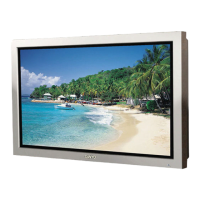
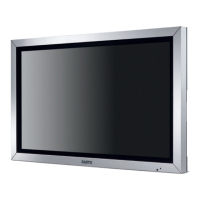
Sanyo PID-42NE1 - User Manual

Sanyo PID-42NE1
48 pages
Print Icon
To Next Page IconTo Next Page
Loading...
h
English
Please read these instructions before operating your set
and retain them for future reference.
Operating Instructions
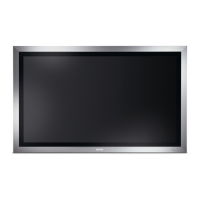
FULL HD LCD Display
PID-42NE1
PID-47NE1
PID-42NE1U
PID-47NE1U

Other manuals for Sanyo PID-42NE1

Questions and Answers

  • R
    Robert KnightAug 16, 2025
    What to do if my Sanyo Monitor has no picture?
    • J
      Jason HallAug 16, 2025
      If your Sanyo Monitor is displaying no picture, start by pressing the power switch or stand-by button on the remote control. Then, check to ensure the unit is properly plugged into the AC outlet and that it is switched on.
  • J
    Joshua CunninghamAug 19, 2025
    How to fix no sound on my Sanyo Monitor?
    • E
      Emily GarciaSep 12, 2025
      If you're experiencing a lack of sound on your Sanyo Monitor, try the following: first, check if the mute function is activated on the remote control. Next, press the power switch or stand-by button on the remote. Also, verify the unit is properly plugged into the AC outlet and switched on.
  • A
    Aaron MarquezAug 22, 2025
    Why is my Sanyo Monitor remote control not working?
    • T
      Tracy McdanielAug 22, 2025
      If the remote control for your Sanyo Monitor isn't working, check these potential causes: ensure the batteries aren't completely discharged and are inserted correctly. Also, make sure the remote control sensor isn't exposed to outdoor light or strong fluorescent light. Finally, verify that you're using the remote control specifically designed for your unit.
  • G
    Gary TaylorAug 26, 2025
    How to stop my Sanyo PID-42NE1 from automatically turning off?
    • T
      Tony HendricksAug 26, 2025
      If your Sanyo Monitor is unexpectedly turning off, check the settings of “Power management” and “Auto power off” in the Setup menu.
  • J
    Jennifer LopezAug 27, 2025
    Why is there no color on my Sanyo PID-42NE1?
    • J
      Jennifer SmithAug 27, 2025
      If your Sanyo Monitor is displaying no color, check that the color controls are not set at the minimum level. Also, verify the color system settings.
  • K
    Kenneth BanksAug 31, 2025
    What causes image retention on Sanyo PID-42NE1 Monitor?
    • M
      mwareAug 31, 2025
      If you display a still picture for an extended period on your Sanyo Monitor, the image might remain on the screen.
  • N
    Nicholas YoderSep 3, 2025
    Why does it take so long for the picture to appear on my Sanyo Monitor?
    • S
      Stephanie ShepardSep 3, 2025
      Your Sanyo Monitor digitally processes various signals to reproduce esthetically pleasing images, which may cause a slight delay in the picture appearing.
  • D
    David VillanuevaSep 6, 2025
    Why does my Sanyo PID-42NE1 Monitor screen darken with bright pictures?
    • A
      Amber YangSep 6, 2025
      The screen of your Sanyo Monitor darkens slightly when bright pictures with minimal movements are shown to reduce image retention and prolong the screen’s service life.
  • T
    Tyler RussellSep 9, 2025
    Why do the edges of images flicker on my Sanyo Monitor?
    • J
      Julia DavisSep 9, 2025
      The flickering of edges on images displayed on your Sanyo Monitor is normal and not indicative of malfunctioning.
  • D
    Diana MccormickSep 12, 2025
    Why are there spots on my Sanyo PID-42NE1 Monitor screen?
    • K
      Karen MyersSep 12, 2025
      The presence of red, blue, green, or black spots on the screen of your Sanyo Monitor is a characteristic of liquid crystal panels and is not a problem.

Summary

Safety and Precautions

General Safety Instructions

Covers essential warnings, cautions, and installation guidelines for safe operation.

Electrical Safety and Handling

Details on power cord safety, plug usage, unit handling, and cleaning procedures.

Product Overview and Setup

Connections and Input Signals

Video and Audio Input Terminals

Details on connecting VCR, DVD player via S-Video, Component, and RGB inputs.

Digital and Computer Input Signals

Setup for HDMI, DVI-D, PC, and Serial port connections.

Selecting the Input Signal

Basic Controls and Picture Settings

Picture Quality Adjustments

Detailed guide to fine-tuning picture parameters like brightness, contrast, colour, and white balance.

Input Signal Setup and Configuration

Component;RGB Input Selection

Matches input signal type (Component or RGB) for the dedicated terminal.

Options and Troubleshooting

Troubleshooting Common Issues

Provides solutions for common picture, sound, and operational problems.

Sanyo PID-42NE1 Specifications

General IconGeneral
Screen Size42 inches
Display TechnologyPlasma
Aspect Ratio16:9
Brightness1000 cd/m²
Contrast Ratio10000:1
Viewing Angle160°
Power Consumption320W
Display Size42 inches
Input ConnectorsHDMI, VGA, Component, Composite, S-Video

Related product manuals