Need help?
Do you have a question about the Sanyo RD 4080 and is the answer not in the manual?
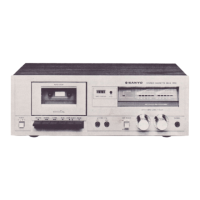
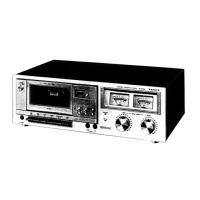
The Sanyo Cassette Tape Deck, models RD 4080, RD 4080 UM, and RD 4080 Australia, is a stereo audio recording and playback device designed for use with chromium dioxide or normal cassette tapes. This service manual provides comprehensive details for its operation, maintenance, and adjustment.
The primary function of this device is to record and play back audio on cassette tapes. It features an AC bias recording system and an AC erase system, ensuring high-quality audio capture and removal. The deck operates at a standard tape speed of 1-7/8 ips (4.75 cm/sec). It incorporates a Dolby Noise Reduction (N.R.) system, which can be toggled on or off, to minimize tape hiss and improve the signal-to-noise ratio during both recording and playback. The device includes various input and output terminals to connect with other audio components, such as microphones, line-level sources, and headphones. A meter is provided for monitoring audio levels, and controls for recording and playback are clearly marked.
Tape: Chromium dioxide or normal cassette tape Recording System: AC bias, 1/4 track stereo Erasing System: AC erase, 1/2 track Tape Speed: 1-7/8 ips. (4.75 cm/sec.) Rewind & Fast Forward Time: Approximately 90 seconds for a C-60 cassette. Wow & Flutter: 0.15% RMS, indicating stable tape movement. Bias Frequency: 67 - 73 KHz, optimized for recording quality. Distortion: Less than 1% (at 1 KHz, -60dB), ensuring clear audio reproduction. Frequency Response:
Terminal Impedance:
Power Source:
Dimensions: 15-1/4" (W) x 10" (D) x 4-3/8" (H) (386 x 256 x 111mm) Weight: Approximately 8 lbs. 2 ozs. (3.7Kg)
The Sanyo Cassette Tape Deck is designed for straightforward operation. It includes dedicated controls for recording and playback, as well as fast forward and rewind functions. The Dolby N.R. system can be engaged to enhance audio quality, particularly for recordings made on standard tapes. Input terminals are available for microphones and line-level audio sources, allowing for versatile recording options. Output terminals facilitate connection to external amplifiers, receivers, or headphones for monitoring and listening. The unit's power source is adaptable to various international voltage standards, making it suitable for different regions. The presence of a meter allows users to visually monitor audio input and output levels, aiding in optimal recording.
The service manual outlines several critical adjustments and maintenance procedures to ensure the optimal performance and longevity of the cassette tape deck.
Adjustment of Pinch Roller:
Torque Adjustment:
Auto Shut-Off Adjustment:
General Adjustments (as detailed in the "Adjustment" section):
The manual also includes a detailed parts list for various components, including packing materials, accessories, cabinet parts, chassis components, and electrical parts (capacitors, resistors, switches, transformers, transistors, diodes, etc.), which is essential for identifying and replacing faulty parts during repairs. Modification notices are also provided to document any changes or corrections to the service manual or parts list, ensuring that technicians have the most up-to-date information.

 To Next Page
 General