EasyManua.ls Logo

Sanyo VWM-900 - User Manual

Sanyo VWM-900
16 pages
Print Icon
To Next Page IconTo Next Page
Loading...
Please read this manual carefully before connecting your VCR and operating it for the first time.
Keep the manual in a safe place for future reference.
Only cassettes marked can be used with this video cassette recorder.
As an ENERGY STAR
®
Partner,
SANYO has determined that
this product or product model
meets the E
NERGY STAR
®
guidelines for energy efficiency.
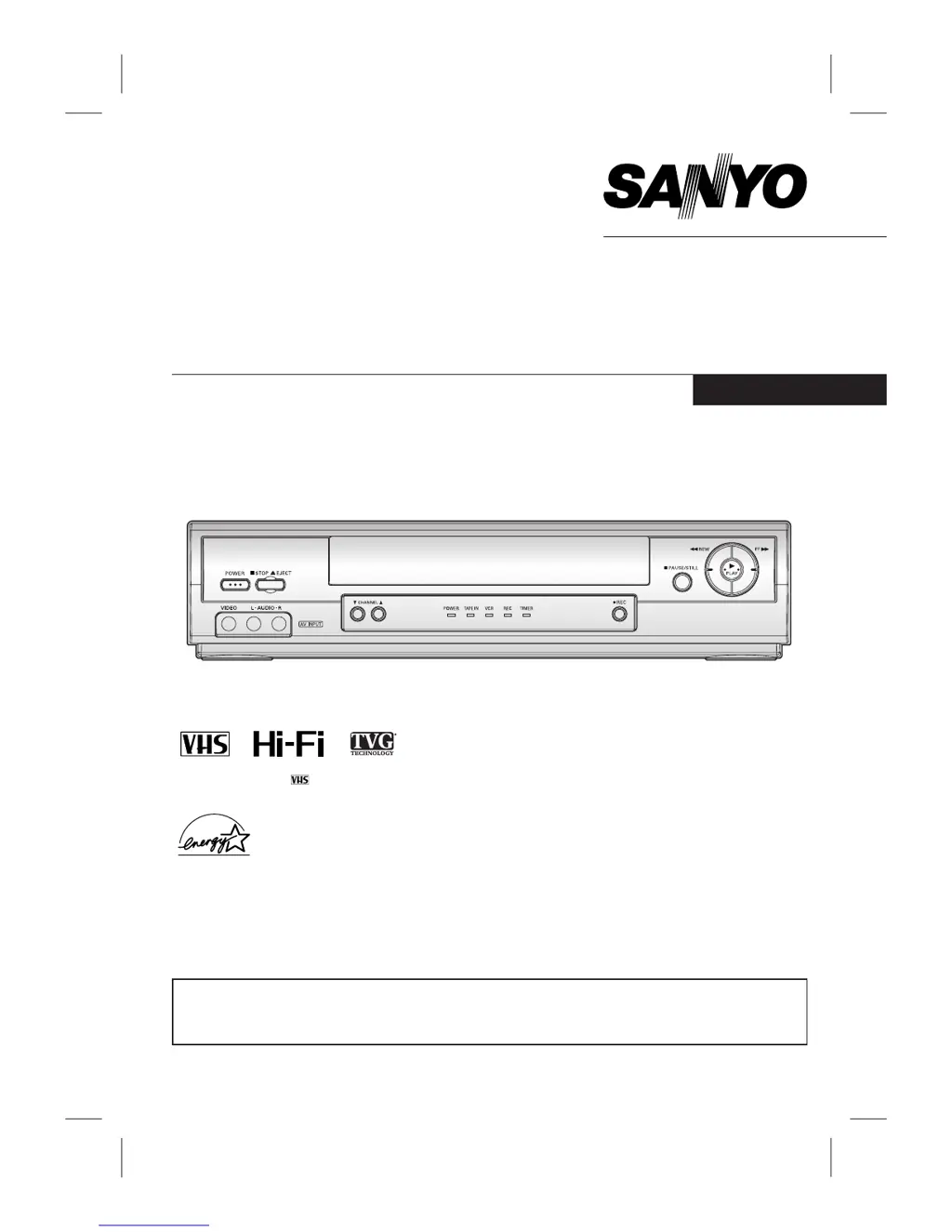
INSTRUCTION MANUAL
VWM-900
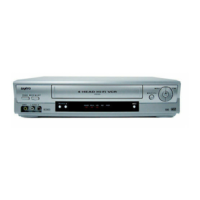
4-HEAD Hi-Fi STEREO VCR
English
SANYO'S HELP-LINE
Call the toll-free number below if you have any difficulties operating this product.
1-800-813-3435 (Weekdays: 7:30 AM - 4:00 PM Central Time)

Other manuals for Sanyo VWM-900

Questions and Answers

  • S
    solomonstephenAug 17, 2025
    Why Sanyo VWM-900 VCR cannot be remotely controlled?
    • M
      Misty PierceAug 17, 2025
      If your Sanyo VCR cannot be remotely controlled, or the remote control has a short range, the batteries may be weak or dead. Also, make sure you are not blocking the sensor.
  • C
    Craig MurphyAug 19, 2025
    What to do if my Sanyo VWM-900 VCR will not go into the recording mode?
    • D
      deborah72Sep 12, 2025
      To fix a Sanyo VCR that won't record even when you press REC, check the cassette. If the safety tab has been removed, cover the hole with cellophane tape or use a different cassette.
  • R
    Robert FischerAug 22, 2025
    Why does "--:-- --" appear on my Sanyo VWM-900 VCR TV screen?
    • C
      cfrancoAug 22, 2025
      If the "--:-- --" appears on the TV screen, it means that power has been interrupted. You should reset the time according to the instructions.
  • R
    Ronald CamposAug 25, 2025
    What to do if no picture appears on the TV screen when PLAY is pressed on Sanyo VWM-900 VCR?
    • S
      swellsAug 26, 2025
      If there is no picture on the TV screen when you press PLAY on your Sanyo VCR, try setting the television to the VCR channel (3 or 4) upon the selected channel. If that doesn't work, try using a different cassette tape.
  • P
    Peter FrazierAug 27, 2025
    How to fix cassette that cannot be inserted into Sanyo VWM-900?
    • C
      cruztravisAug 27, 2025
      If the cassette cannot be inserted into your Sanyo VCR, it might be because a cassette is already inside. Make sure to load the cassette correctly, paying attention to the arrow on the cassette. Also, check if the POWER indicator is lit. If the TAPE IN indicator is flashing, press POWER again.
  • U
    uperryAug 30, 2025
    What to do if no picture appears on the TV screen with Sanyo VWM-900 VCR?
    • C
      Charles JonesAug 30, 2025
      If no picture appears on the TV screen when using your Sanyo VCR, first press the TV/VCR button to select the VCR mode. Then, set the television to the same channel selected on the VCR OUTPUT CHANNEL SELECT SWITCH (CH3 or CH4).
  • J
    Jeremy RobertsSep 2, 2025
    Why does the tape get ejected in the timer mode on my Sanyo VWM-900?
    • M
      Matthew KochSep 2, 2025
      If the tape is ejected in timer mode on your Sanyo VCR, it could be because the cassette's safety tab has been removed. To fix this, stick a piece of cellophane tape over the safety tab hole or use a different cassette.
  • R
    robinsonrobertSep 4, 2025
    How to fix a picture that is not clear on Sanyo VWM-900 VCR?
    • A
      angelareidSep 5, 2025
      If the picture on your TV screen is not clear when using your Sanyo VCR, try adjusting the Tuning Control on the television to get the best picture.
  • A
    Ashley OliverSep 7, 2025
    What does it mean when TAPE IN indicator flashes on Sanyo VCR?
    • M
      Michael PaulSep 7, 2025
      If the TAPE IN indicator is flashing on your Sanyo VCR, it means you need to insert a cassette.
  • A
    Alan MitchellSep 10, 2025
    Why Sanyo VWM-900 does not start at preset record starting time?
    • T
      Todd ReedSep 10, 2025
      If your Sanyo VCR does not start at the preset record starting time, set up the recording time according to the instructions. Also, ensure that the AM-PM display is correct.

Summary

Safety and Warnings

General Safety Precautions

Essential safety guidelines to prevent hazards during use, including cautions.

Important Safety Instructions

Comprehensive instructions for safe installation, operation, and maintenance.

Controls, Installation, and Setup

Installation and Connections

Step-by-step instructions for connecting the VCR to a television.

Playback and Recording Operations

Normal Recording

Steps for recording TV programs or external sources.

Timer and Instant Recording

Programming the VCR to record at a future time or for a preset duration.

Troubleshooting and Specifications

Troubleshooting Common Issues

Solutions for common problems like no picture, unclear picture, and control issues.

Sanyo VWM-900 Specifications

General IconGeneral
Tape FormatVHS
Heads4
Remote ControlYes
TunerYes
Playback SpeedSP, LP
InputsComposite
OutputsComposite

Related product manuals