Sargent Electrical Services Ltd. Copyright 2005
Issue 03 Page 7 of 11 12 May 2005
4.2 Menu Functions - Readings section
Display Description Options / Notes
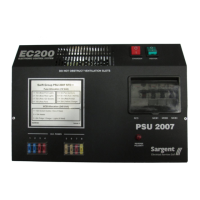
EC200
v1.1H
12:00
23.9°C
Main Control Panel display showing model
number (EC200), software version number
(v1.1), specification (H), current time (12:00)
and Internal temperature (23.9°C) in
centigrade
The addition of a asterisk (*) in
the top left of the display
indicates that the alarm is set
The addition of a hash (#) in the
top right of the display indicates
that the event timer is set
Leisure
Battery
12.5v (Good)
Voltage reading and battery condition
description for the on-board leisure battery
< 10.9 = (Poor)
10.9 to 11.8 = (Fair)
11.9 to 14.4 = (Good)
Vehicle
Battery
13.3v (Good)
Voltage reading and battery condition
description for the vehicle battery
See section 4.4 for details of the Vehicle
Battery save feature
< 10.9 = (Poor)
10.9 to 11.8 = (Fair)
11.9 to 14.4 = (Good)
Fresh Water
25% Full
Water level in the fresh water tank
(5 measurement levels)
0% < ¼ Full (Empty)
25% >= ¼ Full
50% >= ½ Full
75% >= ¾ Full
100% = Full
Waste Water
0% Full
Water level in the waste water tank
(2 measurement levels)
0% < ½ Full
50% >= ½ Full (optional)
100% = Full
External Temp
26.5°C
External temperature (in degrees centigrade)
as measured by the external temperature
probe
[Only available in H specification systems]
Battery
Current
5.4 Amps
Current (in Amps) being drawn from or
charged into the selected battery
[Only available in H specification systems]
Negative figure (-) = current
being drawn from the selected
battery
Positive figure = current being
used to charge the selected
battery
4.3 Menu Functions - Settings section
Display Description Options / Notes
Pump Select?
<Internal>
Shows the currently selected pump that will be
operated by pressing the pump on / off switch
(TAP symbol)
<INTERNAL> = The internal
pump will be operated by the
pump switch


 To Next Page
 Loading...