9
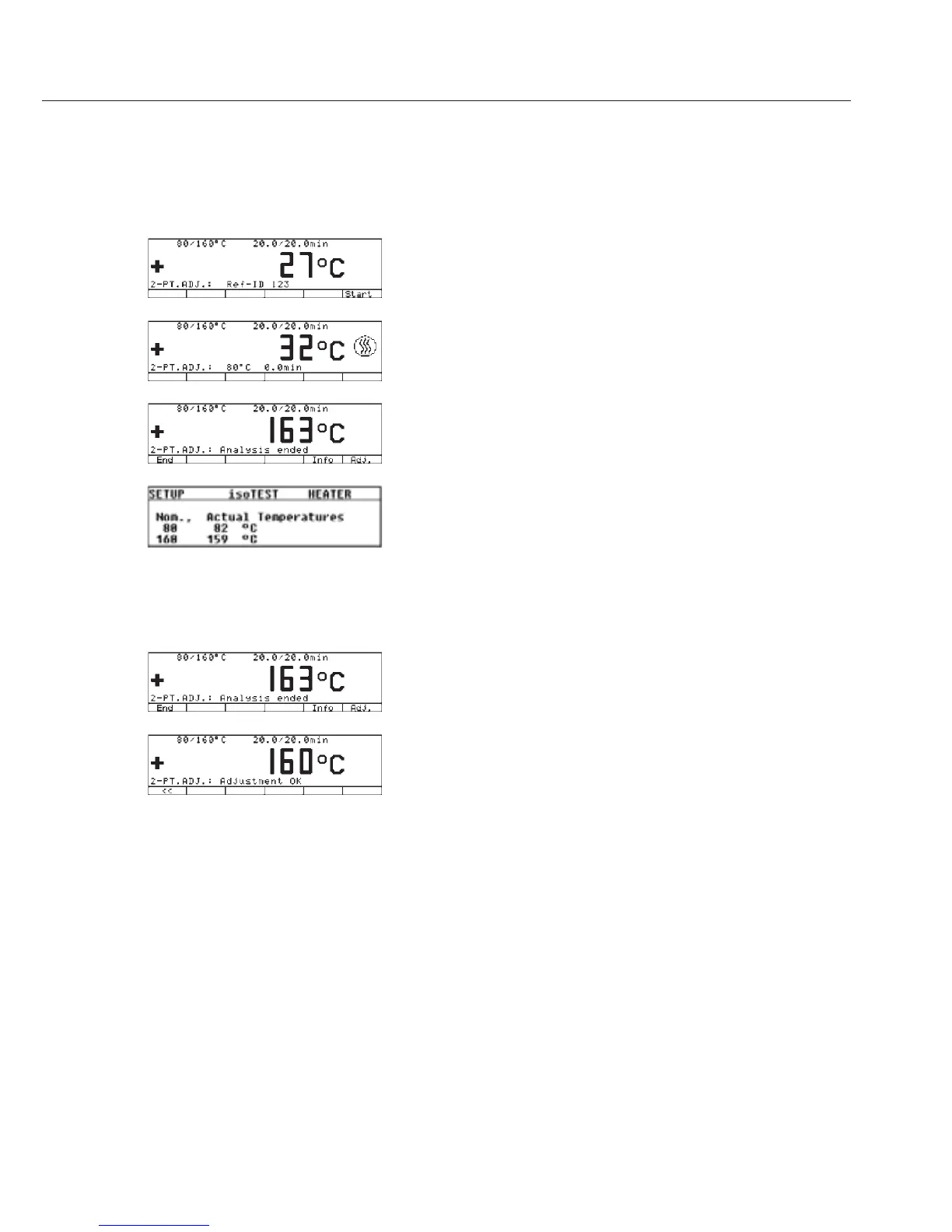
§ Press the [Start] soft key to activate the
temperature adjustment routine.
> The heating symbol appears in the display; the heat-
ing time and the previous drying time are displayed
continuously.
§ After you have finished the measurement for cali-
brating and adjusting the temperature, you will hear
3 beeps. Display: Analysis ended
§ Press [
Info] to display the measured values.
§ Go back by pressing the , soft key
> Return to the main menu without performing an
adjustment by pressing the [
End] soft key. A record
is printed out automatically.
§ Activate the calibration/adjustment and temperature
adjustment routine on the unit by pressing the
[
Adjust.] soft key. This concludes the adjust-
ment routine. If the final temperature shows 163°C,
for example, the temperature is 1°C outside the
tolerance limit of 160°C ± 2°C. This adjustment
automatically corrects the deviation. At the same
time, a data record is printed out (for example,
on the Sartorius YDP20 data printer if you are using
the MA45 or MA150).



 To Next Page