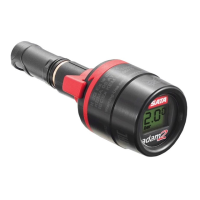
<< Operating Instructions SATA adam 2 >>
<< Operating Instructions SATA adam 2 >>
<< Operating Instructions SATA adam 2 >>
EN
VII.7
<< English >>
Notice!
• Further cleaning tips can be found at www.sata.com/TV.
9. Battery Replacement [5]
Warning! Risk of explosion!
• Replace the battery outside of explosive areas only!
• Please observe safety instructions in chapter 6.4!
Only RENATA batteries (CR2032) must be used. Use the battery kit (Art.
No. 160739) consisting of battery, O-rings, locking clip, elastic rubber
strap and special tool. According to the intensity of use, the battery will
last between 1 to 3 years. When the battery symbol appears on the pres-
sure display, the battery has to be replaced in the following 2 to 3 weeks.
The battery is empty when no pressure is indicated with the spray gun
inlet pressure exceeding 0.2 bar / 3 psi (spray gun connected to com-
pressed air supply).
1. Disassembly of the display [5-1] (also see chapter 7.1).
2. Open display using the special tool and the elastic rubber strap
[5-2], [5-3].
3. Remove the battery with special tool [5-4].
4. Insert a new RENATA CR 2032 (observe polarity of battery!).
5. Remove the sealing with the special tool [5-5] and insert the new
sealing.
6. Screw the housing back onto the display. To prevent penetration of
cleaning agent, please ensure to tighten the housing hermetically
(completely) [5-3].
7. If required, replace the locking clip and the small O-ring. Flat side of
locking clip must be visible [no illustration].
EN-SATA adam 2.indd 7 01.12.2010 08:09:15


 To Next Page
 Loading...