SatKing PRO MAX User manual - 11
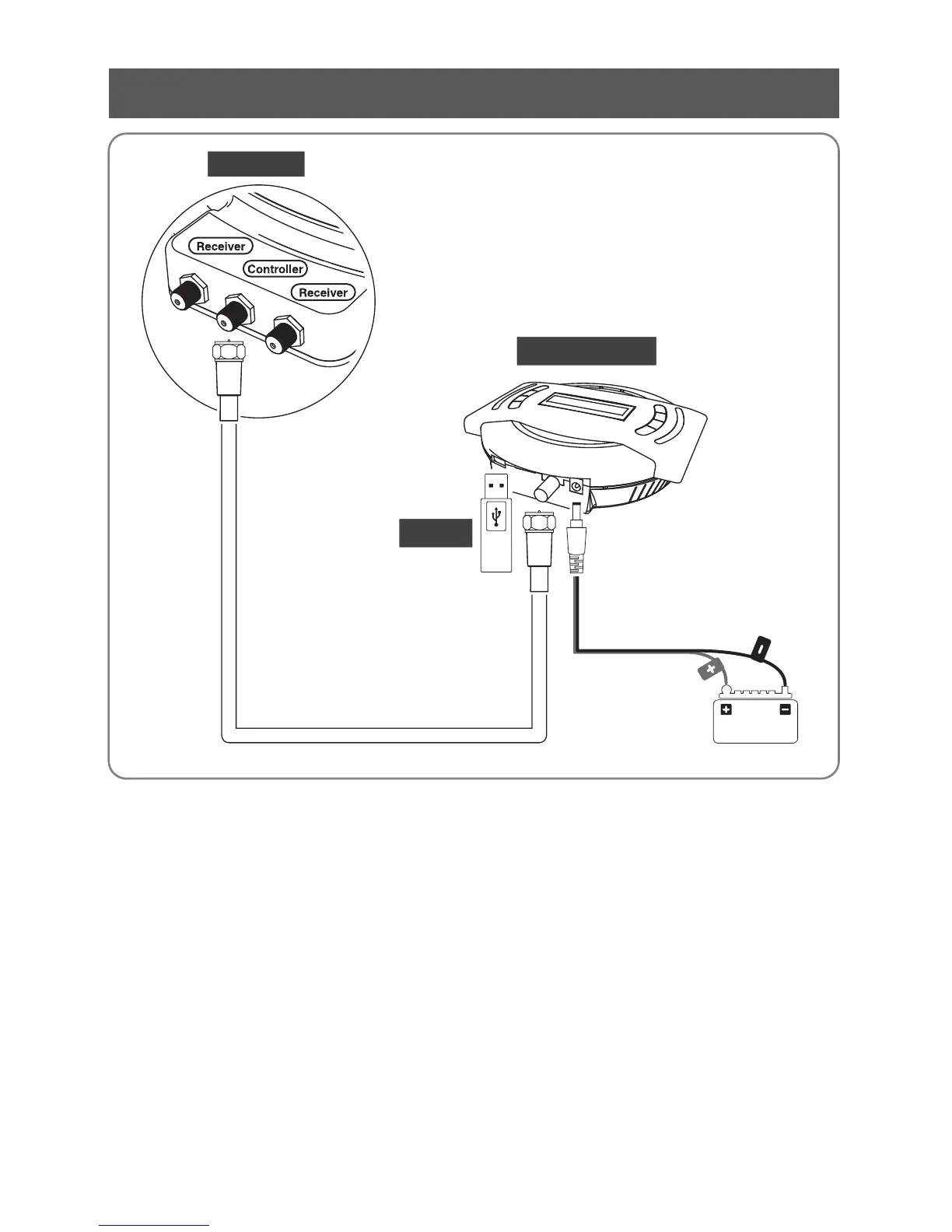
USB
MAIN UNIT
Controller cable
CONTROLLER
Power Input Cable
4. Software Update
1. Transfer software program to a USB root folder (not belonging to any other folder) in an empty USB.
2.
3.
4.
5.
Ensure that the unit is turned off and plug the USB into USB port on the side of controller.
Press and hold TUNE button then also press the POWER button.
Unit will turn on and “USB connected, F/W Update mode” will be shown on LCD.
Once “SATKING PROMAX_SET_OK” is shown, update is completed, remove the USB device.
i.
ii.
Please go to SatKing PRO MAX website www.satkingpromax.com.au to download update
program(software).
In case a controller does not recognise the USB drive, take the USB out and plug into a PC.
Right click USB folder, go to “Properties” and check if the“File system” is FAT32.
If not, right click USB folder again, go to “Format” and re-setup a file system to FAT32.


 To Next Page