Digital Satellite Finder
22
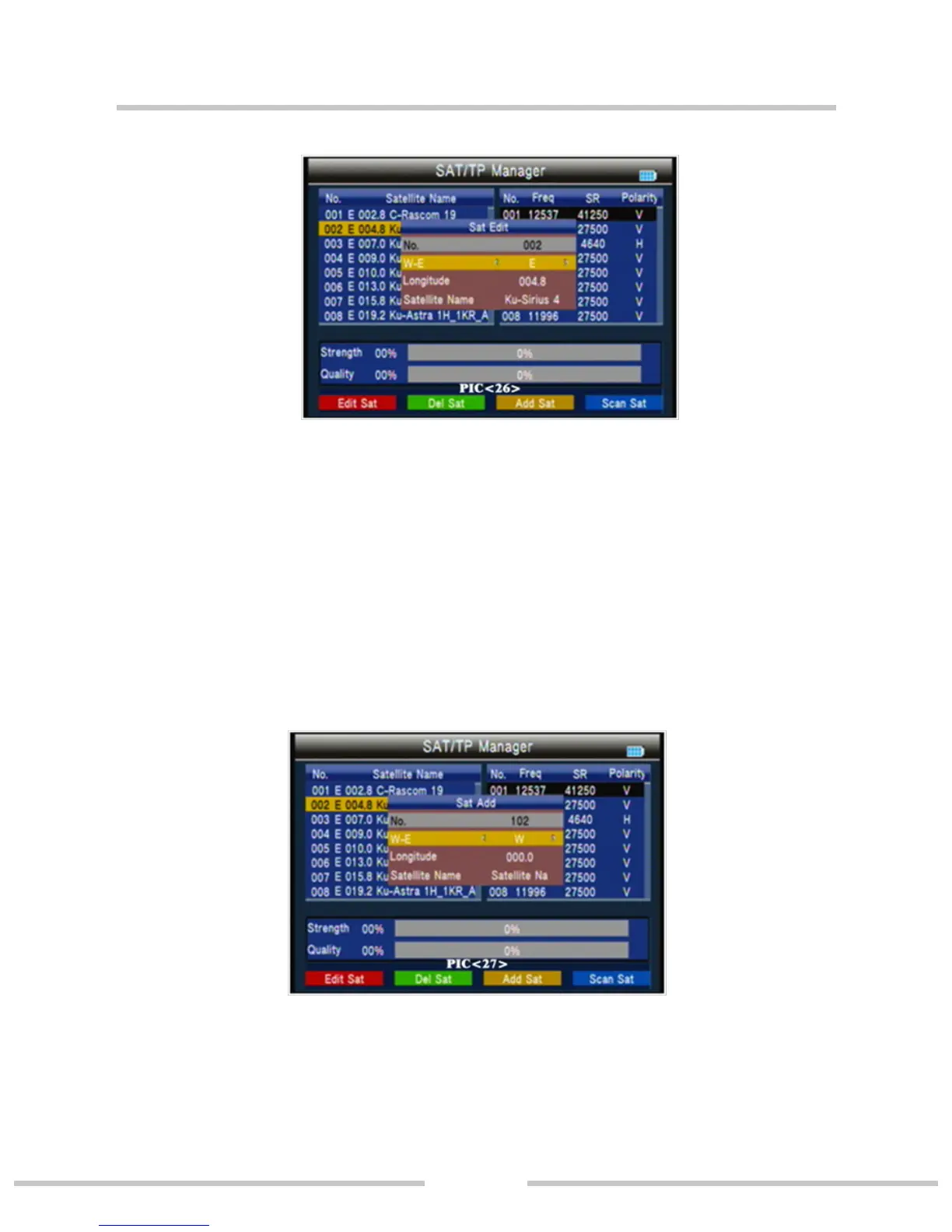
○ Press orange key to add a satellite。(PIC 27)
NO.: Satellite number.
W-E: switch the satellite longitude west or east.
Longitude; use number key input value.
Satellite Name: press ok will open the keyboard; use the direc-
tion key input satellite name.
○ Press blue key into auto scan interface.


 To Next Page