Digital Satellite Finder
23
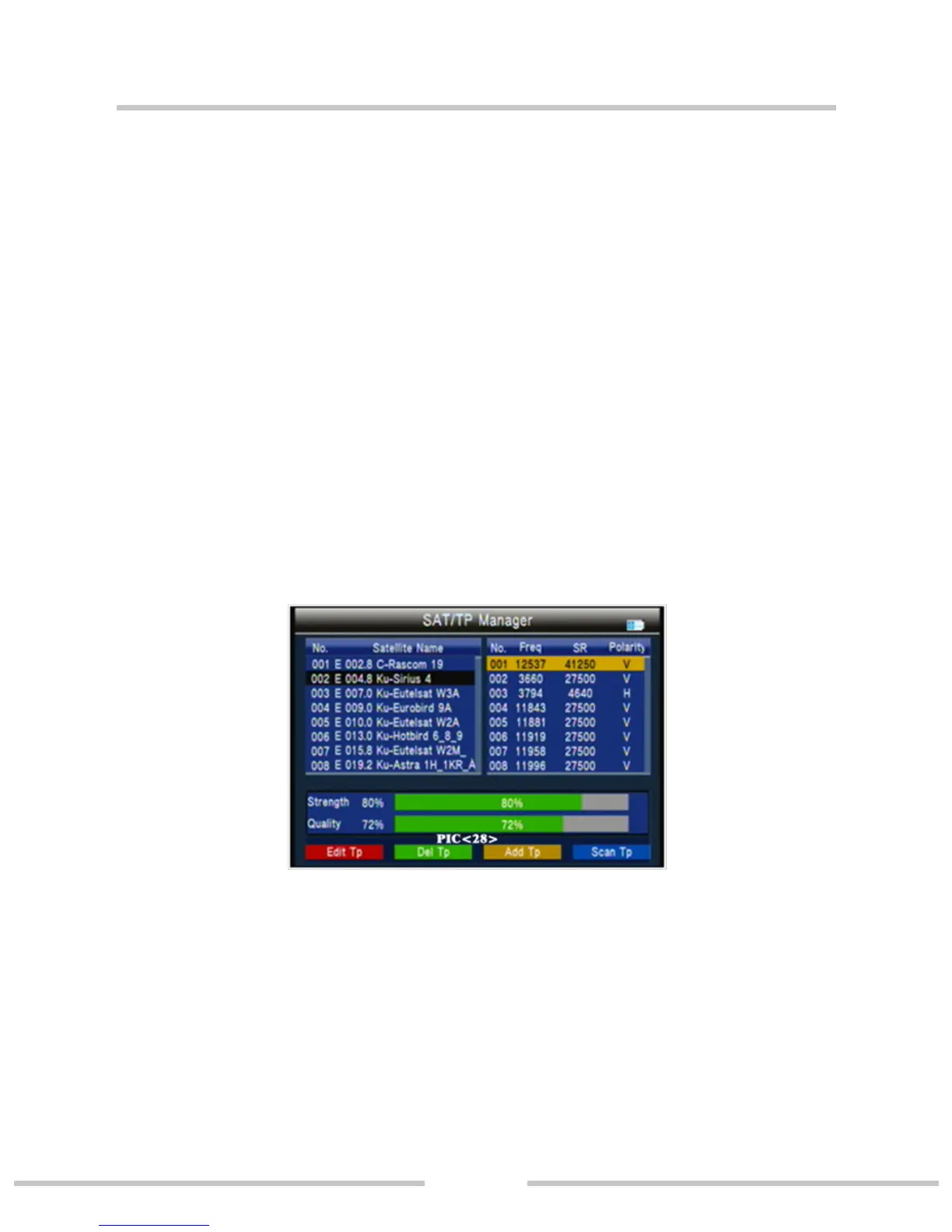
Press ◄►key to TP manager. (PIC 28)
○ Press red key to edit TP
NO.: TP number.
Frequency: use number key input value.
Symbol Rate: use number key input value.
Polarity: Press ◄► to change polarity
○ Press green key to delete TP, then press ok key to conrm
or press menu key to cancel.
○ Press orange key to add a TP;Please refer to TP edit
operations.
○ Press blue key into TP scan interface.
3.5 Multimedia
Will need to play the les in the USB stick and insert it into
the machine.(PIC 30)


 To Next Page