EasyManua.ls Logo

SATO SK-L400T - User Manual

SATO SK-L400T
28 pages
Print Icon
To Next Page IconTo Next Page
Loading...
Instruction Manual
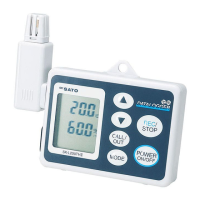
No. 8191-00 4-ch Datalogger
Model SK-L400T
(Temperature measurement type)
3-4, Kanda-kajicho, Chiyoda-ku, Tokyo 101-0045 Japan
URL: http://www.sksato.co.jp/english/
Q.11

Questions and Answers

  • W
    Wanda HodgesAug 6, 2025
    What to do if measurement values are unstable on SATO Data Loggers?
    • K
      kwelchAug 6, 2025
      Unstable measurement values on your SATO Data Logger can stem from a few reasons. First, electrical noise from nearby equipment might interfere; try moving the unit and probe away from such equipment. Second, a loose probe connection could be the culprit; ensure the probe connector is fully inserted. Finally, the unit may need time to adjust to the ambient temperature before taking measurements.
  • M
    Mario SilvaAug 13, 2025
    What to do if SATO Data Loggers display is abnormal?
    • L
      Leslie LongAug 13, 2025
      If your SATO Data Logger's display is acting up, static electricity or another issue might be the cause. If logging is active, stop it. Then, use a thin pin to push the reset switch on the back of the unit. This will reset the unit, and you'll need to set the clock again. Note that other settings, like the logging interval, will be saved.
  • J
    jonescurtisAug 21, 2025
    Why SATO SK-L400T Data Loggers power cannot be turned on?
    • S
      Sue ShawAug 21, 2025
      If your SATO Data Logger isn't powering on, the battery level might be low. Try replacing the batteries with new ones. Alternatively, the AC adapter might be disconnected. Ensure it's properly connected.
  • J
    Joshua JensenAug 28, 2025
    Why are measurement values abnormal on SATO SK-L400T Data Loggers?
    • D
      Dustin CrawfordAug 28, 2025
      Abnormal measurement values on your SATO Data Logger could be due to a couple of things. First, make sure you're using a K-type thermocouple sensor. If not, connect one. Also, check if an offset value has been set, as this could be affecting the readings.

Summary

Product Overview and Preparation

Overview

General introduction to the temperature datalogger's capabilities.

Features

Highlights key functionalities like multi-channel measurement and logging.

Before use

Initial checks and precautions before operating the unit.

Device Components

Main unit overview

Identifies and describes the parts of the datalogger's main unit.

Display and Battery Installation

Display indicators

Explains various symbols and indicators on the unit's display.

Installing the batteries

Step-by-step guide for inserting AA batteries into the unit.

Power Sources and Storage Media

Using the AC adapter

Instructions for connecting and using the AC adapter.

Installing the SD card

Procedure for inserting the SD card for data logging.

SD Card and Probe Management

SD card operations

Information on removing and managing the SD card.

Installing the probe

Instructions for connecting K-type thermocouple probes.

Core Measurement Operations

Measuring temperature

Basic steps to turn on/off and start measurement.

HOLD and MAX;MIN functions

Using HOLD to freeze values and MAX/MIN to track extremes.

Advanced Measurement and Logging Introduction

T1-T2 and REL functions

Viewing temperature difference and relative values.

Logging function overview

Introduces data logging and file formats.

Logging Procedures

Logging operation and manual logging

Details starting/stopping logging and manual process.

Logging Modes

Preset logging

Configures automatic start/stop of logging based on date and time.

Memo Function

Memo operation

Creating one-time or continuous data memos.

System Settings

Various settings overview

Overview of adjustable parameters in setting mode.

Logging and Alarm Configuration

Logging conditions setting

Setting the interval for data logging.

Preset logging setting

Configuring start/stop times for automatic logging.

Alarm setting

Configuring channel-specific upper/lower limit alarms.

Offset and Clock Settings

Offset setting

Adjusting measured values with an offset for calibration.

Clock setting

Setting the internal clock and display format.

Unit Features and Software Setup

Auto power-off and backlight functions

Manages auto power-off and display backlight.

Setting up 4 ch DATALOGGER for Windows

Instructions for installing the data analysis software.

Software Installation

Preparing for installation

System requirements and pre-installation checks.

Installing software

Detailed steps for installing the analysis software on a computer.

Data Analysis Example

Example of using 4 ch DATALOGGER for Windows

Guide to opening data files and viewing graphs.

Error Handling

Error messages

Lists error codes, their descriptions, and recommended actions.

Troubleshooting

Troubleshooting

Common issues, possible causes, and solutions.

Product Specifications

Specifications

Detailed technical specifications of the datalogger.

SATO SK-L400T Specifications

General IconGeneral
Resolution0.1°C
CommunicationUSB
Measurement ParametersTemperature, Humidity
Resolution (Humidity)0.1%RH
Sensor TypeThermistor
Logging Interval1 second to 24 hours (configurable)
Memory Capacity32, 000 readings
Battery LifeApprox. 1 year (depending on usage)
Humidity Range0 to 99%RH

Related product manuals