Step
å
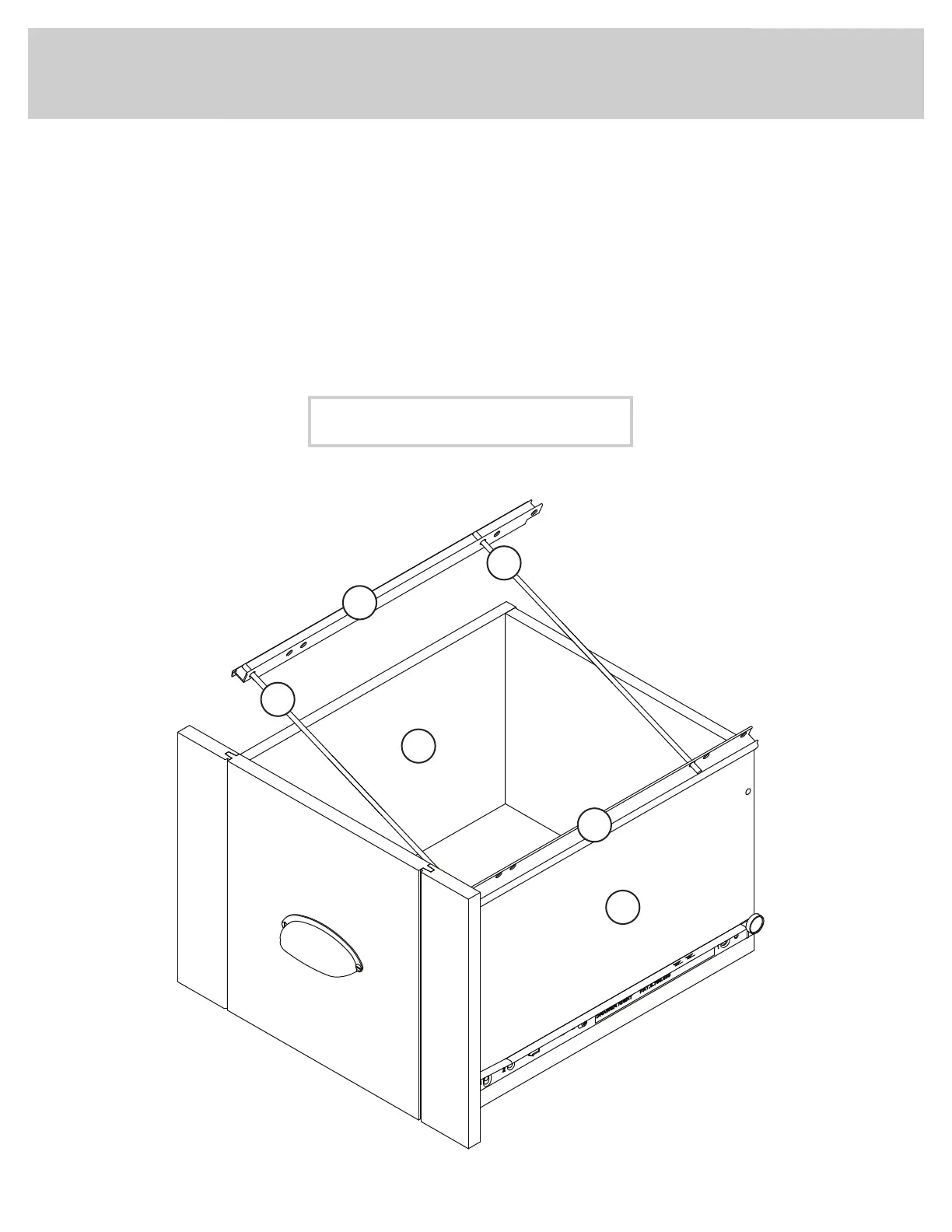
Push a FILE GLIDE (15B) onto the DRAWER RIGHT SIDE (D28).
å
Slide the FILE RODS (8B) into the FILE GLIDE (15B) on the
DRAWER RIGHT SIDE.
å
Slide another FILE GLIDE (15B) onto the other end of the FILE
RODS (8B), then press this FILE GLIDE over the DRAWER
LEFT SIDE (D29).
Step 6
15B
15B
8B
Insert the FILE RODS into the holes of your choice
in the FILE GLIDES, depending on your fi le sizes.
D28
D29
8B
417586www.sauder.com/service
Page 11


 To Next Page
 Loading...