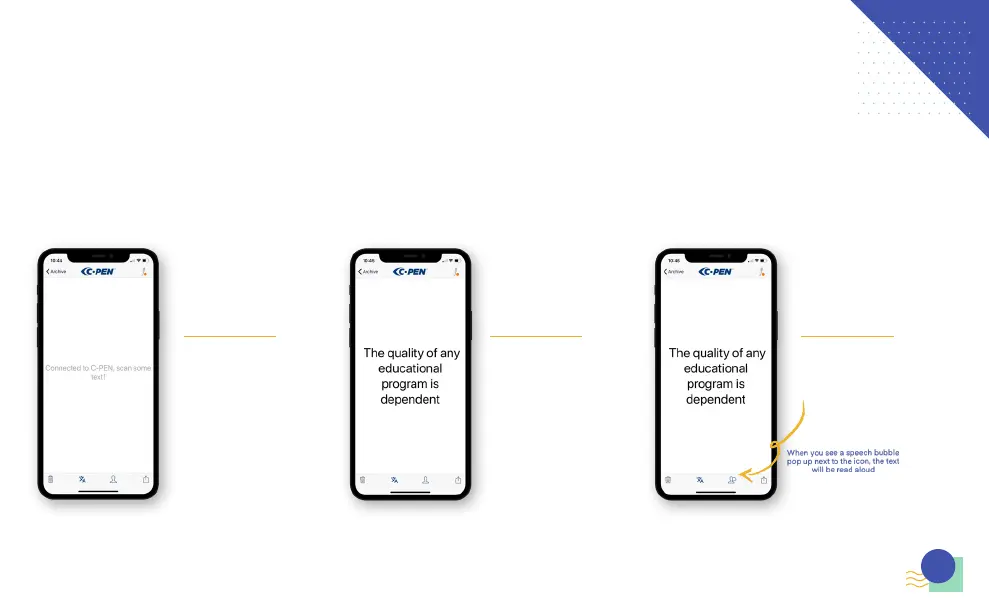
Once you have clicked “Ok, Great!” it
will take you to this main work space
screen where you can start to scan.
After scanning text it will appear in
the middle of the screen.
Tap the text on the work space to see
more features, you will find functions
like read, share, translate, and edit.
To hear the scanned text read aloud
tap the ‘Read out loud’ icon which will
you find next to the translation icon.
7
7
THE APP - CONTINUED



 To Next Page