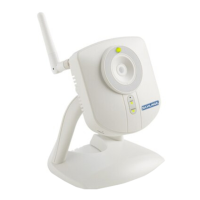
Privacy Button
The privacy button can be used to temporarily suspend video transmission.
Enable Privacy
Press the privacy button. Button will light green when activated.
Disable Privacy
Press the privacy button. Green light will go out when video transmission
resumes.
POWER
NETWORK
Privacy
Button
Privacy Button
Reset Button
DO NOT use the reset button.
If this button has been pressed, you will need to fi rst remove and then add the
camera back into your account. See Enrolling the Camera for more information.
Reset Button
Power, Ethernet and MAC ID
DO NOT connect power and Ethernet until instructed to do so by the web
site, during the enrollment process.
MAC ID is located on the label on the back of the camera.
WPS
POWER
LAN
Speaker
OUT
5V/1A
IC ID: 7954A
WCW100
XXXXXXXXXX
XXXXXXXXXX
Power and Ethernet
WPS Button
NOT use the WPS button. Pushing this button may prevent the camera from
enrolling to the LiNK system properly.
If the button is accidentally pushed, power must be disconnected and then
reconnected to the camera before enrolling the camera.
Do Not
Use
IC ID: 7954A
WCW100
XXXXXXXXXX
XXXXXXXXXX
WPS
POWER
LAN
Speaker
OUT
5V/1A
WPS Button


 To Next Page