
 Need help?
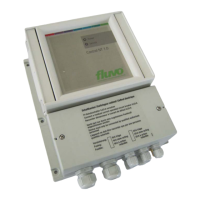
Do you have a question about the schmalenberger FLUVO Control NT and is the answer not in the manual?
Provides general guidance and safety prerequisites for operating the device.
Crucial safety warnings regarding electrical hazards and mandatory professional installation.
Details the selectable operational functions, including sensor buttons and runtime limiting.
Explains the meaning of the green and red LEDs indicating status and malfunctions.
Describes how to set and utilize the runtime limitation feature for pump operation.
Covers the operation and configuration of various actuator types for pump control.
Step-by-step guide for calibrating the sensitivity of pneumatic buttons.
Explains the device's protection mechanism against overcurrent and undercurrent.
Details how the control box distinguishes and operates with single or three-phase power.
Lists fault indicators, LED signals, and their corresponding potential causes.
Instructions for connecting and activating additional sensor buttons via a converter box.
Information regarding the 2-way valve function, with reference to supplementary documentation.
Guidance on wiring the main power supply and the pump to the designated terminals.
Details on connecting control inputs, feedback outputs, and bus interfaces.
Information on using N/O relay contacts for pump status and malfunction signals.
Details for connecting enable signals, bus communication, and button/latching inputs.
Explains how to configure runtime and other functions using DIP switches and potentiometers.
Safety instructions and procedure for safely accessing the terminal compartment for wiring.
Comprehensive guide to setting device address and functions via DIP switches.
Key steps for proper installation, including circuit breaker and fuse requirements.
Wiring diagram for connecting the control box to a 1-phase 230V AC power supply.
Wiring diagram for connecting the control box to a 3-phase 400V AC power supply.
Wiring diagram for connecting the control box to a 3-phase 230V AC power supply.
Wiring diagram for connecting external sensor buttons using the converter box.
 General
| Brand | schmalenberger |
|---|---|
| Model | FLUVO Control NT |
| Category | Controller |
| Language | English |

 To Next Page