2.3 Using your oven
2.3.1 Using your oven for the first time
Setting the time: before the oven can be used, the time should be set.
After the oven has been electrically connected, press the key then you can set
time of day in hours by turning the right knob. Press again the key then you set
timeinminuteswiththerightknob.Pressthekeytoconrmthesettings.
The clock has a 24-hour display.
Beforeusingtheapplianceforthersttime,youmustcleantheoven.
Remove all stickers, surface protection foils and transport protection parts.
Remove all accessories and the side-racks from the cavity.
Clean the accessories and the side-racks thoroughly using soapy water and a dish
cloth or soft brush.
Ensure that the cavity does not contain any leftover packaging, such as polystyrenes
pelletsorwoodenpiecewhichmaycauseriskofre.
Wipe the smooth surfaces in the cavity and the door with a soft, wet cloth.
To remove the new-appliance smell, heat up the appliance when empty and with the
oven door closed.
Keepthekitchenhighlyventilatedwhiletheapplianceisheatingupforthersttime.
Keep children and pets out of the kitchen during this time. Close the door to the
adjacent rooms.
Adjustthesettingsasindicatedhereafter.Youcanndouthowtosettheheating
type and the temperature in the next section.
Once the appliance has cooled down :
Clean the smooth surfaces and the door with soapy water and a dish cloth.
Dry all surfaces.
Install the side-racks.
2.3.2 Cooking with oven
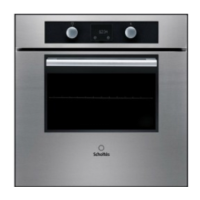
Set a cooking mode : Turn the oven-function knob to select your cooking mode.
Temperature will be set by default. Turn the right knob to the adjusted cooking
temperature and press the start key to launch your cooking.
Note : if you do not press the start key oven will return to stand-by mode after 5
minutes.
Settings
Heating Mode
Time 2h






 To Next Page