DZT-IP V3.1 - User manual
Ward Terminal DZT-IP - Settings
K-HB-010EN 23
10. Settings
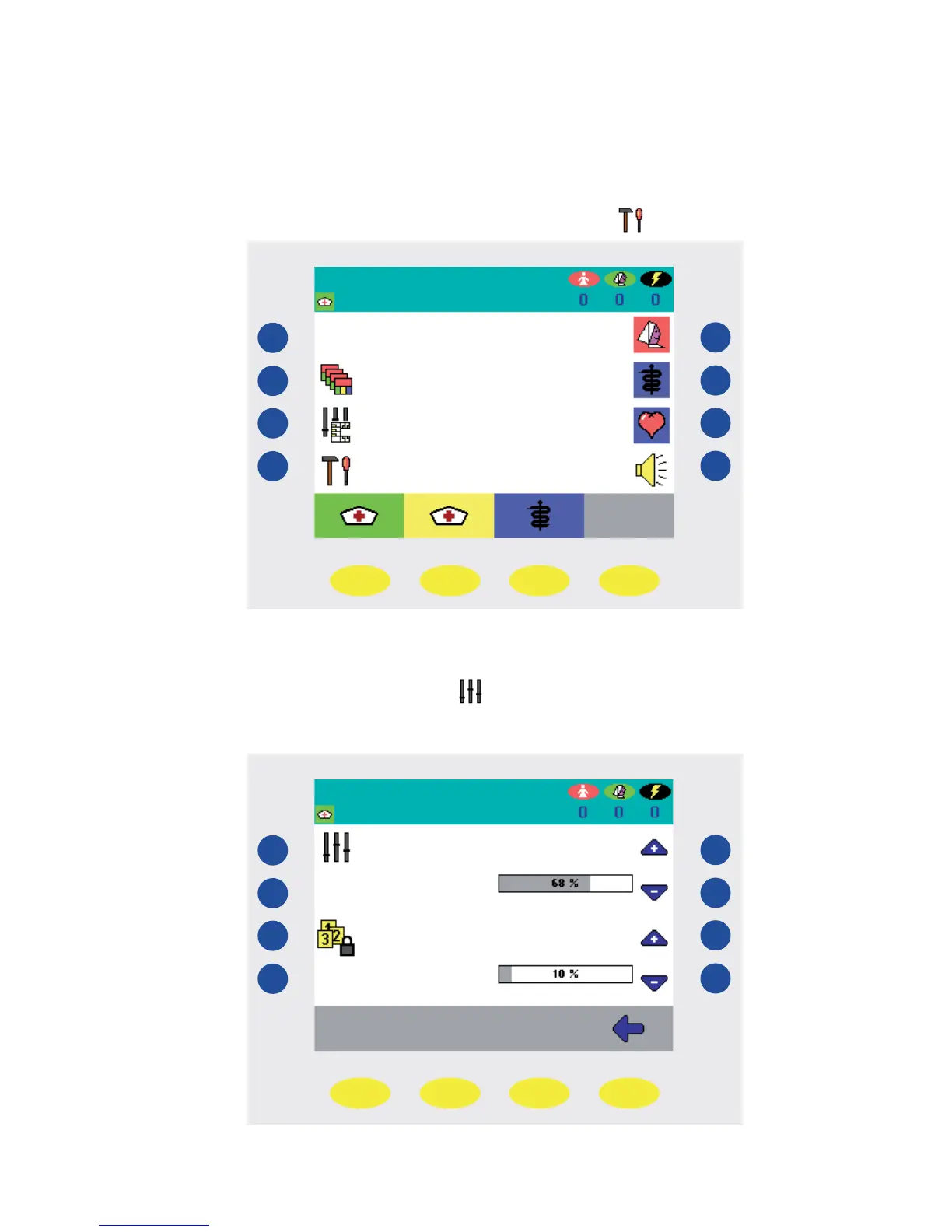
You have the possibility to change various settings on your ward terminal. This includes set-
ting the date and time, brightness and contrast of the display as well as volume settings. To do
so, press the blue key to the left hand side next to the „Settings“
symbol (Fig. 26).
Status line
Function line
Fig. 26
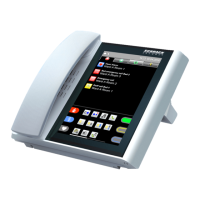
Using the blue keys on the right hand side next to the „+“ and „-“ symbols, you can set the
brightness and the contrast of the display to your requirements (Fig. 27). Press the blue key to
the left hand side next to the „Parameters“ symbol (Fig. 27) in order to set the date and
time, as well as the volume for speech connections and announcements.
Status line
Function line
Fig. 27


 To Next Page