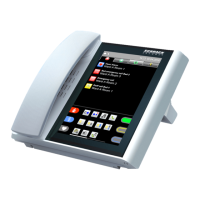
DZT-IP V3.1 - User manual8
Ward Terminal DZT-IP - Announcements
K-HB-010EN
4. Announcements
Press the blue key on the right hand side next to the „Audio“ (Fig. 1) symbol to enter the
announcement menu (Fig. 2). Using the blue keys on the right hand side, you can now choose
between general, nurse, doctor or staff announcements.
Keep the relevant key pressed for the duration of the time you wish to speak for (Fig. 3-6).
If the key is released again, the announcement is ended and the main menu (Fig. 1) is shown
again.
Status line
Function line
Fig. 2
Caution:
The displaying of the 4 types of presence can be disabled by means of confi guration - i.e. in
certain circumstances the announcement symbols next to the blue keys are not visible.


 To Next Page