DZT-IP V3.1 - User manual6
Ward Terminal DZT-IP - General
K-HB-010EN
3. General
By pressing the relevant function key, you enter into various submenus dependent on which
icon and description is next to the key. This applies not only for the vertical banks of blue
keys to the left and right of the display, but also for the yellow keys below the display. You can
always return to the previous menu by pressing the yellow key underneath the „Back“
symbol.
When the call and overview lists contains more than four lines of entries, then two blue scrol-
ling arrows appear in the function line of the display. By pressing the yellow keys underneath
these symbols, you can scroll up and down.
3.1 Idle State
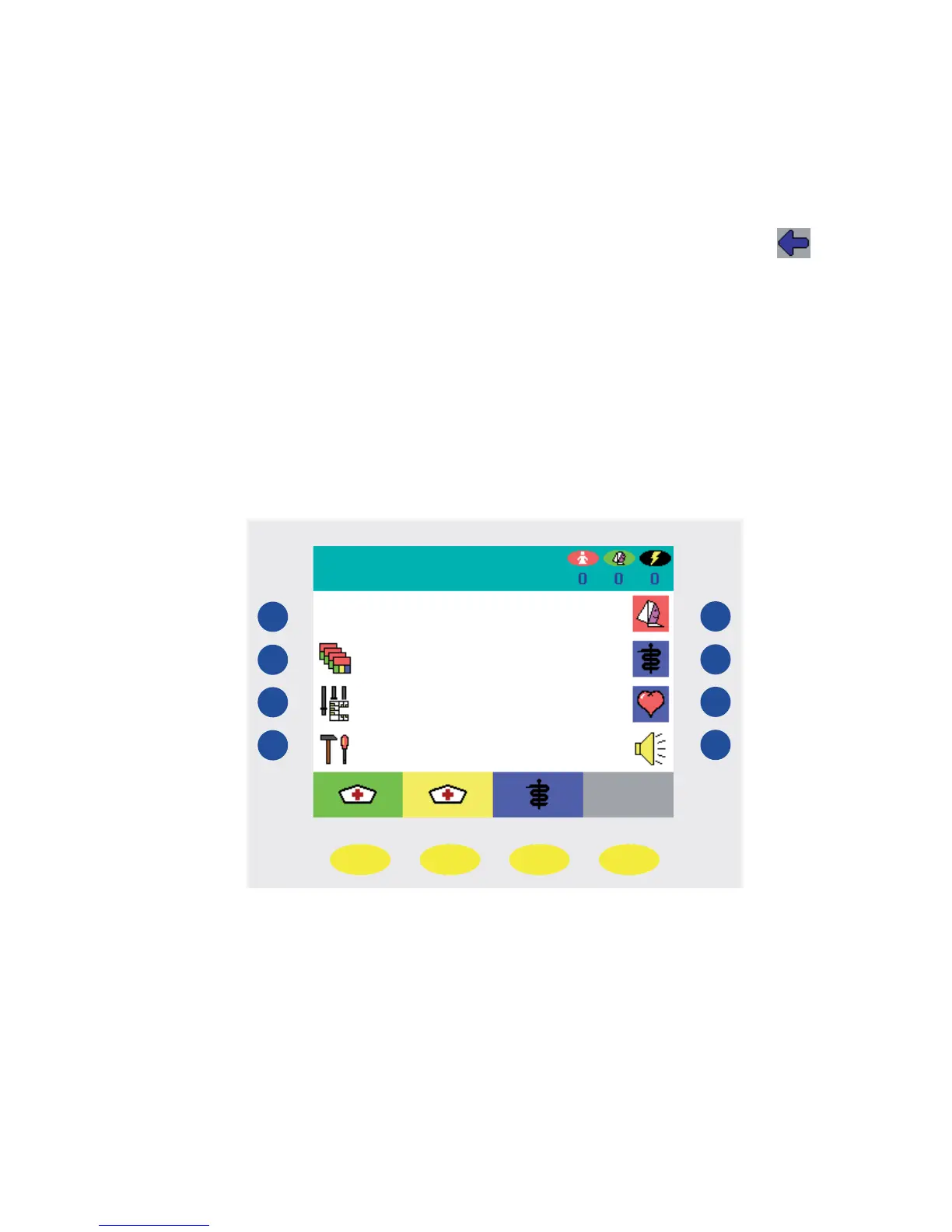
In idle state, the interface of the ward terminal, hereafter referred to as the „DZT“, appears
as follows:
Status line
Function line
Fig. 1


 To Next Page