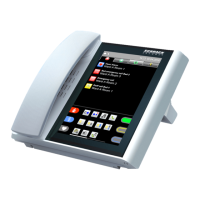
DZT-IP V3.1 - User manual
Ward Terminal DZT-IP - General
K-HB-010EN 7
Caution:
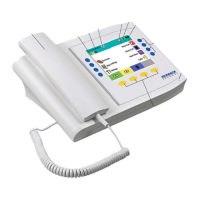
The displaying of the three types of presence can be disabled by means of confi guration - i.e.
in certain circumstances the presence symbols above the yellow keys are not visible.
You will fi nd the following state information in the status line:
• Top left date and time (optional)
• Next to that the status of the ward interconnection and centralization
• Currently set staff presences (nurse 1, nurse 2, Doctor)
• on the right the number of current calls, reminders and faults or failures
The symbols for all staff categories appear in the function bar. You can set the relevant pre-
sence at the ward terminal using the yellow keys below the „Presence“ symbol.
Using the three blue keys on the right hand side for nurse call, doctor call and heart alarm,
you can trigger the corresponding calls and reset them again on the DZT.


 To Next Page