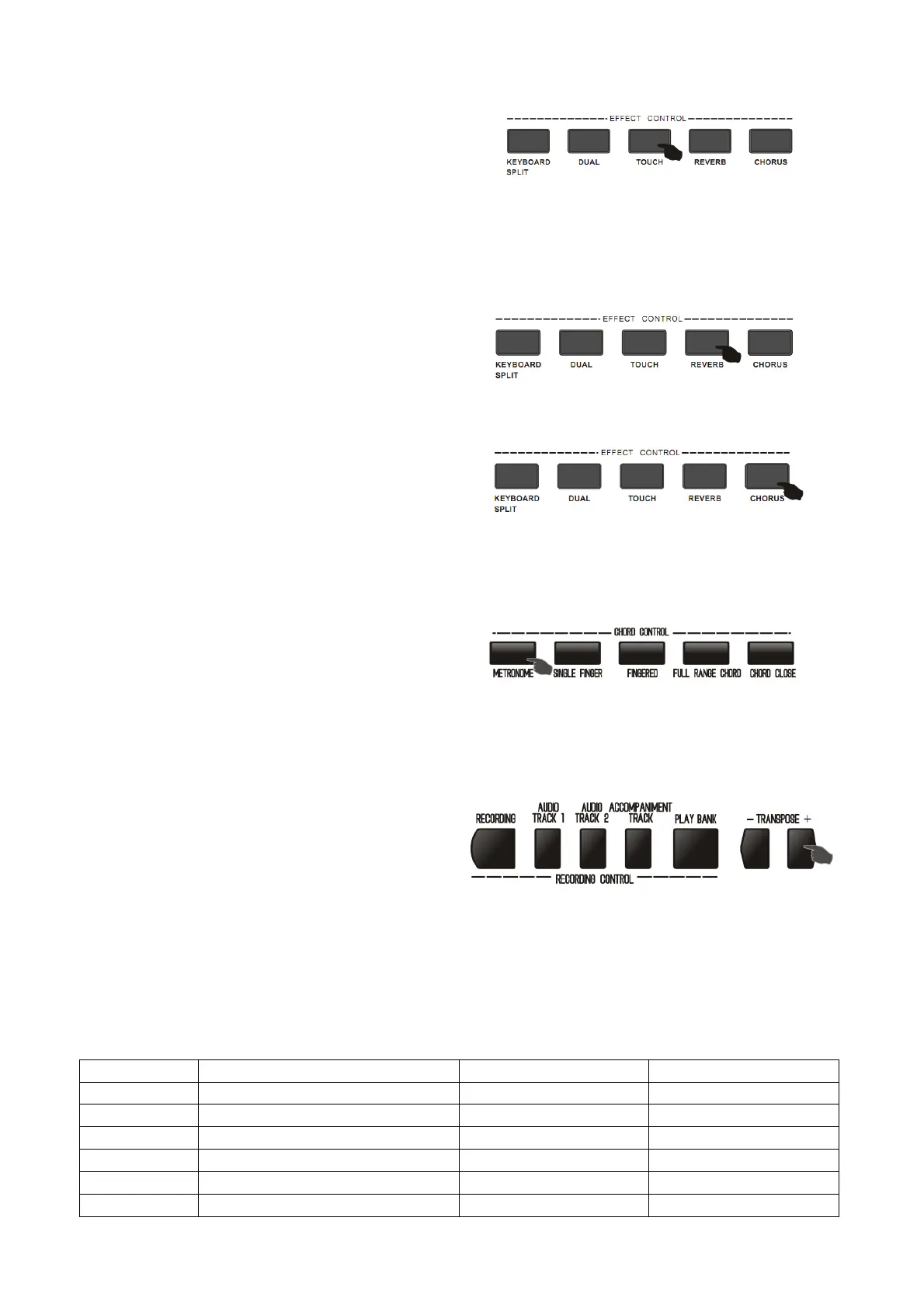
Touch
By the function of touch response, you can control the
touch of fingers of playing the keyboard to allow
dynamic variation of volume.
Press [TOUCH] button to switch touch function of the keyboard. There are three touch types for choice
altogether.
1. Press [TOUCH] button to open touch response and LCD displays the symbol.
2. Press [TOUCH] button, do the loop operation in this four status: 001/002/003/OFF.
Reverb
Press the [REVERB] button, the reverb effect closed,
there was no symbol that displayed on the LCD, Press
this button again, The LCD displayed the symbol was
opened.
Chorus
Press [CHORUS] button to open default chorus effect
and CHORUS LCD displays the symbol. Press [CHORUS]
button again, the chord symbol fade from the LCD, the
chord function close.
Metronome
1. Press the [METRONOME] button to start the metronome sound of the metronome.
2. Press the [FUNCTION MENU ]button to select
(04 Beat Num.),then adjust the metronome
number by the +/- button
3. You can specify the metronome number of every subsection in the range 0,2,3....9
4. The metronome function closed if you press the [METRONOME] button again.
Transposition
Press TRANPOSE"+/-"button, the corresponding
musical scale goes up or goes down for one note
when you play the black and white keys, you can
adjust the musical scale for +12 levels upwards and
downwards. The transpose was effect only in the normal performance status ,the system will restore to the
default value if you press the transpose+/- buttons at the same time.
Function Menu
Press [FUNCTION MENU] button, the piano enters the menu choice state. You can choose the function items
by pressing [digit+/-] buttons.


 To Next Page