8 9
EN
Visit www.schuberth.com/src-system to experience an
interactive demonstration of the SRC-System™ functions.
(You will find the serial number on the size label attached to your
SRC-System™).
Caution: To fully understand the proper use of the SRC-System™,
it is necessary to read the manual.
Caution: Make sure that your headset is fully charged for at least
4 hours before initial use.
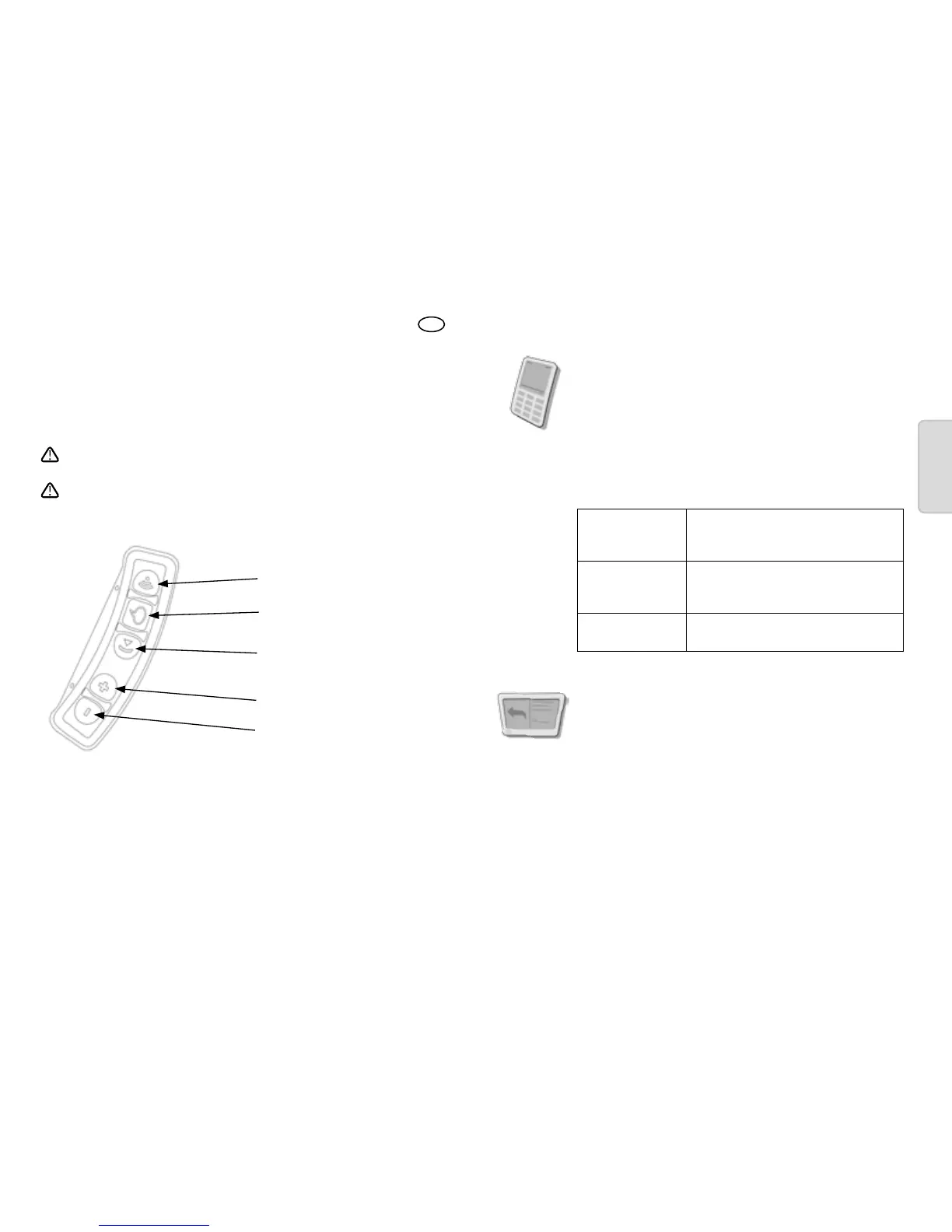
Intercom
Voice command
(Power on/off)
Music / mobile
Volume up
Volume down
Quick Start Guide
Pairing to a Bluetooth
®
mobile phone
1. Switch on your SRC-System™.
2. Press the volume up button for at least 5 seconds until the
red and blue LEDs begin flashing quickly.
3. Search for Bluetooth
®
SRC-System™ on your phone.
4. Enter 0000 (4 zeros) as your PIN or passkey.
Answer a call
During an incoming call tap mobile
button or speak loudly any word of
your choice.
Reject a call
Remain silent for 15 seconds, or
press the mobile button for 2 seconds
during an incoming call.
End a call
Tap mobile button during a call, or let
the other party end the call.
Pairing to a GPS device
1. Switch on your SRC-System™.
2. Press the volume down button for at least 5 seconds, until
the red and blue LEDs begin flashing quickly. While the
LEDs are flashing quickly, tap the volume up button.
3. Search for the Bluetooth
®
SRCS device on your GPS screen.
4. If your GPS device prompts for a PIN or passkey, enter
0000 (4 zeros).
Turn on the SRC-System™
1. Press voice command button for 2 seconds.
2. LED indication: 3 blue flashes.
3. Audio feedback: ascending tone (low-high).


 To Next Page