EasyManua.ls Logo

SCHUBERTH SRC SYSTEM - User Manual

SCHUBERTH SRC SYSTEM
20 pages
Print Icon
To Next Page IconTo Next Page
Loading...
U S E R M A N U A L
P O W E R E D B Y

Other manuals for SCHUBERTH SRC SYSTEM

Questions and Answers

SCHUBERTH SRC SYSTEM Specifications

General IconGeneral
BluetoothYes
IntercomYes
Talk timeUp to 10 hours
Phone ConnectivityYes
Voice ControlYes
CompatibilitySCHUBERTH helmets
WaterproofYes
Music StreamingYes

Summary

1. Introduction to SRC-System

Mobile Phone Connectivity

Connects to mobile phones using Bluetooth Handsfree, A2DP, and AVRCP profiles.

Wireless Music Streaming

Streams music wirelessly via Bluetooth Stereo A2DP and AVRCP profiles.

Two-Way and Three-Way Intercom

Enables conference calls with other SRC-System headsets up to 700m in Full Duplex.

Driver-to-Passenger Intercom

Allows communication between the rider and a passenger.

Click-to-Link Functionality

Spontaneous intercom communication with nearby SRC-System or scala rider units.

GPS Navigation and Audio

Receives navigation instructions and audio from compatible Bluetooth GPS devices.

Built-in FM Radio Operation

Features a built-in FM stereo radio with 6 station presets and automatic tuning.

Cable-Connected Audio Playback

Acts as a stereo headset for listening to audio devices connected via cable.

Key Additional Features

Highlights AGC, VOX, PLC, software updates, and spoken status announcements.

2. Retail Box Contents

3. Charging the Headset

4. Basic Setup and Configuration

Basic Functions Overview

Explains how to turn the unit on/off, adjust volume, mute, and check battery status.

Status Light Indicators

Details the meaning of different LED light indications for headset status.

Software Upgrades and Settings

Instructs on updating software and registering the device for customization.

Customizing Device Settings

Allows personalization of features like spoken announcements and AGC/VOX sensitivity.

5. Getting Started

Voice Menu Navigation

Explains how to access and navigate the voice menu for device settings.

Audio Source Priorities

Outlines the priority order for different audio sources connected to the headset.

Headset Reset Procedure

Provides steps to reset the headset if it fails to respond correctly.

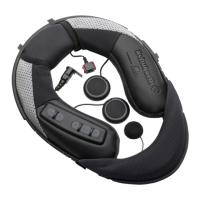
Removing Existing Acoustic Collar

Details how to remove the original acoustic collar from the helmet.

Connecting the Antenna Cable

Guides on connecting the SRC-System's antenna cable to the helmet's internal connector.

Attaching the SRC-System Unit

Instructions for securely fitting the SRC-System unit into the helmet.

Positioning the Speakers for Audio

Explains how to correctly position the speakers in the helmet for optimal audio.

Positioning the Microphone

Guides on placing the microphone for clear voice transmission.

Removing the SRC-System from Helmet

Instructions for detaching the SRC-System unit from the helmet.

Wearing and Removing the Helmet

Provides advice on how to wear and remove the helmet with the SRC-System installed.

Cleaning the Acoustic Collar

Offers guidance on cleaning the acoustic collar safely.

6. Connecting Mobile Phones, GPS, and MP3 Players

Mobile Phone Pairing and Connectivity

Details the process of pairing and connecting a mobile phone to the headset.

GPS Device Pairing and Usage

Guides on pairing and connecting a GPS device for navigation and audio.

6.3 MP3 Music Playback

Wireless A2 DP Music Streaming

Details setting up and using MP3 players for wireless music streaming.

Cable-Connected MP3 Player via AUX

Describes connecting MP3 players using the included AUX cable.

7. Built-in FM Radio Operation

Automatic FM Radio Tuning

Describes the automatic tuning feature for finding FM stations.

8. Using the Intercom

Intercom Introduction and Pairing

Introduces the intercom functionality and pairing requirements.

Intercom Compatibility

Lists compatible headsets for intercom communication.

Preparation for Intercom Use

Explains the channel designation for connecting to other headsets.

8.4 Intercom with Other SRC-System Headsets

Details the process of pairing and connecting with other SRC-System headsets.

8.4 a Two-Way Intercom Setup

Step-by-step guide for establishing a two-way intercom connection.

8.4 b Three-Way Intercom Setup

Instructions for setting up a three-way intercom conference call.

Initiating Intercom Calls

Explains how to initiate intercom calls using voice or button commands.

Receiving Intercom Calls

Describes how intercom calls are received and handled.

Voice Connect (VOX) Feature

Details the VOX feature for hands-free operation and its customization.

Resetting Paired Devices

How to clear all previously paired devices and restore default settings.

Common Intercom Issues

Addresses common issues like busy status and automatic reconnection.

Intercom Troubleshooting Guide

Provides solutions for common intercom problems and setup verification.

9. Click-to-Link (CTL)

10. Support Information

11. Notices and Warnings

Important Usage Notes

General advice and warnings for safe operation of the device.

Federal Communications Commission (FCC)

Information related to FCC compliance and regulations for the device.

FCC RF Radiation Exposure Statement

Details compliance with FCC RF exposure limits and user instructions.

European CE Compliance Notice

Statement of conformity with essential requirements of the R&TTE Directive.

Waiver and General Release Agreement

Legal agreement on user responsibilities and liability release.

Product Warranty Disclaimer

Outlines the warranty terms and limitations provided for the device.

Limitation of Liability Clause

Specifies the extent of the company's liability for damages related to device use.

Related product manuals