EasyManua.ls Logo

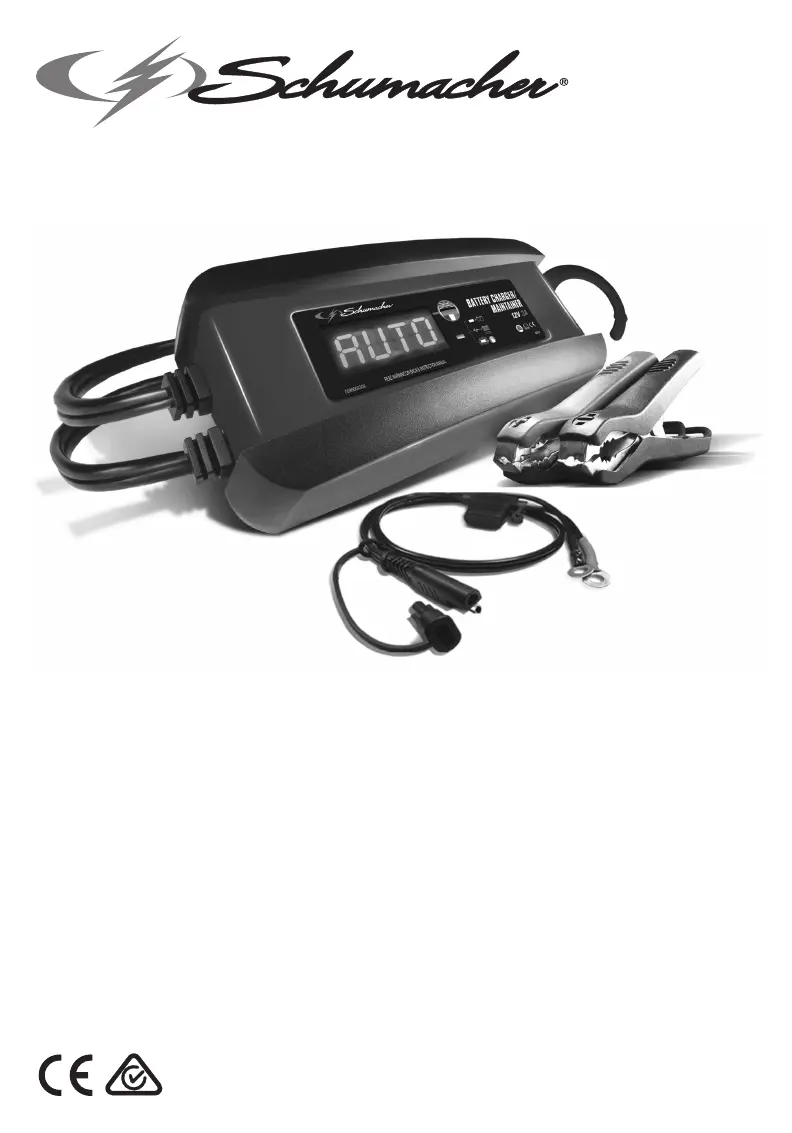
Schumacher SPI3 - User Manual

Schumacher SPI3
115 pages
Print Icon
To Next Page IconTo Next Page
Loading...
0099001610-04
SPI3
English .................. 02
Deutsch .................16
Español ................. 29
Français ................. 41
Italiano .................. 53
Nederlands .......... 65
Polski ..................... 77
Português .............91
Svenska ...............104

Questions and Answers

Summary

Owners Manual

Markings and Symbols

Explains various symbols and markings used on the charger and manual for safety.

Plug Types

Illustrates different plug types (C, G, I) used with the charger.

Important Safety Instructions

Risk of Electric Shock or Fire

Details hazards and precautions related to electric shock and fire risks.

Risk of Explosive Gases

Highlights dangers associated with explosive gases from batteries.

Personal Precautions

Risk of Explosive Gases

Warns about explosive gases from batteries and personal safety measures.

Preparing to Charge

Risk of Contact with Battery Acid

Details hazards and precautions when handling corrosive battery acid.

Charger Location

Risk of Explosion and Contact with Battery Acid

Safety advice on charger placement to avoid explosion and acid contact.

DC Connection Precautions

Connecting Battery in Vehicle

Spark Prevention During Vehicle Connection

Steps to prevent sparks near the battery when connecting the charger.

Connecting Battery Outside Vehicle

Spark Prevention When Battery is Outside Vehicle

Precautions to avoid sparks near the battery when it's not in the vehicle.

AC Power Cord Connections

Risk of Electric Shock or Fire from AC Cord

Warnings regarding electric shock and fire from AC power cord usage.

Features

Assembly Instructions

Control Panel Overview

Digital Display

Describes the function of the digital display for status and messages.

Battery Type;Language Button

Explains how to select battery type and language using the button.

LED Indicator

Details the meaning of the LED indicator states (solid, pulsing, flashing).

Operating Instructions

Using Quick-Connect Cable Connectors

General instructions for using quick-connect cable assemblies with the charger.

Battery Clamp Quick-Connect

Step-by-step guide for connecting battery clamps for charging.

Ring Terminal Quick-Connect

Instructions for attaching and using ring terminals for charging.

Battery Connection Indicator

Explains display messages for battery connection status and errors.

Automatic Charging and Maintain Modes

Details automatic charging, maintain mode, and troubleshooting aborted charges.

Calculating Charge Time

Display Messages

Maintenance Instructions

Moving and Storage Instructions

Troubleshooting

Specifications

Replacement Parts

Limited Warranty

Warranty, Repair Service and Distribution Centers

Environmental Disposal Information

Declaration of Conformity

Certificate of Approval (SAA)

Certificate of Approval Addendum (SAA)

Summary

Owners Manual

Markings and Symbols

Explains various symbols and markings used on the charger and manual for safety.

Plug Types

Illustrates different plug types (C, G, I) used with the charger.

Important Safety Instructions

Risk of Electric Shock or Fire

Details hazards and precautions related to electric shock and fire risks.

Risk of Explosive Gases

Highlights dangers associated with explosive gases from batteries.

Personal Precautions

Risk of Explosive Gases

Warns about explosive gases from batteries and personal safety measures.

Preparing to Charge

Risk of Contact with Battery Acid

Details hazards and precautions when handling corrosive battery acid.

Charger Location

Risk of Explosion and Contact with Battery Acid

Safety advice on charger placement to avoid explosion and acid contact.

DC Connection Precautions

Connecting Battery in Vehicle

Spark Prevention During Vehicle Connection

Steps to prevent sparks near the battery when connecting the charger.

Connecting Battery Outside Vehicle

Spark Prevention When Battery is Outside Vehicle

Precautions to avoid sparks near the battery when it's not in the vehicle.

AC Power Cord Connections

Risk of Electric Shock or Fire from AC Cord

Warnings regarding electric shock and fire from AC power cord usage.

Features

Assembly Instructions

Control Panel Overview

Digital Display

Describes the function of the digital display for status and messages.

Battery Type;Language Button

Explains how to select battery type and language using the button.

LED Indicator

Details the meaning of the LED indicator states (solid, pulsing, flashing).

Operating Instructions

Using Quick-Connect Cable Connectors

General instructions for using quick-connect cable assemblies with the charger.

Battery Clamp Quick-Connect

Step-by-step guide for connecting battery clamps for charging.

Ring Terminal Quick-Connect

Instructions for attaching and using ring terminals for charging.

Battery Connection Indicator

Explains display messages for battery connection status and errors.

Automatic Charging and Maintain Modes

Details automatic charging, maintain mode, and troubleshooting aborted charges.

Calculating Charge Time

Display Messages

Maintenance Instructions

Moving and Storage Instructions

Troubleshooting

Specifications

Replacement Parts

Limited Warranty

Warranty, Repair Service and Distribution Centers

Environmental Disposal Information

Declaration of Conformity

Certificate of Approval (SAA)

Certificate of Approval Addendum (SAA)

Schumacher SPI3 Specifications

General IconGeneral
TypeAutomatic Battery Charger
Input Voltage120V AC
Input Frequency60 Hz
Output Voltage6V/12V
Output Current3A
Battery Types SupportedStandard, AGM, Gel
Charging StagesMulti-Stage Charging
Safety FeaturesOvercharge Protection
Charging ModesMaintain, Charge

Related product manuals