2
SEL Application Guide 2015-12 Date Code 20150401
SEL-411L TEST MODE FEATURES
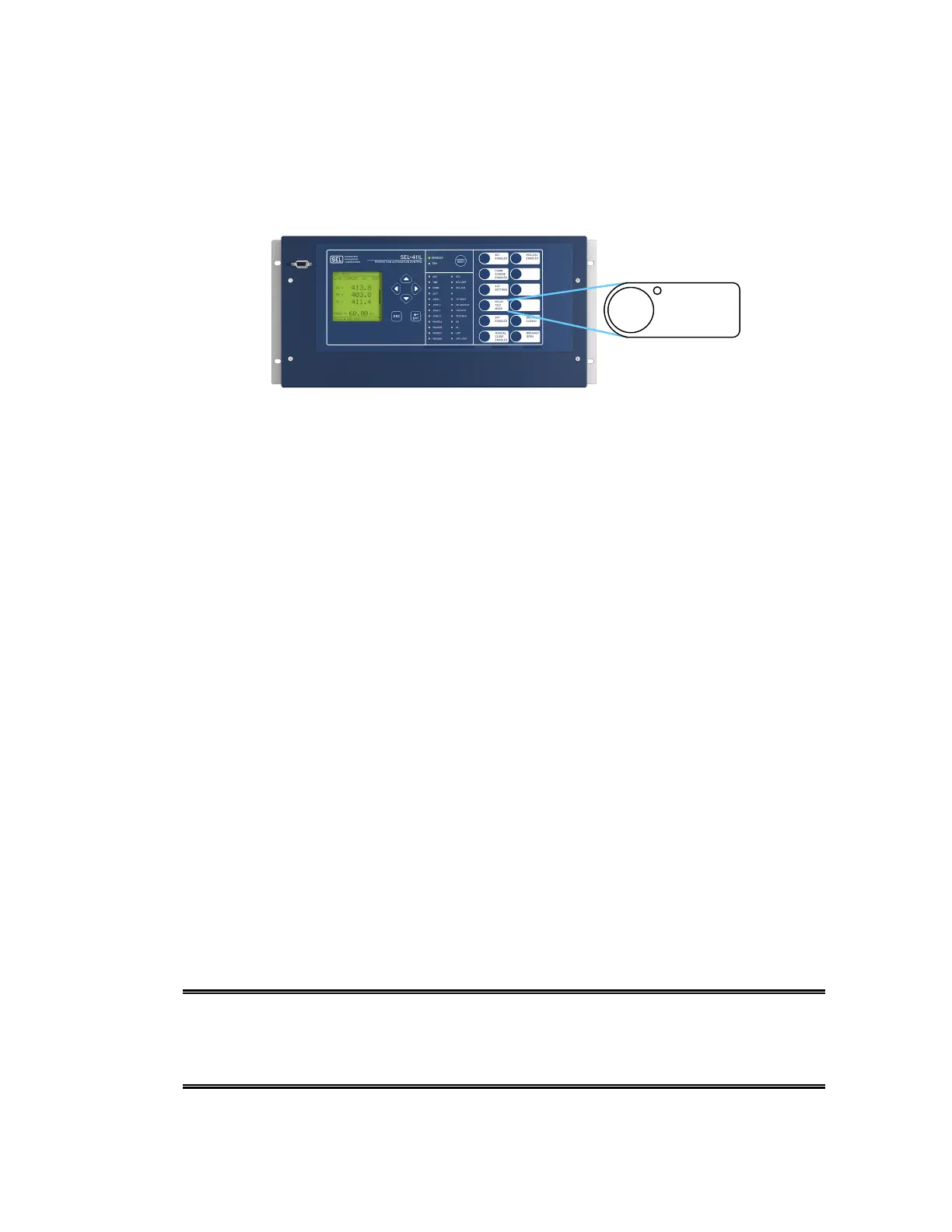
With the default settings, the {RELAY TEST MODE} front-panel pushbutton (Pushbutton 4, as
shown in Figure 2) allows you to test the protection functions of the relay by disabling the output
contacts of the relay that are used for tripping, closing, and pilot-scheme keying of the breakers in
the scheme.
Figure 2 The {RELAY TEST MODE} pushbutton supervises the 87L test mode
The function of this pushbutton in the default settings of the SEL-411L is to supervise the
Access Level 2 TEST 87L command. The TEST 87L command allows for the testing of the
Alpha Plane or the relay differential operating characteristic. The TEST 87L command is
supervised by the SEL
OGIC
®
control equation 87TMSUP, which must be asserted to a logical 1 to
allow the use of the TEST 87L command. In the default logic, 87TMSUP asserts when the
{RELAY TEST MODE} pushbutton is used to place the SEL-411L in relay test mode, which
turns on the pushbutton LED.
DEFAULT PROGRAMMING AND TEST 87L MODE
The SEL-411L ships from the factory programmed with the following default equations, which
correspond to the activation, supervision of test mode, and LED indications in the relay.
PLT04S := PB4_PUL AND NOT PLT04 # ACTIVATE OR LATCH IN RELAY TEST MODE
PLT04R := PB4_PUL AND PLT04
87TMSUP = PLT04 # TEST MODE SUPERVISION
PB4_LED = PLT04 # LED RESPONSE
Note that pressing the {RELAY TEST MODE} pushbutton does not automatically initiate the
TEST 87L command. The TEST 87L command must be entered at Access Level 2 via terminal
emulation software.
With the default settings, if the RELAY TEST MODE LED is not on, then typing the
TEST 87L command returns the error message: 87 Test Mode Supervision is not asserted, test
aborted.
The following is an example of entering the 87L test mode, as shown on the screen of a terminal
emulation program:
Level 2
=>>TEST 87L
Entering 87L Test Mode
Select Test: Characteristic or Loopback (C,L) ? |



 To Next Page