EasyManua.ls Logo

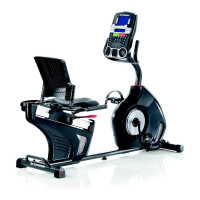
Schwinn 510R - User Manual

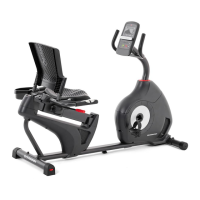
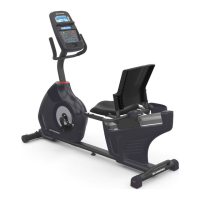
Schwinn 510R
36 pages
Print Icon
To Next Page IconTo Next Page
Loading...
ASSEMBLY MANUAL / OWNER’S MANUAL
230 / 510R
TM

Other manuals for Schwinn 510R

Questions and Answers

  • D
    David AndersonAug 16, 2025
    How to fix Schwinn Fitness Equipment resistance not changing?
    • K
      Kelly SpencerAug 16, 2025
      If the resistance on your Schwinn Fitness Equipment isn't changing, first ensure all wires in the cable are intact, replacing the cable if any are visibly crimped or cut. Next, verify the cable is securely connected and properly oriented, reseating all connections and ensuring the small latch on the connector snaps into place. If the magnets move, adjust them until they are within the proper range; replace the Servo Motor if it's not functioning correctly. Also, check for any visual damage to the Console and replace it if damaged.
  • T
    Tonya PerezAug 19, 2025
    What to do if Schwinn Fitness Equipment pedals are loose?
    • E
      evansdesireeAug 19, 2025
      If the pedals on your Schwinn Fitness Equipment are loose or the unit is difficult to pedal, ensure the pedal is tightened securely to the crank and that the connection is not cross-threaded.
  • J
    joshuanolanAug 22, 2025
    How to fix Schwinn Fitness Equipment seat assembly shifts?
    • V
      vsteeleAug 22, 2025
      If the Seat Assembly on your Schwinn Fitness Equipment shifts or squeaks during use, check the hardware that attaches the Seat assembly and fully tighten it.
  • N
    ngoodwinAug 25, 2025
    Why is my Schwinn Fitness Equipment making a clicking sound?
    • D
      davisstacyAug 25, 2025
      If you hear a clicking sound when pedaling your Schwinn Fitness Equipment, remove the pedals, ensure there is no debris on the threads, and reinstall the pedals.
  • R
    Robert LeeAug 27, 2025
    What to do if Schwinn Fitness Equipment has no display?
    • J
      Juan CoxAug 27, 2025
      If your Schwinn Fitness Equipment isn't turning on or the display is not working correctly, ensure the unit is plugged into a functioning wall outlet. Check that the connection is secure and undamaged, replacing the adapter or connection if necessary. Inspect the cable for any crimped or cut wires, and replace it if damaged. Confirm that the cables at the base of the mast and back of the console are securely connected and properly oriented, ensuring the small latch on the connector snaps into place. Look for any visual signs of damage to the console display, and replace the console if it's cracked or damaged. If the console only shows a partial display and all connections are fine, replace the console.
  • S
    Sally MunozAug 30, 2025
    Why does my Schwinn Fitness Equipment display 'Please Pedal'?
    • P
      Patrick GreeneAug 30, 2025
      If your Schwinn Fitness Equipment console displays a 'Please Pedal' error and there's no speed/RPM reading, check that all wires in the cable are intact and replace the cable if any are cut or crimped. Ensure each cable is securely connected and properly oriented, making sure the small latch on the connector snaps into place. Verify the magnet is in place on the pulley. Confirm the speed sensor is aligned with the magnet and connected to the data cable; realign the sensor if needed, and replace it if damaged.
  • A
    Andrew JohnsonSep 1, 2025
    What to do if Schwinn Fitness Equipment Bluetooth HR is not displayed?
    • J
      Jonathan DavidsonSep 2, 2025
      If your Schwinn Fitness Equipment operates but the Bluetooth® HR is not displayed, follow the troubleshooting instructions provided with the device. If the monitor has replaceable batteries, install new batteries. Try moving the unit away from sources of interference like TVs or microwaves. If eliminating interference doesn't restore HR function, replace the HR monitor. If the HR still does not function, replace the Console.
  • H
    Helen WolfSep 4, 2025
    Why does Schwinn Fitness Equipment console shut off during use?
    • M
      Mary LawrenceSep 5, 2025
      If your Schwinn Fitness Equipment console shuts off or enters sleep mode during use, ensure the unit is plugged into a functioning wall outlet and the connection is secure and undamaged, replacing the adapter or connection if necessary. Check that all wires in the cable are intact, replacing the cable if any are cut or crimped. Make sure the cable is securely connected and properly oriented, ensuring the small latch on the connector snaps into place. Unplug the unit from the electrical outlet for 3 minutes, then reconnect it. Verify the magnet is in place on the pulley and that the speed sensor is aligned with the magnet and connected to the data cable; realign the sensor if needed, and replace it if there is any damage to the sensor or the connecting wire.
  • W
    wilkersonelizabethSep 7, 2025
    Why is Schwinn Fitness Equipment Bluetooth HR displayed incorrectly?
    • G
      George SmithSep 7, 2025
      If the Bluetooth® HR is displayed incorrectly on your Schwinn Fitness Equipment, the console may still be connected to the previous user. Push the Connect Bluetooth® button to disconnect from them, and then push it again to connect to your device.
  • W
    Whitney NielsenSep 10, 2025
    How to fix Schwinn Fitness Equipment when Contact HR not displayed?
    • S
      Scott PottsSep 10, 2025
      If your Schwinn Fitness Equipment operates but the Contact HR is not displayed, ensure the cable is securely connected to the Console. Also, confirm that cables from the handlebars and the cable to the Console are secure and undamaged. Be sure your hands are centered on the HR sensors, kept still, and applying relatively equal pressure to each side. Note that sensors may struggle with dried out or calloused hands; a conductive electrode cream may help. If these tests reveal no other issues, the Static Handlebar should be replaced.

Summary

IMPORTANT SAFETY INSTRUCTIONS

General Safety Warnings and Precautions

Read and follow all safety warnings for safe operation and to prevent injury.

Pre-Use Equipment Checks

Examine machine for loose parts, wear, and ensure proper setup before each use.

ASSEMBLY

Initial Frame Assembly

Attaching stabilizers and seat frame assembly to the main frame.

Console and Pedal Installation

Connecting the console, pedals, and water bottle holder.

Final Assembly and Inspection

Connecting the AC adapter and performing a final check of the assembled machine.

BEFORE YOU START

FEATURES

Console Features and Operation

Explains console buttons, programs, and basic functions.

OPERATIONS

TROUBLESHOOTING

Power and Display Troubleshooting

Resolving issues related to the console display and unit power.

Heart Rate Monitoring Troubleshooting

Addressing problems with contact and Bluetooth heart rate sensors.

Performance and Noise Troubleshooting

Solutions for resistance, rocking, pedal, and noise issues.

WARRANTY

Schwinn 510R Specifications

General IconGeneral
TypeRecumbent Exercise Bike
Resistance TypeMagnetic
Resistance Levels16
Display TypeLCD
Weight Capacity300 lbs
Display FeaturesTime, Speed, Distance, Calories, Heart Rate, RPM
Programs13
Product Weight84 lbs
Heart Rate MonitoringContact heart rate sensors
Power RequirementsAC adapter
Seat TypePadded
Seat AdjustabilityAdjustable
Pedalsadjustable straps
WarrantyFrame: 5 years; Mechanical: 1 year; Electrical: 1 year; Labor: 90 days

Related product manuals